MKBHD warns iPhone 16 Pro users: car LiDAR can scar your camera sensor for good
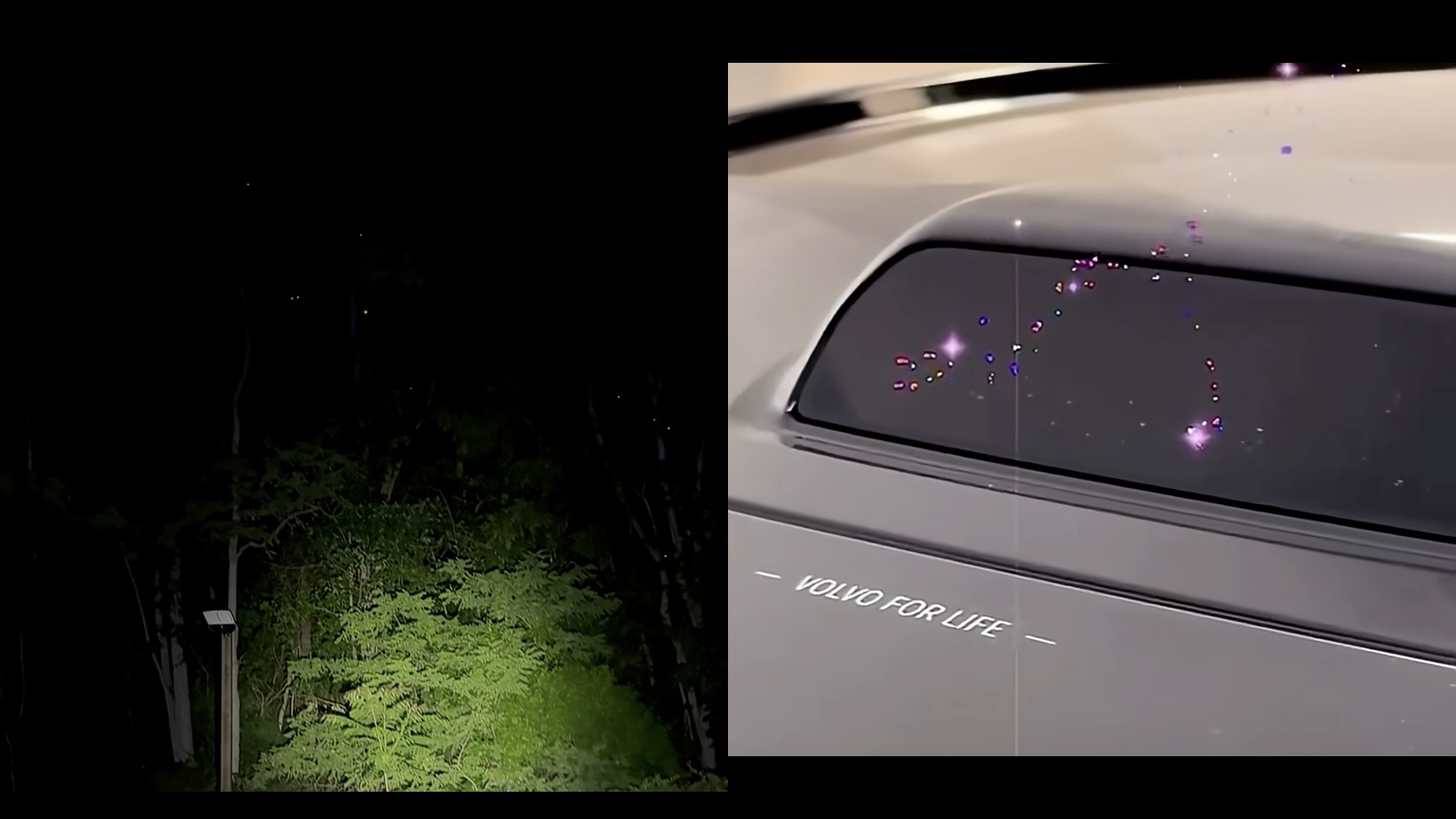
If your iPhone 16 Pro videos have suddenly started showing a constellation of tiny bright dots, you’re not imagining things—and it may not be dust or a software glitch. Marques Brownlee, known to millions as MKBHD, ran into exactly this issue while filming and later discovered the cause was more serious than smudges or a bad update. The camera sensor itself was permanently damaged.
The surprising culprit? Automotive LiDAR. That’s the laser-based system many newer cars use for advanced driver assistance and self-driving features. It rapidly scans the environment with pulses of light to measure distance, draw a 3D map, and help the car “see.” While these beams are considered safe for your eyes, they can be harsh on image sensors—especially the compact, tightly engineered sensors in modern smartphones.
What’s causing the bright dots?
Marques noticed the same bright pinpoints in every clip, shot after shot, across different lighting conditions and apps. They didn’t wipe away with cleaning. They weren’t lens flare. After testing and digging deeper, he concluded the pattern matched permanent sensor damage—essentially tiny areas of the sensor that got “burned” and now show up as consistent bright spots across photos and videos.
Why smartphone cameras are vulnerable
Professional cameras often have stronger protection, including more robust coatings and IR-blocking filters that help shield sensors from certain wavelengths of light. Smartphones prioritize thinness and compact design, which can mean less aggressive infrared protection. That trade-off can leave phone sensors more exposed to specific light sources—like the concentrated, scanning beams from high-powered LiDAR systems.
Marques mentioned this happened while filming near a vehicle equipped with an advanced LiDAR setup, specifically a Volvo EX90. The damage wasn’t immediate to the naked eye, but once it appeared, it never went away. Similar incidents have been captured online, showing how a LiDAR unit’s scanning pattern can brand a repeating cluster of bright dots onto a camera sensor in real time.
Is it only the iPhone 16 Pro?
No. The warning applies broadly. Any smartphone camera with limited IR protection can be vulnerable, not just one brand or model. The iPhone 16 Pro in this case is a high-profile example, but the same risk exists for other phones if the camera sensor is exposed to strong LiDAR beams. Once the sensor is scarred, there’s no software fix. The only remedy is replacing the entire camera module.
How to know if your sensor is damaged
– You see the same bright dots in the same places across multiple photos and videos.
– The pattern appears across different camera apps and persists after cleaning the lens.
– It’s visible in both indoor and outdoor recordings, not just under specific lighting.
– The artifacts don’t move like dust or flare; they’re locked to the same pixels.
How to protect your phone when filming near LiDAR-equipped cars
You don’t have to stop filming cars altogether, but a bit of awareness goes a long way.
– Avoid shooting directly toward active LiDAR emitters. If you can see the LiDAR module, don’t point your lens at it for extended periods.
– Keep your distance. Intensity drops with distance; filming from farther away reduces the risk.
– Change your angle. Shooting from an oblique angle rather than head-on can help prevent concentrated exposure on the same sensor area.
– Minimize static shots of the emitter. Long, stationary exposures increase the chance of concentrated light hitting one spot on the sensor.
– Use gear designed to help. If you regularly film vehicles, consider accessories that incorporate IR-cut filtering specifically made for smartphone cameras, or use a dedicated camera body with stronger IR protection when you know LiDAR may be active.
– If possible, film with LiDAR disabled. Some vehicles allow you to toggle certain systems off in controlled environments or during staged shoots. Only do this if it’s safe and allowed.
Why this matters to creators and car enthusiasts
Smartphone cameras are the go-to tool for creators, reviewers, and casual shooters alike. A damaged sensor can ruin the look of your footage and require a costly repair. As more vehicles adopt LiDAR, accidental exposure becomes easier, whether you’re filming a launch event, attending an auto show, or capturing a quick clip in a parking lot.
MKBHD’s message is simple: be aware. Even a brief, direct exposure to an active LiDAR beam can leave lasting marks. For anyone who regularly shoots cars—especially those with advanced driver-assistance tech—this is a good time to rethink angles, distances, and gear choices.
What to do if you think your sensor is already damaged
– Test with multiple apps and lenses to confirm the pattern is consistent.
– Compare shots taken at different times and locations to rule out lighting artifacts.
– If the bright dots persist, contact support. In most cases, the fix is a camera module replacement.
The bottom line
Marques Brownlee’s experience is a timely reminder that not all light is equal when it comes to delicate camera hardware. Automotive LiDAR is eye-safe but can still overwhelm small, highly sensitive smartphone sensors. If your iPhone 16 Pro—or any phone—suddenly shows a starry sprinkle of bright dots that won’t go away, you may be looking at permanent sensor damage.
Stay mindful when filming around self-driving and driver-assistance tech, keep a safe distance, and consider protective measures if cars are a regular subject in your work. Have you noticed similar bright dots on your iPhone or Android device after filming near modern vehicles? Share your experience and what helped.