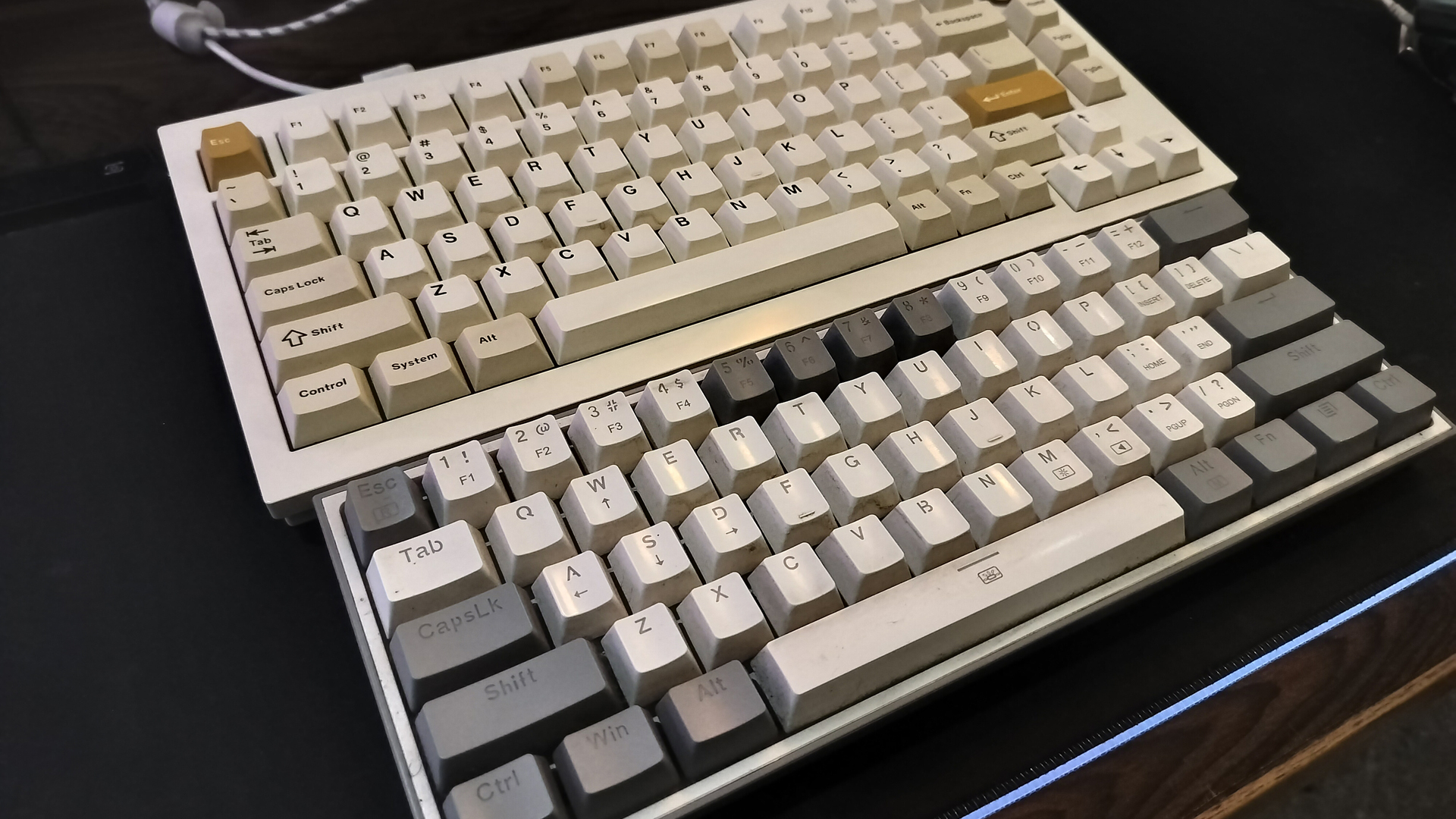
If you love a clean desk and big mouse swipes, a full-size 104-key board can feel like overkill. That’s why compact mechanical keyboards have exploded in popularity, from TKL and 80% layouts to ultra-compact 60% models. But if you’re torn between a 60% and something slightly larger, the 75% layout often hits the sweet spot for gaming, typing, and everyday productivity.
A 60% keyboard is impressively small and can mimic a full-size layout with layers and key combos. The trade-off is time and convenience. A 75% board, on the other hand, keeps the footprint tight while restoring the keys most people actually miss. Here’s why the 75% layout is the better everyday pick for most setups.
– You get real arrow keys
Going from a full-size board to a 60% typically means losing dedicated arrow keys. Most 60% layouts push arrow functions onto a secondary layer, often using FN with WASD. That’s fine for occasional taps, but it becomes a headache when you need combos. Think Ctrl + Right/Left Arrow to jump words while writing or editing; on a 60% you’re juggling Ctrl + FN + A/D to do the same thing. With a 75% keyboard, arrows are always there, ready for quick navigation, coding, spreadsheets, or in-game tweaks. A 65% layout brings back arrows too, but still misses other must-haves covered below.
– A full function row makes life easier
The F1–F12 keys are more useful than they get credit for. From refreshing a page and opening dev tools to app shortcuts and custom macros, that top row is a real timesaver. On 60% boards, function keys live on a third layer and often require pressing three keys at once, such as FN + Shift + a number key. That slows down common tasks and breaks your flow. A 75% layout gives you the entire function row without the finger gymnastics.
– You keep desk space without sacrificing usability
Yes, a 75% is larger than a 60%, but the difference is usually about an inch or so in width or height depending on the design. You still get ample room for mouse movement, especially compared to full-size keyboards, but with far fewer compromises. Some 75% boards are nearly as narrow as many 60% models while adding arrows, F-keys, and sometimes a compact navigation column. The payoff is faster muscle memory, fewer layers to remember, and better productivity.
– Handy media controls, often with a volume knob
Most 60% keyboards skip dedicated media keys entirely. Plenty of 75% boards include at least a volume knob, and once you use one, it’s hard to go back. A quick roll to raise or lower volume—or a push to mute—is faster than clicking on-screen controls. Some models add play/pause and track controls, too. While a few designs swap the function row for extra media keys, many 75% options manage both in a compact footprint.
What about 65% keyboards?
They’re a solid middle ground if you want arrows but still crave minimal size. However, they typically omit the function row, so layered shortcuts and tri-key presses are still part of daily use. If you work or game with F-keys regularly, the 75% layout remains more practical.
Bottom line
If desk space is truly at a premium, a 60% keyboard can be a great minimalist choice. For everyone else—gamers, writers, coders, and power users—the 75% layout delivers the best balance of compact size, comfort, and speed. You get arrows, a full function row, and often media controls, all with only a tiny increase in footprint. That translates to fewer compromises, a shorter learning curve, and a setup that keeps you fast and focused.