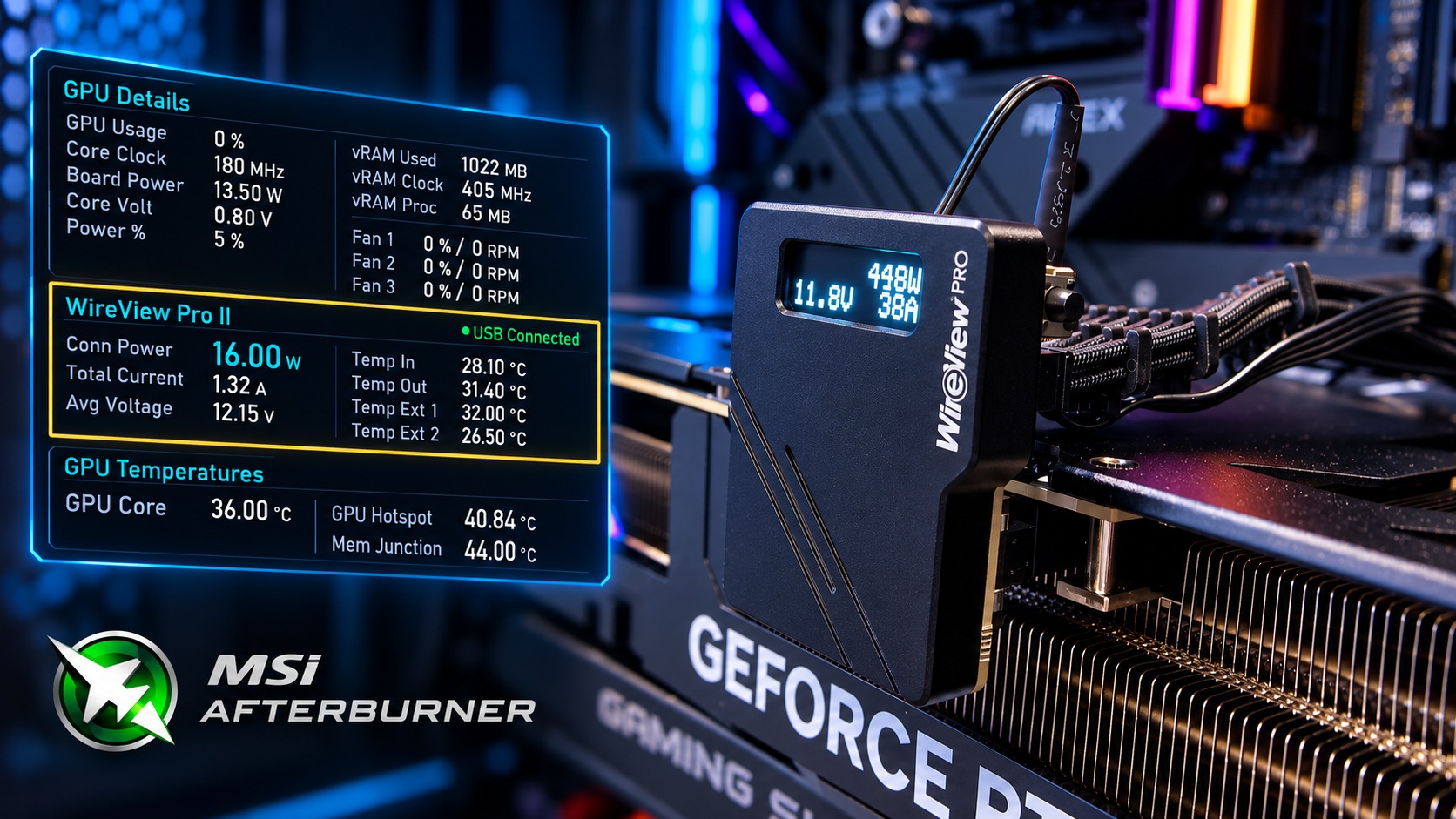
Open-Source MSI Afterburner Plugin Adds WireView Pro II Monitoring for GPU Power Connectors
The continuing reports of 16-pin GPU power connector overheating and melting have pushed PC hardware makers and enthusiasts to look for better ways to monitor power delivery in real time. Now, owners of Thermal Grizzly’s WireView Pro II have a new tool that makes keeping an eye on GPU power behavior much easier.
A community developer known as VolterMort has released an open-source MSI Afterburner plugin for the WireView Pro II. The plugin allows users to view detailed GPU power connector data directly inside MSI Afterburner and RivaTuner Statistics Server, including in-game overlays. That means gamers, overclockers, and hardware testers can monitor critical power readings without running an additional monitoring app in the background.
The plugin communicates with the WireView Pro II over USB and exposes 28 different sensor readings. These include total connector power consumption, current draw, average voltage, individual voltage readings for all six 12V pins, individual current and power readings per pin, internal and external temperature data, fan duty cycle, cable power rating, and connection status.
This level of visibility is especially useful as high-end graphics cards continue to put heavy stress on modern power connectors. The 16-pin connector has remained a point of concern across recent GPU generations, including NVIDIA’s GeForce RTX 40 and RTX 50 Series cards. Even newer 12V-2×6 connector designs, which were introduced to improve reliability over the original 12VHPWR standard, have not fully eliminated reports of overheating or connector damage.
The issue has not been limited to one GPU brand either. Some newer Radeon graphics cards using 16-pin power connectors have also been involved in reports of connector-related problems. As power demands rise, monitoring how current is distributed across individual pins is becoming more important for users who want to spot irregular behavior before it becomes a serious issue.
Thermal Grizzly’s WireView Pro II was designed for exactly this kind of monitoring. The device sits between the graphics card and the power cable, giving users deeper insight into power consumption, voltage behavior, and possible load imbalance across the connector. The newly released MSI Afterburner plugin makes that data far more accessible during gaming sessions, benchmarks, and GPU stress tests.
According to the developer, the plugin polls the WireView Pro II roughly once per second. It also includes a Pause and Resume USB function, which allows users to switch between the plugin and Thermal Grizzly’s official software without restarting MSI Afterburner.
However, it is important to understand what the plugin does and does not do. This is a monitoring tool, not an automatic safety system. It does not change GPU power limits, adjust WireView safety thresholds, or directly prevent connector melting. Any protective functions still depend on the WireView Pro II hardware itself and its built-in safety features.
The plugin has been tested on Windows 11 Pro using MSI Afterburner 4.6.7 Beta 2 with a WireView Pro II Black Reversed running firmware version v05. Other hardware and software combinations may work, but broader compatibility has not yet been confirmed.
For users who want to try it, the plugin is available for free under the MIT license. Installation is simple: place the DLL file into MSI Afterburner’s monitoring plugins folder, then enable the desired WireView Pro II sensors from MSI Afterburner’s Monitoring settings.
For PC enthusiasts running powerful modern GPUs, this plugin could become a valuable addition to the monitoring toolkit. It brings detailed 16-pin power connector data into one of the most widely used GPU monitoring platforms, making it easier to watch for unusual power behavior while gaming, benchmarking, or stress testing.


