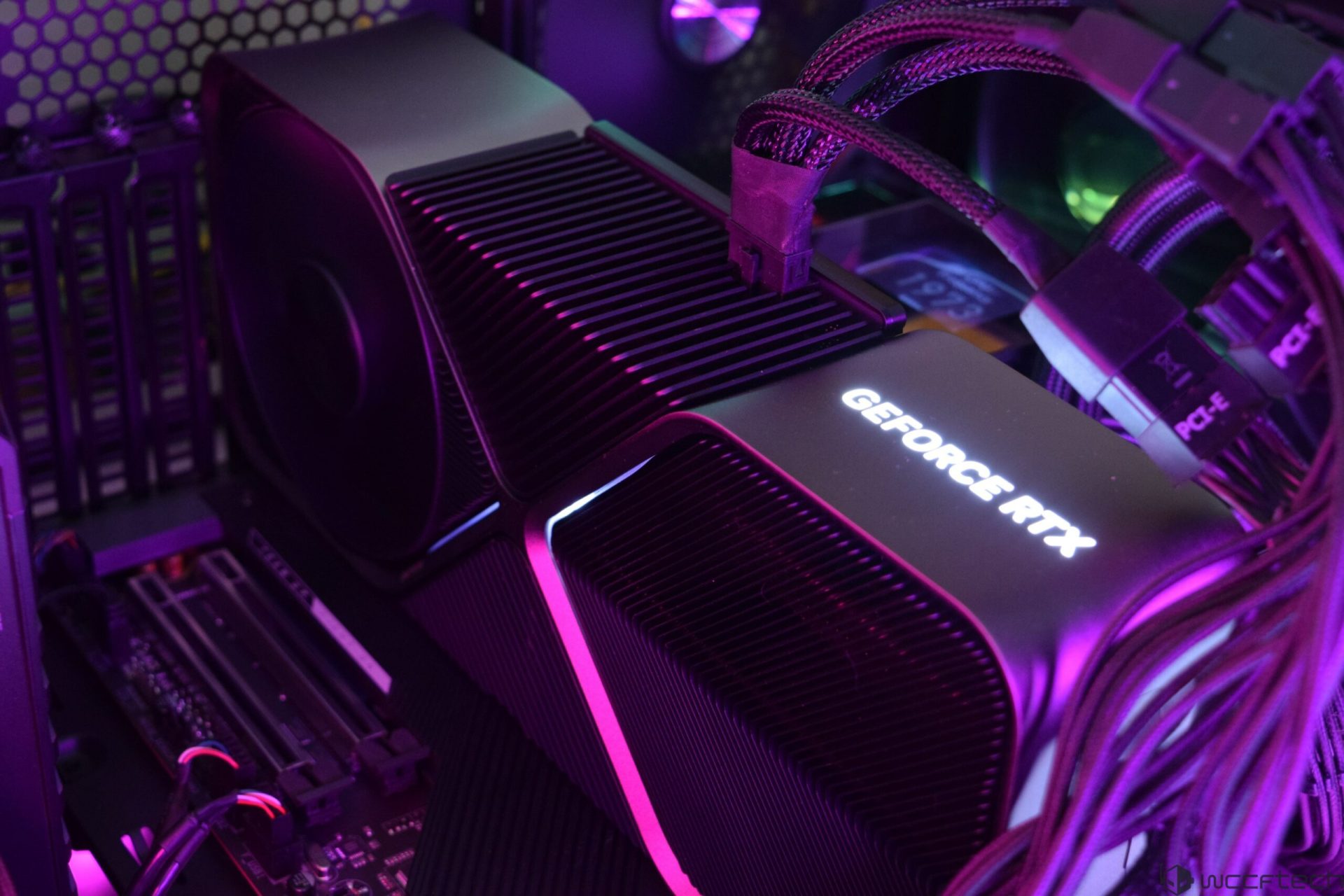
The infamous 16-pin GPU power connector meltdown didn’t start with the GeForce RTX 50 series. Reports of scorched and deformed connectors go back to 2022, when the GeForce RTX 4090 began showing a steady stream of melted 16-pin incidents. Despite multiple attempts by NVIDIA and its add-in board (AIB) partners to reduce the risk, the problem hasn’t fully gone away. In fact, it continues to surface regularly, and the GeForce RTX 5090 has become the most common name attached to new reports—likely because it’s a 575W flagship that pushes far more power through the same general connector concept.
Even a year after the RTX 5090 arrived, new cases still pop up often enough that it’s worth looking at the patterns behind these failures, why the connector can still overheat even under “normal” use, what vendors have tried to do about it, and what practical steps can help you avoid becoming the next report.
RTX 5090 connector melting: how it unfolded
NVIDIA officially revealed the GeForce RTX 5090 at CES 2025 and it hit retailers at the end of January. Within about 10 days, the first widely shared connector-melting case appeared, showing severe damage at the 16-pin power connection on an RTX 5090 Founders Edition. While many enthusiasts expected the issue could carry over from the RTX 4090 era, what stood out was how frequently RTX 5090-related reports seemed to appear afterward.
A major reason is simple math: the RTX 4090’s typical total graphics power was around 450W, while the RTX 5090 is rated up to 575W. Higher sustained power increases heat and stress throughout the power delivery path—especially at any point where electrical resistance rises, such as a connector that isn’t perfectly seated or has uneven contact across pins.
Although newer RTX 50 series cards moved to the updated ATX 3.1 12V-2×6 connector standard, user reports still described melted housings not only on the GPU-side connector, but sometimes on the PSU-side connector too. Many of the stories appeared on enthusiast forums and social platforms, with photos showing everything from light deformation to extreme damage where the connector shape was barely recognizable.
Some incidents were linked to overclocking attempts, but many were reported during everyday gaming loads. In several cases, users claimed the connection was properly inserted, yet damage still occurred. In other cases, the connector was later found to be slightly loose on the GPU side—an important detail because even a small gap can increase resistance and concentrate heat.
There were also reports where the connector effectively fused to the graphics card and couldn’t be removed without force, along with a handful of more dramatic failures that reportedly escalated beyond the connector itself. Still, the consistent theme remains the same: excessive heat at the 16-pin connection point.
Why the 12V-2×6 / 12VHPWR style connector can melt
At the core, the issue is tied to how the 16-pin design behaves when contact quality isn’t perfect. After early RTX 5090 melting reports, public demonstrations and investigations showed how quickly temperatures can spike under heavy load. In testing and real-world investigation, temperatures around 150°C were observed at the connector under certain conditions, which is high enough to deform plastic housings rapidly.
The ATX 3.1 12V-2×6 update was designed to improve reliability compared to the earlier 12VHPWR version. Two changes are often highlighted:
1) Shorter sense pins (about 1.5mm shorter), intended to improve detection and ensure the connector is properly seated.
2) Slightly longer power and ground pins (about +0.25mm), intended to improve contact engagement.
These tweaks were meant to address a major contributor to failures: partial insertion or imperfect pin contact. When some pins don’t make solid contact, the current that should be spread across multiple pins can shift onto fewer pins. If enough of the load concentrates into a small number of contacts, temperatures rise very fast.
This is also why the 16-pin setup can be riskier than the older 6-pin and 8-pin PCIe power connectors in certain failure modes. With traditional multi-connector setups, power is distributed across separate plugs and wires by design. With a single high-capacity connector delivering up to nearly 600W, a single weak contact point can become an intense hotspot.
Even though each power pin is designed for a certain current range (often discussed around 9 to 9.5 amps per pin, roughly 100+ watts per pin depending on voltage and conditions), real-world issues happen when the load isn’t evenly shared. One overheating pin can melt its surrounding housing while others look relatively normal—something that has shown up in multiple investigations and user photos. This also helps explain why some people reported melting even after lowering the card’s power limit: reducing power helps, but it doesn’t necessarily fix a bad contact point or an uneven load distribution problem.
What NVIDIA and GPU makers have done (and what they haven’t)
A frustrating part of the story is that, over time, there hasn’t been a clear “final” hardware fix universally applied across all cards that makes the issue disappear. The 16-pin connector remains standard on these high-end GPUs, and guidance from the GPU maker side has largely centered on correct installation: ensure the plug is fully and evenly seated.
AIB partners are effectively locked into using the same connector ecosystem, but some have tried to reduce risk through accessories, cable designs, or monitoring features.
Adapter cables vs single native cables: why failures appear more often with adapters
One pattern that keeps coming up is that multi-8-pin to 16-pin adapters appear in many melting discussions. Adapters add more connection points, more opportunities for imperfect seating, and more chances for uneven cable routing or mechanical strain.
Some GPU makers advise a very specific best practice when using a 4x 8-pin to 16-pin adapter: use four separate PSU cables—one per 8-pin input on the adapter. In other words, don’t use two “daisy-chain” cables with two connectors each to feed a 4x adapter. The goal is to reduce stress on any single wire run and help keep current distribution more stable.
MSI’s yellow-tipped connector experience
MSI has used a yellow-tipped 16-pin connector concept intended to help users confirm proper insertion visually. However, user reports suggest this did not eliminate failures in all cases. One reported issue was the connector slowly working its way out over time, which could create the exact partial-contact condition that raises resistance and heat.
It’s also important that MSI has had more than one “yellow tip” implementation in the market: some are adapter-based solutions included with certain GPUs, while others are native 16-pin to 16-pin PSU cables included with certain MSI power supplies. The single-cable PSU solutions have shown significantly fewer reported problems than adapter-based setups, while some of the adapter versions—often supplied through the standard ecosystem—appear more commonly in failure stories.
PSU-side protections and smart throttling
Some power supply vendors have introduced features that attempt to detect abnormal conditions at the GPU power connector and reduce risk automatically.
MSI, for example, added a warning system on certain MPG AI power supplies and introduced a “GPU Safeguard+” style feature that can reduce an RTX 5090-class power target from 575W down to around 430W when anomalies are detected. This type of automatic throttling is meant to lower the heat load fast if something looks wrong electrically. It’s also tied to software support (such as certain versions of MSI Afterburner) and currently works only with specific supported PSUs.
Cable designs to reduce bending stress
Cable bend near the connector is another recurring theme, because tight bends can tug on the plug, reduce seating quality over time, or create uneven mechanical pressure that affects pin contact.
ASRock released an L-type 12V-2×6 cable designed to reduce sharp bends near the connector. It also includes a sensor approach (NTC-based) aimed at detecting resistance or temperature-related changes and triggering protective behavior. Like many vendor-specific solutions, this works within a compatible PSU ecosystem (for example, certain newer Taichi and Phantom Gaming power supplies).
Monitoring and protection accessories
A few third-party style devices have been developed to monitor the 16-pin connection, add temperature sensing, and in some cases provide protective behaviors. Examples mentioned in the community include:
– Thermal Grizzly’s WireView Pro 2, which adds sensor-based monitoring and protection features
– Aqua Computer’s Ampinel, positioned as a lower-cost option with load balancing functionality
These products aim to reduce the chance that a developing hotspot goes unnoticed until it becomes physical damage.
How to reduce the risk of 16-pin connector melting (practical, user-focused guidance)
The most effective prevention still comes down to installation quality and minimizing conditions that create partial contact or uneven load. Based on the repeating patterns across RTX 4090 and RTX 5090 cases, these are the steps that matter most:
1) Fully seat the connector, evenly
Push the 16-pin plug in until it’s completely inserted and sits flush. Incomplete insertion remains one of the most common themes in melting reports, and it doesn’t always look obvious at a glance.
2) Avoid tight bends near the plug
Don’t route the cable so it sharply bends immediately after the connector. Give it breathing room so the plug isn’t being pulled sideways or slowly levered out over time.
3) Prefer a native 16-pin PSU cable when possible
If your power supply supports a dedicated 12V-2×6 / 16-pin GPU cable, it’s often safer than using a multi-8-pin adapter, simply because it reduces extra connection points and complexity.
4) If you must use an adapter, use separate PSU cables per 8-pin input
For 4x 8-pin to 16-pin adapters, use four individual PSU-to-PCIe cables rather than daisy-chaining. This better matches the guidance some GPU makers provide and can help minimize uneven loading.
5) Periodically inspect the connection
Over time, vibration, heat cycles, or cable tension can cause small changes. If you’re running an RTX 5090-class card near its power limits, it’s worth checking seating and looking for early warning signs like discoloration or a “hot plastic” smell.
The 16-pin connector melting issue remains one of the most talked-about reliability concerns in modern high-wattage GPUs because it can occur quickly and sometimes under normal gaming loads. Until the ecosystem moves to a fundamentally more fault-tolerant high-power connector design, careful cable choice, correct seating, and smart routing are the best defenses for anyone running a GeForce RTX 5090 or other extreme power-draw graphics cards.RTX 5090 power connector melting is a scary topic for anyone building or upgrading a high-end PC, especially because this graphics card can pull extreme power under load. While the newer 12V-2×6 connector was introduced to improve reliability over the original design, real-world reports show that overheating and melting can still happen when the connection or cabling isn’t ideal.
If you’re running an RTX 5090 (or any GPU using a 12V-2×6 power connector), these practical steps can help reduce the risk and keep your system running reliably.
Choose the right PSU for RTX 5090 stability
A PCIe 5.1 / ATX 3.1-compliant power supply is the safest choice for the RTX 5090. These PSUs are built to handle the transient power spikes required by ATX 3.x specifications and typically include a native 12V-2×6 cable. Using a single, direct cable from the PSU to the GPU removes adapter-related failure points and improves overall power delivery reliability.
Wattage also matters. For an RTX 5090, 1000W should be considered the minimum, but a 1200W (or higher) PSU is strongly recommended if you want cleaner headroom for spikes, sustained heavy loads, and the rest of a high-end system.
Also stick to reputable PSU brands with strong 12V rail stability and modern protection features, and avoid mixing modular PSU cables between different brands or models. That’s an easy way to create mismatched pinouts or unstable connections.
Make sure the 12V-2×6 connector is fully seated
One of the biggest causes of connector melting is surprisingly simple: the plug isn’t fully inserted.
When the connector is not seated all the way, there may be a small visible gap between the plug and the housing. That imperfect seating can lead to uneven current distribution across the pins, increasing resistance on certain contacts. Increased resistance means extra heat, and heat is what leads to scorching or melting.
It’s also smart to re-check the connection periodically. Some users report that the connector can loosen slightly over time due to cable tension, movement, or case positioning.
Avoid 8-pin to 16-pin adapters when possible
Even if your graphics card includes an 8-pin to 16-pin adapter, using it adds extra connection points. Those additional junctions can increase electrical resistance and introduce more potential failure points.
The safer long-term approach is using an ATX 3.1-certified power supply with a native 12V-2×6 cable so you can run a single uninterrupted cable from the PSU straight to the GPU, reducing complexity and risk.
Don’t bend the cable near the connector
Cable routing can unintentionally create problems. Avoid any bend within 35 mm of the 12V-2×6 connector after it’s plugged into the GPU.
Sharp bends and tight angles near the connector can compromise contact integrity, potentially loosening the plug over time or causing poor contact pressure. This increases the likelihood of heat buildup at the connector, and it can also damage the cable at the bending point.
If your case layout forces a tight turn, consider re-routing cables, repositioning the GPU support, or choosing a case with more clearance to keep the cable run smooth.
Consider monitoring tools to catch heat issues early
When you’re protecting a $2500+ graphics card, spending extra on monitoring can be a smart insurance move. Devices like WireView Pro 2 can help keep an eye on connector-related temperatures and power behavior, giving you early warning signs before heat turns into damage.
There are also newer PSU models from some manufacturers that include additional protective features aimed at reducing connector risk. The goal is simple: mitigate the problem as much as possible, since the underlying sensitivity of the 12V-2×6 connector design to imperfect seating and cable stress isn’t likely to disappear overnight.
FAQ
Why is the RTX 5090 more prone to connector melting than the RTX 4090?
The RTX 5090 is rated at a much higher total graphics power. With a 575W TGP versus the RTX 4090’s 450W, the RTX 5090 pushes more power through the same style of connector, increasing electrical and thermal stress. That higher load means any small issue (like a slightly loose plug or added resistance from an adapter) can become a serious heat problem faster.
Is the 12V-2×6 connector different from the original 12VHPWR?
Yes, but the changes are more about improving connection reliability than a full redesign. The 12V-2×6 connector uses shorter sense pins and longer power/ground pins to promote a better connection. However, the core design remains largely the same, which is why similar melting issues can still occur.
Can lowering the GPU power limit prevent connector melting?
Not necessarily. Reducing the power limit can lower overall power draw and heat output, but it won’t fully protect you if the connector isn’t seated perfectly or if the electrical load ends up concentrated on fewer pins due to poor contact. There have been cases where users dropped power limits (even around 500W) and still experienced a cooked connector, showing that connection quality matters at least as much as raw wattage.