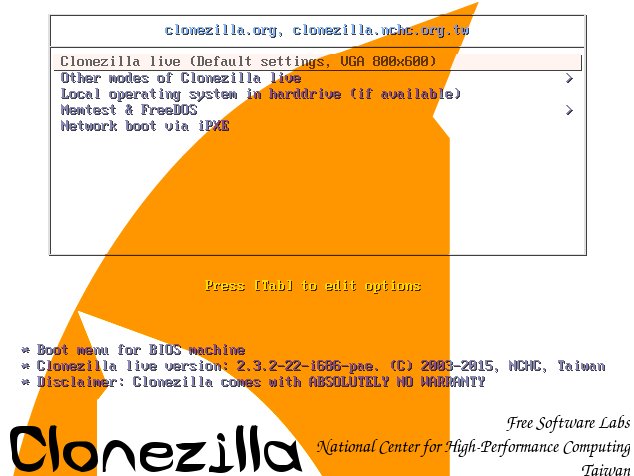
Clonezilla Live 3.3.1-35 has arrived with a solid batch of upgrades, bug fixes, and quality-of-life tweaks for anyone who relies on fast, reliable disk cloning and imaging. Even though this release is built from Debian’s “Sid” (unstable) repository snapshot dated February 20, it’s being offered as a stable release—good news for users who want newer kernel and toolchain improvements without jumping through extra hoops.
For nearly two decades, Clonezilla has been a go-to open-source toolkit for disk cloning, full-system imaging, backups, and system deployment. It’s commonly used by PC technicians, IT admins, and power users who need to copy drives, migrate to new storage, or restore systems quickly. Clonezilla Live is designed for single-machine tasks (perfect for home users and one-off jobs), while the Server Edition targets mass deployment across a network.
What’s new in Clonezilla Live 3.3.1-35
This release updates key components and adds several practical enhancements that matter in real-world cloning and recovery scenarios:
It ships with Linux kernel 6.18.9, bringing newer hardware support and kernel-level improvements that can help when booting and working with modern systems.
Partclone has been updated to version 0.3.45. Since Partclone is central to Clonezilla’s imaging workflow for many filesystems, updates here can translate into better compatibility and reliability.
One of the biggest highlights is improved handling for different disk sector sizes. Clonezilla Live 3.3.1-35 can clone between 4Kn (4K native) disks and 512n/512e (512-byte native / 512-byte emulated) disks in both directions. That’s especially useful when migrating between older drives and newer high-capacity disks that use different sector formats.
To support this, there’s a new tool called ocs-pt-512-4k-convert, designed to convert partition tables from 512B to 4Kn layouts.
NTFS conversion routines have also been improved. The functions do_ntfs_512to4k_fix and do_ntfs_4kto512_fix now include updated “Total Sectors” data (Offset 40) for NTFS, helping ensure NTFS volumes remain consistent and bootable after sector-size-related operations.
GPT partition expansion gets a robustness boost too. The ocs-expand-gpt-pt function is now more resilient and can perform a 512B-to-4Kn conversion automatically when it detects mismatched sectors—exactly the kind of edge case that can cause headaches during migrations.
Security and device support improvements
Clonezilla Live 3.3.1-35 also introduces the ability to change the master key from a LUKS header, which is a meaningful addition for workflows involving encrypted Linux volumes.
Network-related tooling was updated as well. The ocs-get-nic-fw-lst utility has been rewritten so it can retrieve firmware lists directly from kernel modules, helping with NIC firmware awareness in environments where network booting or network-based operations matter.
BitLocker support has been improved, which is a valuable step for Windows users and mixed OS environments—especially when dealing with modern Windows installations where BitLocker encryption is increasingly common.
Smaller tweaks that improve usability
A few practical refinements round out the release:
The system will prompt for passwords again if you enter them incorrectly, reducing friction during encrypted disk and protected resource operations.
The image directory now includes fdisk.lst and blkdev.json, which can help with better device and partition visibility in imaging workflows.
The live system now uses makeboot64.cmd instead of makeboot64.bat, a small change that can matter for certain Windows-based USB creation or scripting scenarios.
Download size and portability
Despite the feature upgrades, the ISO remains compact at about 463 MB. That’s small enough to fit on a CD or a 512 MB USB drive, making Clonezilla Live easy to keep as a lightweight emergency toolkit for backups, disk cloning, or system recovery.
If you want, share what you’re trying to do (for example: clone Windows to a larger SSD, migrate from 512e to 4Kn, or image encrypted Linux disks), and I’ll suggest the safest Clonezilla approach for that specific case.