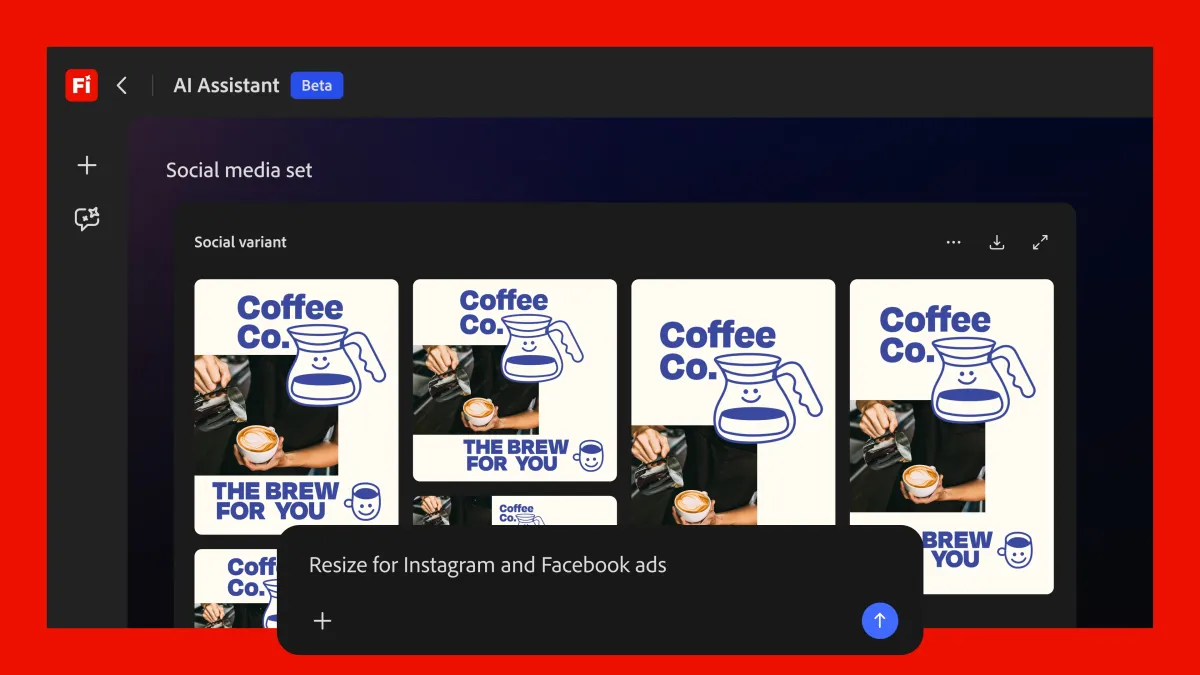
Adobe is turning its “Project Moonlight” preview into a full-fledged product. First shown last October as a cross-app assistant that could take on creative tasks inside popular Adobe tools, it’s now officially launching as the Firefly AI Assistant, aiming to make everyday design, photo, video, and document work faster and easier.
The Firefly AI Assistant is set to arrive in public beta in the coming weeks. Adobe hasn’t yet confirmed whether access will be included in existing Firefly credit-based subscription plans or offered through a separate pricing option, but the rollout signals a bigger push toward AI-driven, agent-style workflows across the Creative Cloud ecosystem.
At its core, the Firefly AI Assistant works like other modern creative assistants: you tell it what you want using natural language, and it helps produce the result. The difference is that Adobe is positioning it as a unified helper across many of its apps, including Firefly, Photoshop, Premiere, Lightroom, Express, Illustrator, and other Adobe tools. Rather than limiting AI actions to a single canvas or feature, the assistant is designed to coordinate work between apps and steps, turning multi-part creative jobs into simpler guided workflows.
Control is still in the user’s hands. Alongside text prompts, Firefly AI Assistant supports interactive controls like buttons and sliders, letting you fine-tune outcomes without needing to restate everything in a new prompt. Adobe says the assistant can suggest useful actions, chain tasks together, and execute workflows, while still allowing you to pause, adjust, or override at any time.
One of the more practical ideas is how the assistant adapts to what you’re working on. Adobe says Firefly AI Assistant will surface context-aware controls based on the project. For example, if you’re editing product photos shot in a forest setting, it might offer a straightforward slider to increase or reduce the amount of trees and foliage in the background. Over time, the assistant is also expected to learn your preferences and recommend actions that match your style and typical editing choices.
Adobe is also introducing “skills” for Firefly AI Assistant—bundled, multi-step actions designed to accomplish common goals quickly. A “social media assets” skill, for instance, can help creators resize and adapt images for different platforms by cropping or expanding compositions, optimizing file sizes, and organizing the exported versions for delivery or storage. This kind of step-by-step automation could be especially useful for marketers, small businesses, and creators who need consistent outputs across many formats.
The company has been steadily building AI helpers into products like Photoshop, Express, and Acrobat, and it says it’s exploring ways for these assistants to work more effectively with third-party large language models. As more creative platforms race toward “agentic” workflows—where AI doesn’t just generate content but completes tasks across a process—Adobe’s bet is that its advantage lies in connecting a large, established suite of tools that many professionals already use every day.
Alongside the assistant launch, Adobe is expanding Firefly itself with new features focused on editing and production. The AI video editor is gaining options to reduce noise in speech, adjust reverb and music, and refine color. Firefly is also integrating with Adobe’s stock library to help users find and incorporate licensed assets more seamlessly. In addition, Adobe is adding the Kling 3.0 and Kling 3.0 Omni models to Firefly’s library of third-party AI models, giving creators more choices in how they generate and edit content.
With Firefly AI Assistant entering public beta soon, Adobe is clearly moving toward a future where creative work is less about hunting through menus and more about describing intent—then letting AI handle the tedious steps while you stay in control of the final look and feel.