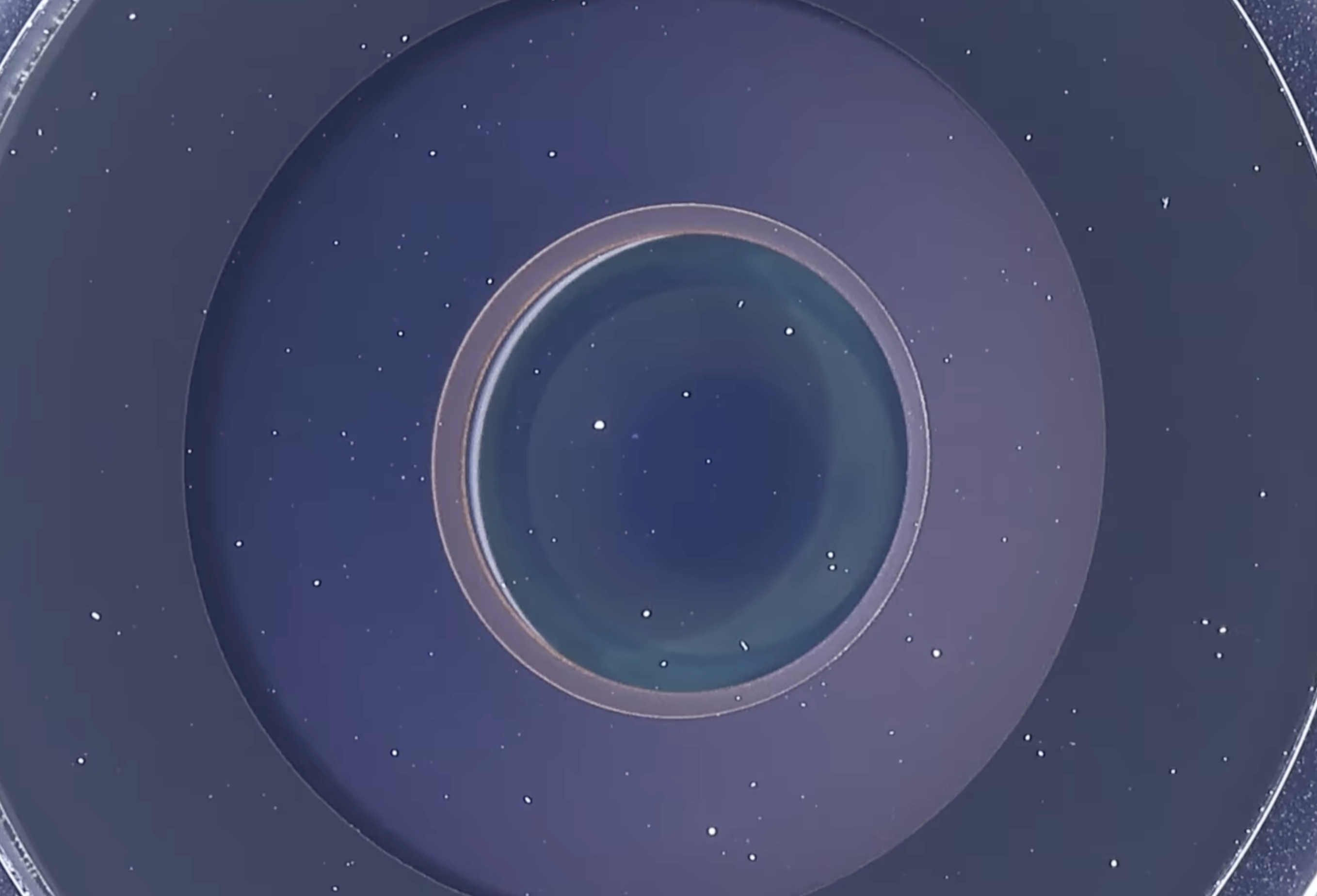
A macro photographer has turned his “wiggle stereoscope” toward a flagship handset for the first time, and the results are mesmerizing. In a short, high-speed clip, Macrolab3D captures the iPhone 17 Pro at extreme magnification, revealing microscopic details of its camera optics, display stack, speakers, and USB-C port that you simply can’t see with the naked eye.
The secret is a gentle, rapid “wiggle” of the camera. By shifting the viewpoint slightly, the footage produces a parallax effect that mimics depth without requiring 3D glasses. That tiny bit of motion makes layers and particles pop, allowing Macrolab3D to pinpoint where dust truly resides inside the camera system. He distinguishes between particles embedded during assembly and those that landed on the outer lens after unboxing—something a single, static photo usually can’t confirm.
What he found won’t shock anyone who’s handled a precision optical instrument: minute dust exists. But according to the creator, that dust likely has little real-world impact on photos. Oily fingerprints are the bigger villain, especially at night, where they can scatter bright highlights and reduce contrast. The takeaway for everyday shooters is simple: clean the lens glass carefully and regularly for the biggest boost in image quality.
The video also offers a rare look at the iPhone 17 Pro’s OLED pixel structure. Up close, the screen is anything but a flat sheet. The wiggle technique reveals multiple layers, including a grid above the pixel matrix that’s most likely the touch-sensing layer. Not every layer can be made visible with this approach, but it’s enough to spark curiosity about how different panel technologies—such as tandem OLEDs—might appear compared to standard single-stack designs.
Edge handling is another eye-opener. Along the display’s perimeter, you can see how material and active area taper off. That’s normal for modern panels, although manufacturing techniques are improving. Recent industry demonstrations of deep-UV laser cutting suggest that loss can be cut to under a single pixel at the border, a meaningful step toward slimmer bezels and higher effective screen area.
It isn’t just the display and camera that get the microscope treatment. Macrolab3D also inspects the packaging, USB-C port, and speaker grilles. The latter are pristine out of the box, but he jokes they’ll never be that clean again—a nod to the dust and lint that inevitably creep into pocketable devices. For those curious about long-term durability, this kind of macro footage makes clear where wear tends to accumulate and why periodic cleaning matters.
Viewers will also notice an AI-generated narration. Some commenters wish for the creator’s own voice, but he’s candid about preferring a consistent, broadcast-style tone and says he’s a photographer first, not a voice actor. It’s an interesting example of how independent creators are using AI tools to polish production while they focus on imagery and technique.
If you’ve followed Macrolab3D’s work, you know smartphones aren’t his usual subjects. He typically explores insects, textiles, banknotes, and other everyday materials that transform into alien landscapes under extreme magnification. The “why” behind the wiggle method is covered in a separate explainer on his channel: small, controlled motion adds depth cues that make flat macro scenes feel spatial without complex 3D rigs.
Why this matters goes beyond eye candy. Ultra-close inspection can shed light on manufacturing tolerances, potential sources of image artifacts, and the real-world complexity of display stacks. For enthusiasts, it’s a reminder that what we call a “screen” is a carefully layered system of polarizers, filters, electrodes, and emitters. For photographers, it underscores a practical truth: keeping the outermost surface clean is the fastest, cheapest way to keep photos crisp.
Quick care tips inspired by the video:
– Use a clean microfiber cloth to remove fingerprints from the camera lens and screen.
– Avoid abrasive wipes or gritty cloths that can create micro-scratches.
– If necessary, breathe lightly on the lens to add minimal moisture, then wipe in gentle circles.
– Periodically inspect the USB-C port and speaker grilles; use a soft brush or air blower to dislodge lint. Avoid sharp tools.
As for what comes next, this experiment opens the door to fascinating comparisons. Do tandem OLED panels reveal distinct depth or layer patterns versus single-stack OLEDs? How do different camera modules handle embedded versus surface dust? With the wiggle stereoscope now pointed at cutting-edge smartphones, expect more close-up looks that blend science, art, and a dash of manufacturing detective work.