umbrelOS 1.7.0 is here with a wave of quality-of-life upgrades aimed squarely at home server and home cloud users. Built on a Debian core, the latest release keeps umbrelOS’s familiar web-based interface and built-in app store, while adding faster navigation, smarter file handling, and more control over how your network is set up.
For anyone building a private home cloud, umbrelOS continues to be an appealing option. It’s designed for people who’d rather keep their files and services on hardware they control, whether that’s because of slow internet, privacy concerns, or simply wanting a dependable local hub for media and apps. Beyond storing photos, videos, and documents, umbrelOS can also serve as a platform to run popular self-hosted tools and services, including AI-related apps and even a Bitcoin node, depending on what you install.
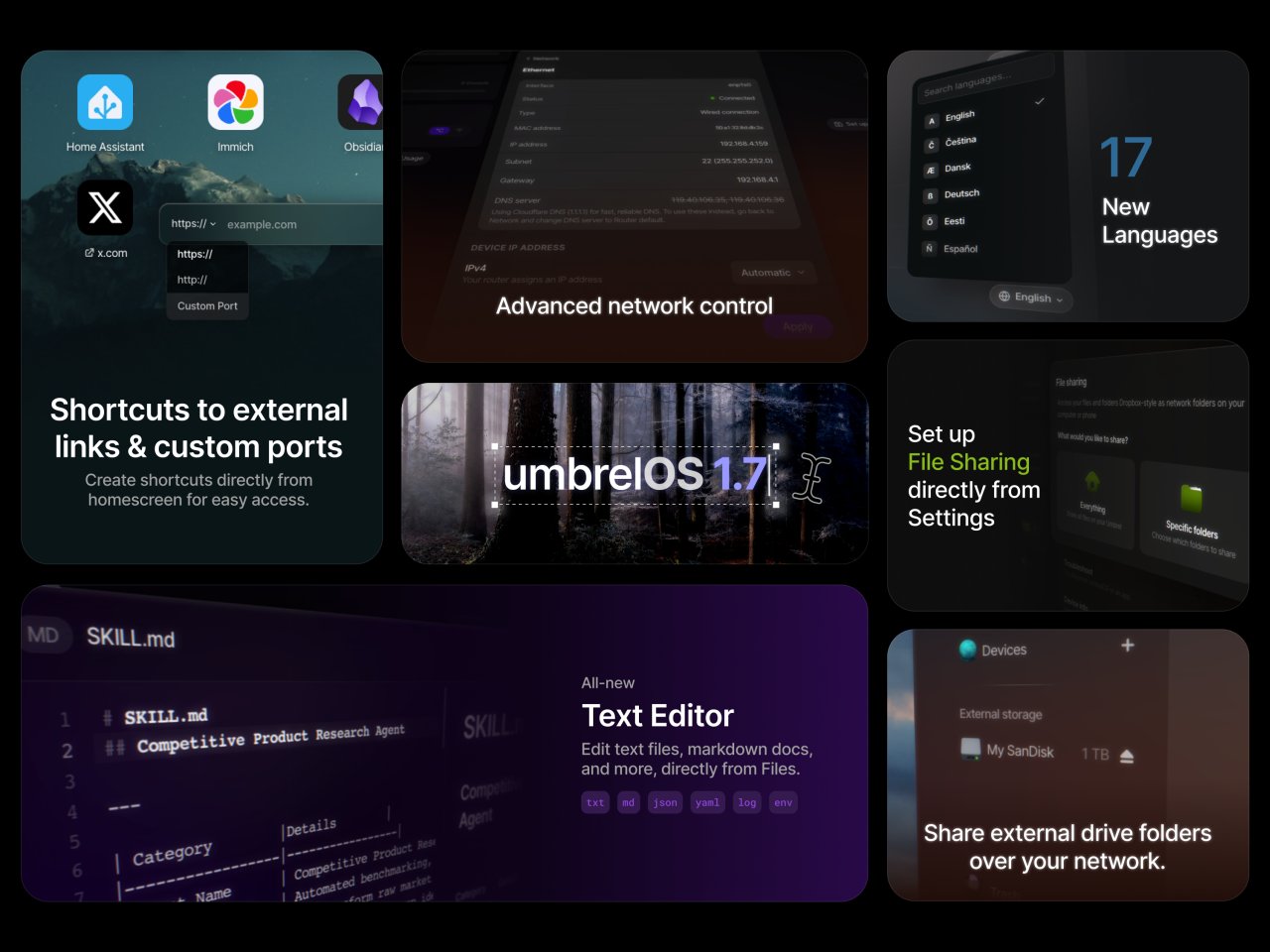
One of the most noticeable changes in umbrelOS 1.7.0 is the new home screen shortcuts. You can now add direct shortcuts to external links and custom ports right from the main screen, making it quicker to jump into frequently used dashboards, services, or web tools without digging through menus.
Networking gets a significant boost in this update as well. umbrelOS 1.7.0 introduces more advanced network controls, including the ability to choose your DNS server and set a static IP address for Ethernet connections. For home lab setups, remote access configurations, and smoother router integrations, these settings can save time and reduce headaches—especially when you need your server to stay at the same address on your network.
File sharing is also easier to manage. This version adds a streamlined option to set up file sharing directly from the Settings area, plus improved external drive folder sharing over the network. If you frequently connect USB storage or rely on external drives for backups and media libraries, these improvements make a home server feel more like a polished, everyday system rather than a tinkering project.
Another standout addition is an all-new built-in text editor. You can now open and edit text files and markdown documents directly within Files, which is handy for quick config tweaks, notes, readme files, or lightweight editing tasks without needing to move files off the server.
Performance and usability improvements round out the release, with a special focus on the Files app. It now opens faster, remembers the last folder you used, and offers better keyboard navigation and previews—small refinements that make a big difference when you’re working with lots of folders, shares, and storage devices.
International users get a major win too: umbrelOS 1.7.0 adds 17 new language translations, making the platform far more accessible to a global audience.
umbrelOS runs on the Umbrel Pro home cloud server and is also available for popular DIY hardware such as the Raspberry Pi 4 and newer Raspberry Pi models. The project offers multiple installer options, including ISO and IMG formats, plus dedicated images for Raspberry Pi setups.