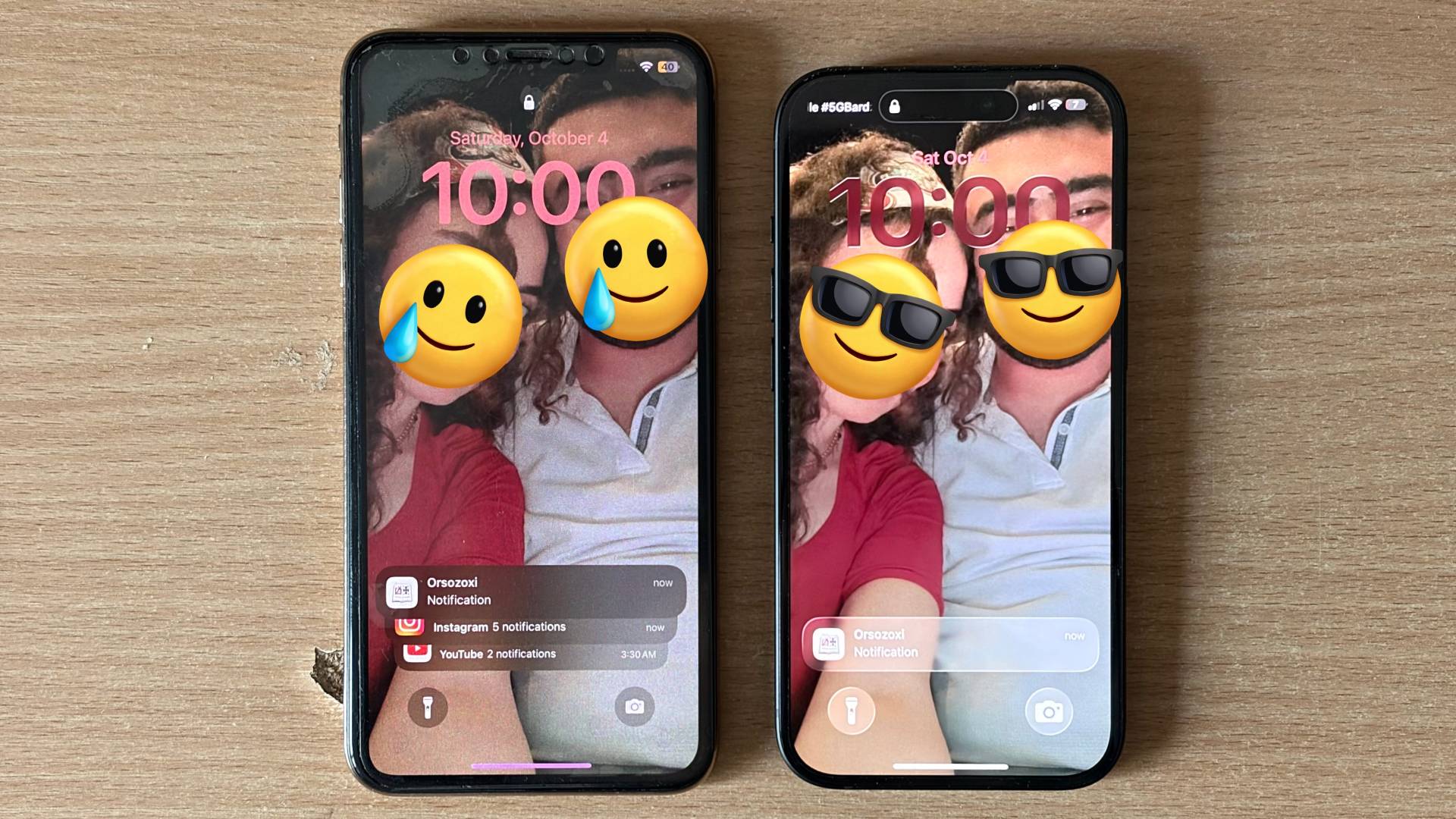
Buying secondhand tech can be a steal—or a costly mistake. A recent meet-up arranged through OLX almost ended with someone overpaying for a tampered iPhone 15 Pro, until a friend spotted a crucial red flag: the “Pro” model was rocking a 60Hz IPS LCD, not the LTPO OLED display Apple ships with its flagship.
According to a social media post from @OutofGalaxyy, a seller listed an iPhone 15 Pro for 2,400 Polish złoty (about $662) and claimed it was in amazing condition. When the buyer and his friend met the seller at night, things seemed fine at first glance. Then the friend noticed the screen didn’t behave like a true iPhone 15 Pro. Instead of a smooth 120Hz LTPO OLED panel, it looked like a basic 60Hz IPS LCD. The Dynamic Island animation and overall motion didn’t match what you’d expect from a Pro-level display.
Pressed for answers, the seller initially denied anything was wrong. Eventually, he claimed he’d been scammed when he bought the phone and had no idea the original screen had been swapped. The potential buyer walked away and opted for a brand-new iPhone 15 instead—fewer Pro features, yes, but with peace of mind and no hidden surprises.
This story is a timely reminder: it’s easy to miss hardware swaps in dim lighting or when you’re shopping alone. If you’re considering a used iPhone 15 Pro, here’s how to protect yourself and spot a display swap or other dodgy parts.
How to verify a genuine iPhone 15 Pro display before you buy
– Check Parts and Service History: On the phone, go to Settings > General > About. For iPhone 15 series, Apple shows if the display is a genuine Apple part or “Unknown Part.”
– Look for 120Hz smoothness: Scroll through menus and Safari. The ProMotion 120Hz display should feel noticeably smoother than 60Hz. Choppy motion can be a red flag.
– Inspect OLED characteristics: OLED blacks look truly black; on an IPS LCD, dark areas appear more gray and the backlight can glow around edges.
– Compare Dynamic Island behavior: Animations should be fluid and crisp. If you have a recent iPhone with ProMotion, compare side by side.
– Test Always-On Display: iPhone 15 Pro supports an always-on screen. If the feature is missing or behaves oddly, investigate further.
– Verify True Tone and color accuracy: Toggle True Tone in Settings > Display & Brightness. Aftermarket screens often show off colors or inconsistent white balance.
– Check brightness and viewing angles: Genuine panels get very bright and hold color off-axis. A dimmer, washed-out look can indicate a swap.
– Match IMEI/serial and model details: Confirm the phone’s IMEI/serial in Settings matches the SIM tray and box (if available). Cross-check the exact model is a Pro, not a standard iPhone 15.
– Ask for original proof of purchase and repair history: Legit sellers should be comfortable sharing receipts and any Apple or authorized service notes.
– Meet in daylight and in a safe place: Poor lighting makes defects harder to spot. Bring a knowledgeable friend if you can.
Is the price too good—or oddly high?
The listing at roughly $662 may look tempting, but regional pricing, condition, storage, and warranty all affect value. If a price feels off for a “perfect condition” Pro model, slow down and scrutinize the device. A swapped screen, non-genuine battery, or water damage can hide behind a shiny exterior.
The bottom line
The buyer in this story avoided an expensive mistake thanks to a vigilant friend who recognized the telltale signs of a swapped display. When buying a used iPhone 15 Pro, don’t rush, verify the hardware, and use Apple’s built-in parts reporting to confirm authenticity. A careful inspection can save you hundreds—and spare you the headache of inheriting someone else’s scam.