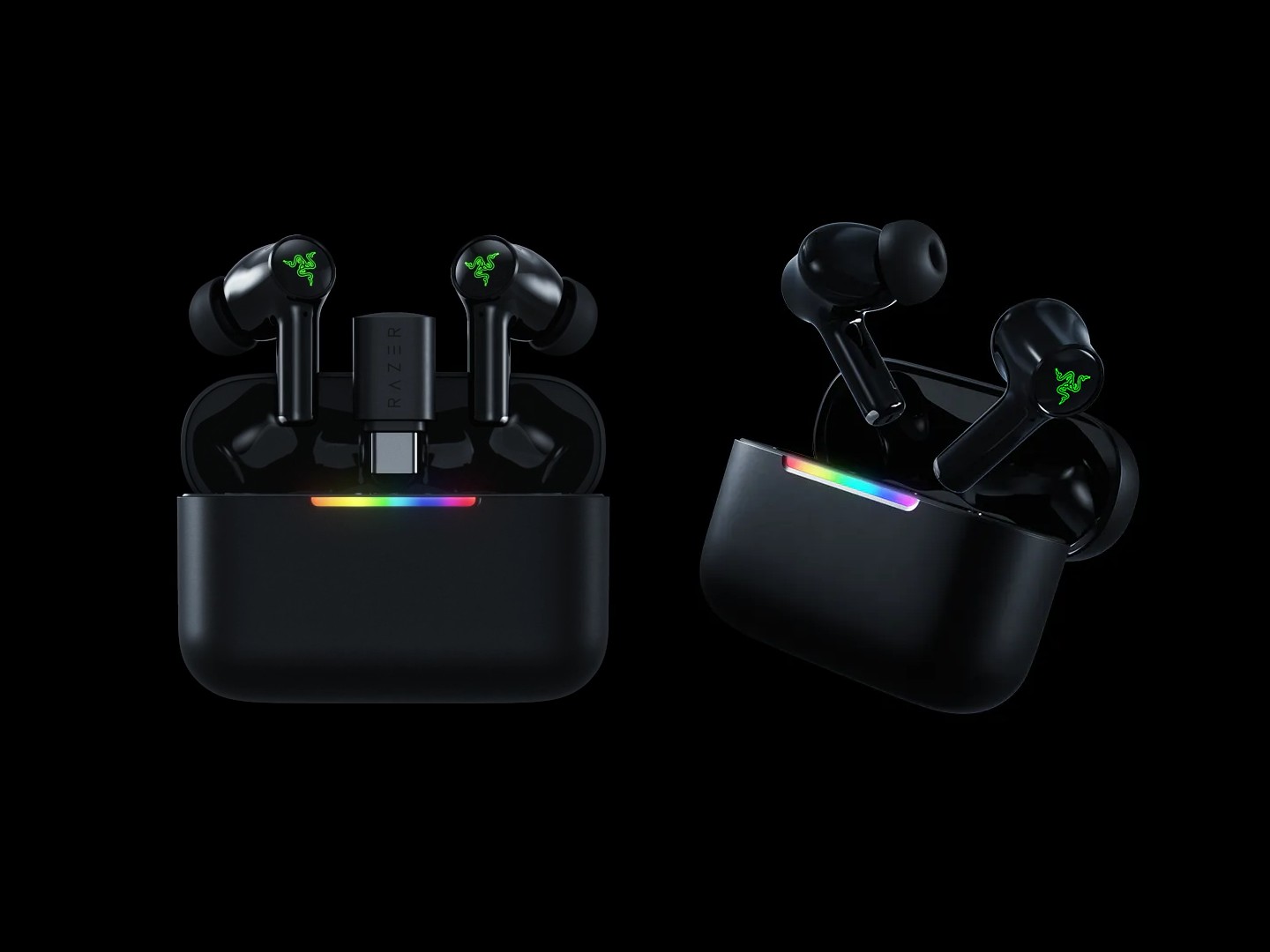
Razer has added two fresh options to its lineup of gaming earbuds, and at a glance they’re easy to mix up. The Razer Hammerhead V3 HyperSpeed and the Razer Hammerhead V3 X HyperSpeed share a nearly identical look and target the same gamer-friendly use cases, but the specs reveal some meaningful differences that can make one a much better fit for you than the other.
The quickest way to separate them is to focus on four areas: Bluetooth version, noise cancellation, how the 2.4GHz low-latency connection works, and battery life.
Starting with wireless connectivity, the Hammerhead V3 HyperSpeed uses Bluetooth 6.0, while the Hammerhead V3 X HyperSpeed sticks with Bluetooth 5.3. Both models also support 2.4GHz low-latency wireless for gaming, which is often the big reason to buy earbuds like these in the first place. The difference is in the hardware: the Hammerhead V3 HyperSpeed includes a removable USB-C dongle. It normally stores in the HyperSpeed case, but you can pull it out and plug it directly into a compatible device. That’s a practical advantage if you want the lowest-latency connection without having to keep the case connected via a cable.
On the Hammerhead V3 X HyperSpeed, the 2.4GHz receiver is built into the HyperSpeed case instead of being a separate removable dongle. You still get the low-latency option, but the setup is less flexible if you’re trying to minimize what you carry or want a quicker plug-and-play approach straight into a device.
Noise cancellation is another major divider. The Hammerhead V3 HyperSpeed features hybrid active noise cancellation, while the Hammerhead V3 X HyperSpeed does not include noise cancellation. If you play in louder environments, commute, or simply prefer a more isolated sound, the ANC on the Hammerhead V3 HyperSpeed could be the deciding factor.
Battery life also favors the pricier model. The Hammerhead V3 HyperSpeed is rated for up to 40 hours total (10 hours from the earbuds plus 30 additional hours from the charging case). The Hammerhead V3 X HyperSpeed comes in at up to 35 hours total (10 hours from the earbuds plus 25 hours from the case). Both deliver the same 10-hour earbud playback figure, so the main difference is how many extra charges the case provides.
There are a few smaller spec gaps too. The Hammerhead V3 HyperSpeed is slightly heavier at 5.6g per earbud (63g with the case), while the V3 X HyperSpeed weighs 5.1g per earbud (51g with the case). The V3 HyperSpeed also has higher rated headphone sensitivity (105dB vs 102dB) and stronger mic signal-to-noise performance (70dB vs 65dB), along with different microphone sensitivity ratings.
Beyond that, the core experience remains very similar between the two. Both earbuds support THX Spatial Audio, have IPX4 water resistance for workouts and everyday use, include LED indicators on the case, and offer touch controls that can be customized in the companion app. You can also swap between audio sources and switch between 2.4GHz and Bluetooth connections using Razer SmartSwitch.
Compatibility is also the same on both models, covering PC, smartphones, tablets, PS5, Steam Deck, and Nintendo Switch, making either pair a solid pick if you move between platforms.
Pricing is where the choice often becomes simple. The Razer Hammerhead V3 HyperSpeed costs $129.99, while the Razer Hammerhead V3 X HyperSpeed is $99.99. If you want active noise cancellation, newer Bluetooth, longer total battery life, and the convenience of a removable USB-C dongle for 2.4GHz low-latency gaming, the Hammerhead V3 HyperSpeed justifies the premium. If you mainly want Razer’s low-latency gaming audio at a lower price and don’t need ANC or the removable dongle setup, the Hammerhead V3 X HyperSpeed offers the better value.