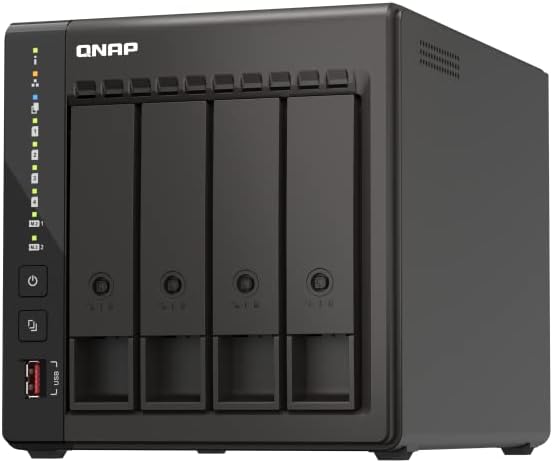
When considering a Network Attached Storage (NAS) system, one of the fundamental choices you’re faced with is whether to purchase a pre-built unit from a well-known brand such as QNAP or Synology, or to take the do-it-yourself (DIY) route, potentially using operating systems like TrueNAS or Unraid. This choice boils down to more than just the bottom line. It’s about balancing cost, customization, satisfaction, and support.
Pre-built NAS systems come with the benefit of warranties and customer service, usually packed in sleek designs and user-friendly interfaces. On the other hand, a DIY NAS can provide greater flexibility and often superior hardware specifications at a similar, if not lower, price point. However, DIY solutions can have trade-offs in terms of warranty and support.
Cost Comparison Excluding Disk Drives
It’s important to note that the cost of disk drives is typically not included in the base price of a NAS system, whether it’s pre-built or DIY. In this comparison, a 4-bay NAS is considered an ideal size for many users. Here’s a look at the pricing for three popular off-the-shelf 4-Bay NAS systems:
For those who prioritize cost savings, customizing a desktop PC to serve as a NAS could be the most economical choice. DIY systems can provide more powerful specifications and the flexibility to upgrade components such as RAM, CPU, and adding PCIe cards for expanded functionality like additional Ethernet ports or a GPU for transcoding.
Here’s an example of a DIY NAS build with pricing:
If aesthetics and space are constraints, specialty cases like the Jonsbo N2 can be expensive but provide a more traditional NAS look. On platforms like AliExpress, unique and affordable NAS-specific motherboards and cases can be found, offering features like multiple Ethernet ports and numerous SATA connections for storage drives.
However, purchasing from international marketplaces can introduce variance in warranties and may require dealing with multiple vendors for warranty issues. Prices on such marketplaces fluctuate, but deals can be had by sourcing parts from a combination of sellers.
For those emphasizing warranty coverage, similar specialty NAS motherboards and cases are available on mainstream retail platforms like Amazon, albeit at a premium, which can be referred to as the “Amazon tax.”
Secondhand Options
For the biggest cost savings, buying secondhand can be an option, such as acquiring a used HP Microserver on eBay. They often come with decent specs and can offer significant savings, but the risks are inherently higher, and support is often non-existent.
Conclusion
While pre-built NAS systems from brands like Synology and QNAP provide ease of use and support, DIY NAS builds can lead to cost savings, greater performance, and a rewarding personal project. With free or inexpensive operating systems available and a variety of hardware choices, building a DIY NAS can be an attractive option for those willing to invest the time.
Choosing between a pre-built or DIY NAS hinges on personal preferences for warranty support, aesthetics, and whether or not the enjoyment of building and customizing your own system is part of the appeal. With the right selection of parts, a DIY NAS might not only save money but could also deliver a more robust and versatile system tailored to your specific needs.