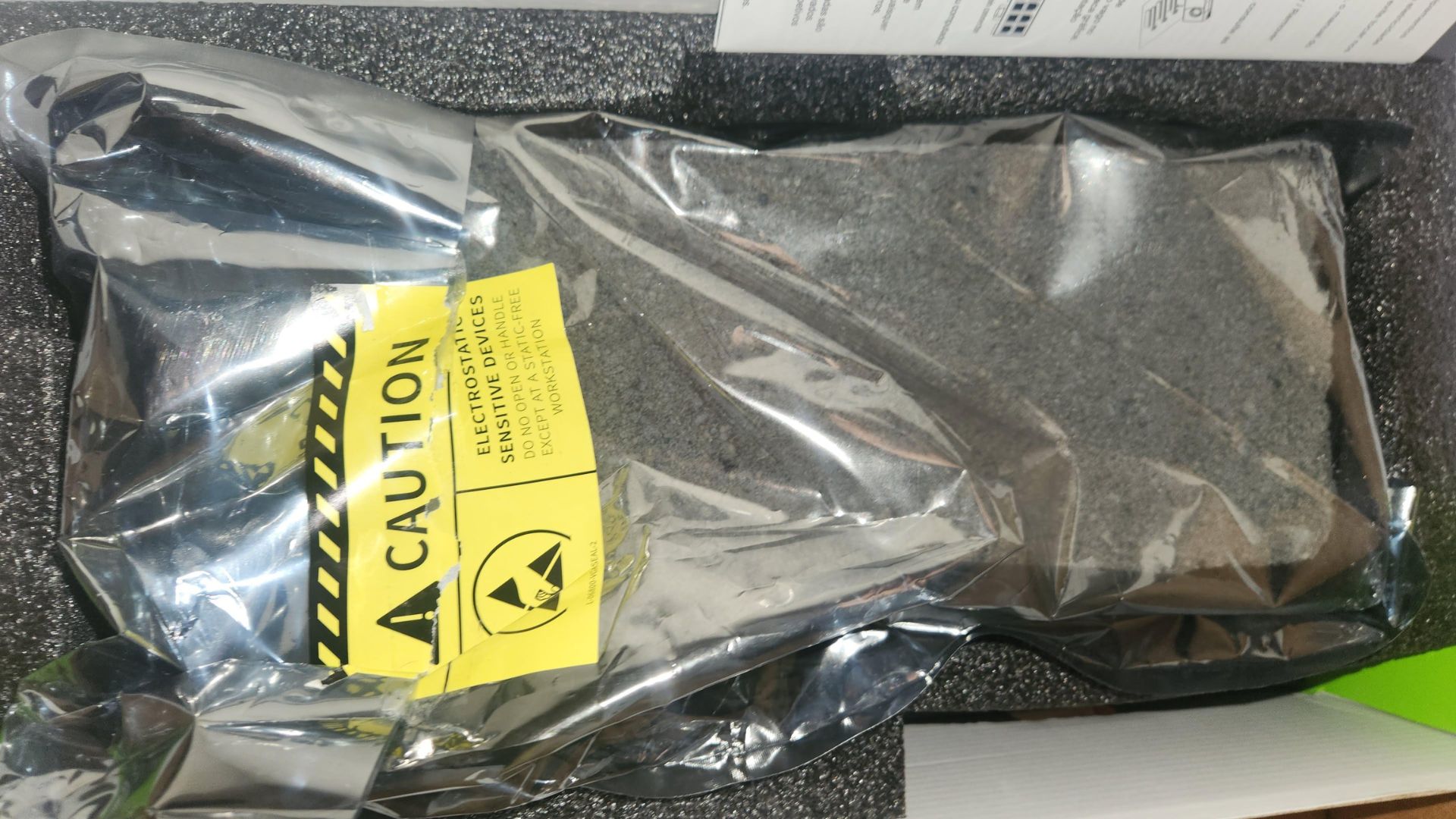
Imagine dropping around $1,000 on a brand-new NVIDIA GeForce RTX 5080, tearing open the box with upgrade-day excitement, and finding… a brick wrapped in an anti-static bag. That’s exactly what one buyer says happened after ordering a PNY RTX 5080 through a major online marketplace. A refund eventually arrived, but not without hassle—turning a dream GPU purchase into a frustrating lesson in modern e-commerce.
How does something like this happen? Two common scenarios explain it:
– Fulfillment-by-warehouse mix-ups. When a marketplace uses commingled inventory, identical items from multiple sellers are stored together. If a fraudulent return slips back into stock and only basic checks like weight or packaging get verified, the next buyer can get stuck with a bogus item.
– Return abuse. A bad actor buys the correct GPU, swaps it for a brick or dead card, then returns the package. If the return isn’t thoroughly inspected, it may be restocked and shipped to an unsuspecting customer.
This isn’t a new problem, and it isn’t limited to graphics cards. But because GPUs like the RTX 5080 or RTX 5090 are high-value and in-demand, they’re prime targets for returns fraud and inventory mishaps. The good news: you can dramatically lower your risk with a few simple checks before and after you buy.
Smart buying tips for GPUs on major marketplaces
– Prefer Sold and Shipped by Amazon listings. This improves transparency and usually speeds up refunds if something goes wrong.
– Vet third-party sellers carefully. Look for long-standing sellers with high ratings and recent, detailed reviews specific to PC hardware.
– Avoid too-good-to-be-true pricing. Deep discounts on newly launched GPUs can be a red flag.
– Check return and warranty details. Make sure you understand the window for returns and whether the manufacturer honors the warranty for that specific seller.
Unboxing and verification checklist
– Record the unboxing. One continuous, well-lit video from unopened shipping box to contents on the table is your best proof if you need to file a claim.
– Inspect seals and packaging. Look for tamper-evident stickers, intact anti-static bags, factory cable ties, and accessories in original baggies.
– Weigh the box if possible. A major weight mismatch from typical GPU box weights can signal trouble.
– Verify the serial number immediately. Check the card’s serial on the brand’s warranty or registration page (PNY, ASUS, MSI, Gigabyte, etc.) to confirm it’s new, unregistered, and eligible for support.
– Test before tossing packaging. Install the GPU, confirm it posts, and run a quick benchmark or stress test. Keep all materials until you’re sure it’s working.
What to do if you get the wrong item
– Act fast. Report the issue the same day, choose the appropriate reason (wrong item or missing item), and attach photos or your unboxing video.
– Keep everything. Save the shipping box, packing materials, labels, and any tamper-evident seals.
– Escalate if needed. If frontline support is slow, request escalation or file a formal claim under the platform’s purchase protection.
– Document serials and conversations. Note any serial numbers, timestamps, and support case IDs to strengthen your case.
In the reported incident, the buyer did receive a refund, though it took persistence to resolve. Let it be a reminder: even with trusted marketplaces and big-name brands, mistakes happen. With a little preparation—careful seller selection, a recorded unboxing, and quick post-delivery checks—you can safeguard your RTX 5080 or any other high-end GPU purchase and avoid turning a thousand-dollar upgrade into a thousand-dollar headache.