Apple’s macOS 28 could make many older Mac apps unusable next year
Apple’s transition away from Intel Macs is moving into its final stage, and the next major shift could affect far more users than expected. Starting with macOS 28, Apple is set to end support for Rosetta 2, the translation technology that allows Apple Silicon Macs to run apps originally built for Intel processors.
That means many older Mac apps that have not been updated for Apple’s ARM-based chips may stop opening altogether once users upgrade to macOS 28.
For years, Rosetta 2 has quietly helped smooth the move from Intel-based Macs to Apple Silicon models such as the MacBook Air, MacBook Pro, iMac, Mac mini, Mac Studio, and Mac Pro. It allowed users to keep running legacy Intel software even if developers had not yet released native Apple Silicon versions. But that grace period appears to be coming to an end.
The change follows another major step in Apple’s hardware transition. macOS 27 will not be installable on Macs powered by Intel processors, marking the effective end of major macOS upgrades for those machines. With macOS 28, Apple Silicon Macs will also lose the ability to rely on Rosetta 2 for older Intel-only apps.
Apple has already started warning users about the upcoming compatibility issue. Since macOS 26.4, Macs display an alert when opening an app that is expected to stop working once macOS 28 arrives. This gives users and developers time to prepare, but it also highlights how many apps still have not been fully optimized for Apple Silicon.
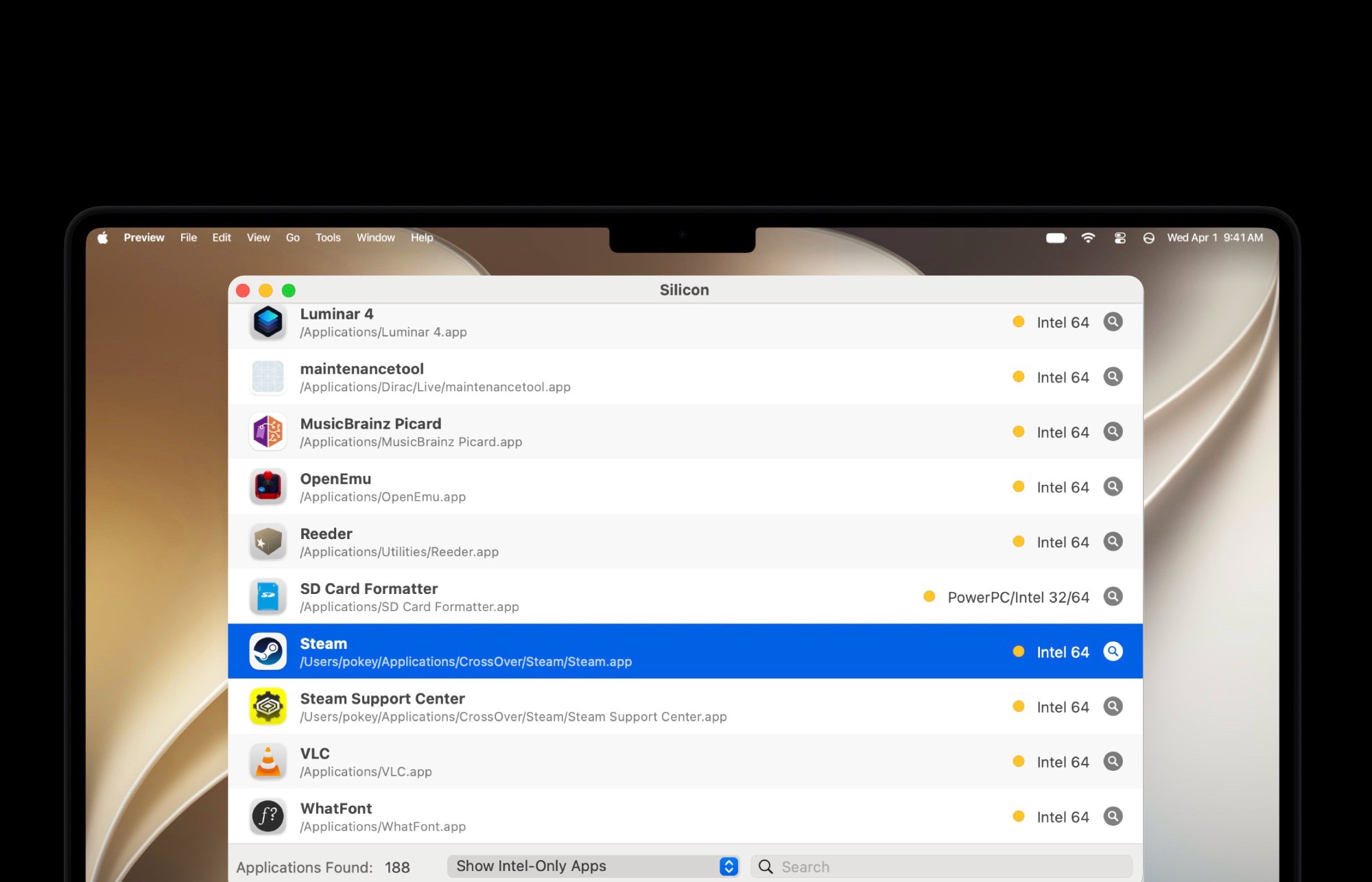
Several well-known applications may be affected if they do not receive updates in time. Game platforms and launchers such as GOG Galaxy and Itch.io are still distributed as Intel apps. OpenEmu, a popular emulator used for retro gaming on Mac, is also among the apps that could face problems if no native Apple Silicon version is released.
The issue is not limited to gaming. Some widely used utilities and creative tools may also require updates before macOS 28. Apps such as SD Card Formatter, the official memory card formatting tool from the SD Card Association, and certain versions of media or productivity software may no longer run if they remain Intel-only.
Paid professional software could create an additional challenge. In some cases, users may need to upgrade to a newer version or buy a new license to keep using an app after moving to macOS 28. For example, older versions of creative applications such as Capture One may require an updated release to continue working properly on future versions of macOS.
For Mac users, the best step is to check app compatibility before installing macOS 28. If you rely on specific software for work, gaming, media playback, photography, video editing, design, or file management, make sure those apps are available in Apple Silicon-native or universal versions.
You can check app architecture directly through macOS system tools, or use free utilities designed to identify whether installed apps are Intel-only, universal, or Apple Silicon-native. This can help you spot potential problems early and avoid losing access to essential software after an update.
The end of Rosetta 2 is a major milestone in Apple’s move to its own processors. Apple Silicon Macs have delivered strong performance and efficiency gains, but the shift also means older software will eventually be left behind. For most users, many popular apps have already been updated. But for anyone depending on legacy tools, niche apps, older game launchers, or outdated professional software, macOS 28 could bring an unwelcome surprise.
Before upgrading next year, Mac users should review their installed apps, check for updates, contact developers if needed, and consider alternatives for any software that remains Intel-only. Taking action early could prevent important apps from becoming unusable when macOS 28 arrives.