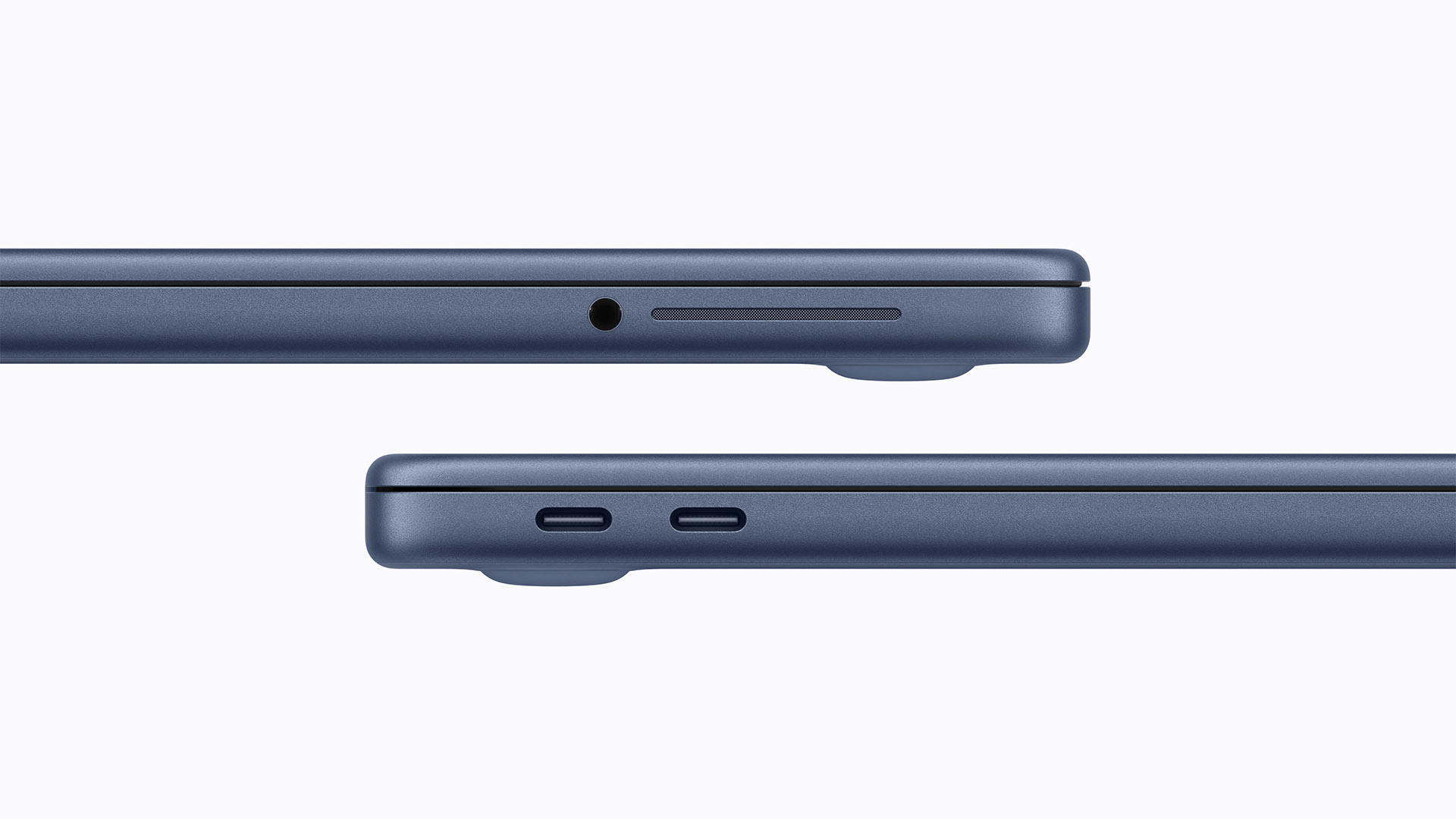
Apple’s new MacBook Neo keeps the price low, but it does it in a way buyers will notice the moment they start plugging things in. Despite being an affordable 13-inch laptop with a $599 starting price, it doesn’t include MagSafe charging at all. Instead, Apple sticks with just two USB‑C ports for charging, accessories, and data transfer.
Here’s the catch: the two USB‑C ports aren’t created equal.
Both USB‑C ports can charge the MacBook Neo, but only one is built for faster transfers
The good news is simple: you can charge the MacBook Neo using either USB‑C port, so you’re not forced into using one specific side when you’re topping up the battery.
The not-so-good news is that if you care about file transfer performance, you’ll want to be picky about which port you use. According to Apple’s listed technical specs, one USB‑C port supports speeds up to USB 3.0. That translates to a theoretical maximum of 10Gb/s (about 1.25GB/s or 1,250MB/s) for moving files to external SSDs, docking stations, and other high-speed storage devices.
The second USB‑C port is far slower, capped at USB 2.0 speeds. That means up to 480Mb/s (around 60MB/s). For basic peripherals, charging, keyboards, mice, or light accessories, that may be fine. But for large backups or moving “heaps of files,” it’s a major bottleneck compared to the USB 3.0 port.
Why Apple made this compromise on the MacBook Neo
Apple’s choice will frustrate anyone expecting consistent USB‑C performance, but it fits the reality of what’s inside the MacBook Neo. The laptop reportedly uses an A18 Pro chip, and that platform doesn’t support a Thunderbolt controller. Without Thunderbolt in the equation, you lose the faster I/O options found in other Macs, and you may see more aggressive cost-saving limits—like one port being restricted to USB 2.0.
Interestingly, Apple has made similar decisions across other product lines too. Some higher-priced iPhone models top out at USB 3.0 speeds, while other versions remain stuck at USB 2.0-level performance, even though they share the same USB‑C connector shape. In other words, the connector may look the same, but the speed behind it can be very different.
What this means in real-world use
If you’re buying the MacBook Neo for school, web work, streaming, writing, and everyday tasks, the port setup may not be a dealbreaker. But if you plan to use an external drive for photo libraries, video projects, time-sensitive backups, or frequent file transfers, you’ll want to ensure you plug your fastest storage into the USB 3.0 port every time.
And if you’re shopping specifically for better connectivity and faster external performance, it may be worth stepping up to a higher-tier Mac laptop, such as the M4 MacBook Air, where faster port standards are part of the package.


