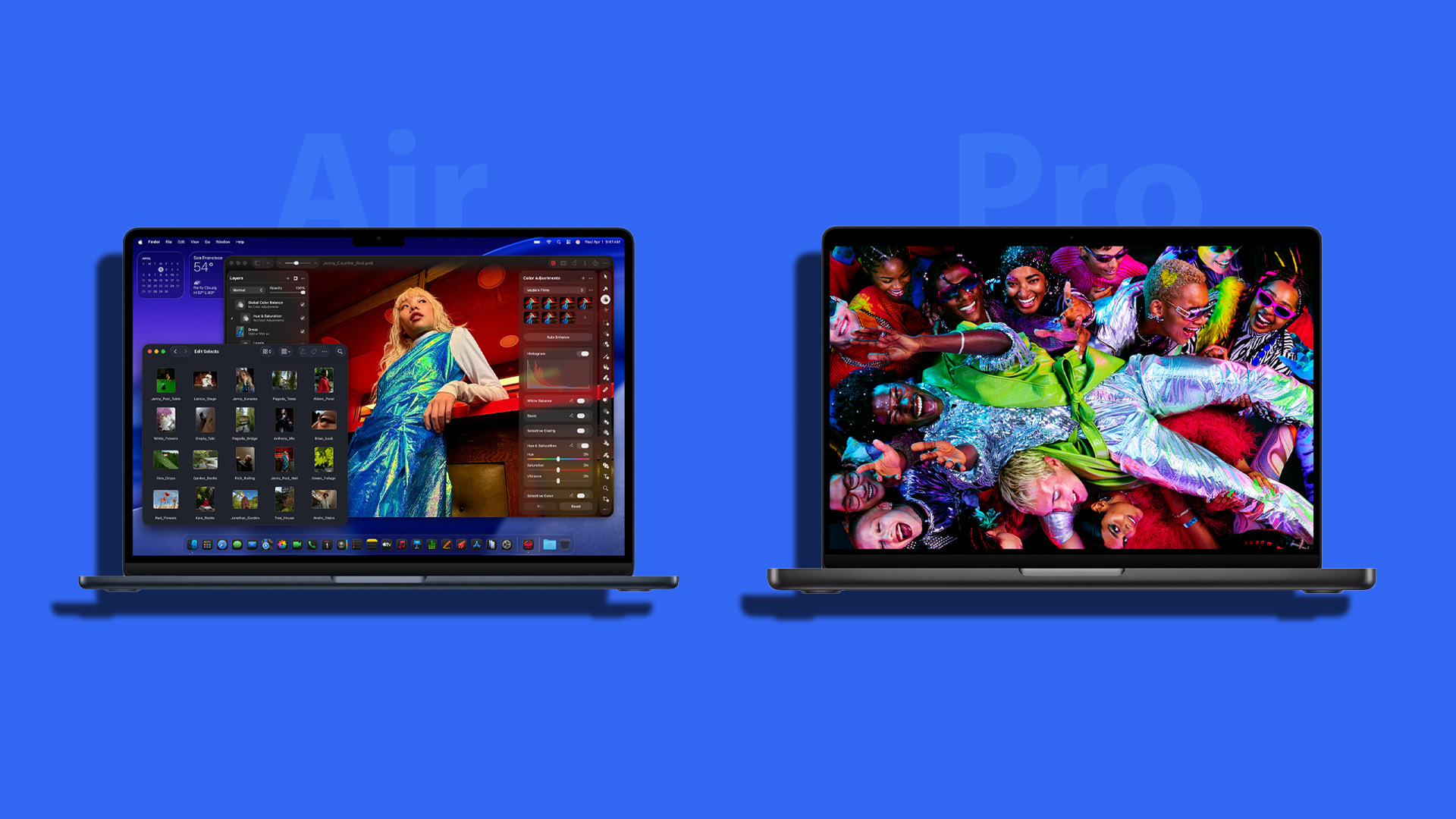
Apple’s newest 13-inch and 15-inch M5 MacBook Air models are a lot more tempting than usual because they now share the same M5 silicon used in the 14-inch M5 MacBook Pro—yet they start at a much lower price. That sounds like an easy win for the MacBook Air, but the real value depends on what you do every day, how long you push your laptop under heavy workloads, and which features you’ll actually notice after the “new Mac” excitement fades.
Below is a practical, easy-to-compare buying guide that breaks down the most important differences between the M5 MacBook Air (13-inch and 15-inch) and the 14-inch M5 MacBook Pro.
Display: the MacBook Pro’s screen is the biggest reason it costs more
All three laptops keep Apple’s premium unibody aluminum build, so the “feel” doesn’t suddenly get cheap on the MacBook Air. The real separation starts when you open the lid.
The 13-inch and 15-inch M5 MacBook Air use Liquid Retina IPS LCD panels. They look great for everyday work, school, and entertainment, with P3 wide color and True Tone. But the 14-inch M5 MacBook Pro moves to a Liquid Retina XDR mini-LED display, which brings noticeably better contrast, deeper blacks, crisper HDR, and far higher brightness.
The Pro model also includes ProMotion up to 120Hz. If you scroll a lot, edit video, or just prefer a smoother, more responsive feel, this is one of those upgrades you’ll notice immediately. The MacBook Air models do not have ProMotion.
Key display specs at a glance:
The 13-inch M5 MacBook Air has a 13.6-inch screen at 2560 x 1664, 500 nits, no ProMotion.
The 15-inch M5 MacBook Air has a 15.3-inch screen at 2880 x 1864, 500 nits, no ProMotion.
The 14-inch M5 MacBook Pro has a 14.2-inch screen at 3024 x 1964, mini-LED, 1000 nits sustained and up to 1600 nits peak, plus ProMotion up to 120Hz.
Portability-wise, the 13-inch Air is the lightest at about 2.7 pounds, while the 15-inch Air and 14-inch Pro are closer, around 3.3–3.4 pounds. The Pro is also noticeably thicker.
Performance, GPU tiers, and base storage: “same chip” doesn’t mean identical configs
While all three machines are built around Apple’s M5 platform (TSMC 3nm N3P), the entry-level 13-inch MacBook Air comes with a binned version: a 10-core CPU paired with an 8-core GPU. The 15-inch M5 MacBook Air and the 14-inch M5 MacBook Pro step up to a 10-core CPU and a 10-core GPU.
That means shoppers comparing base models should pay attention: the cheapest 13-inch Air isn’t quite the same graphics configuration as the others unless you upgrade it.
Memory and storage limits look similar across the lineup:
Unified memory starts at 16GB and goes up to 32GB.
Storage is configurable up to 4TB.
But the base storage differs, and it matters. The M5 MacBook Pro starts at 1TB, while both M5 MacBook Air models start at 512GB. If you’re already planning to upgrade storage on the Air, that price gap between Air and Pro can shrink quickly.
Cooling and sustained performance: the MacBook Air is silent, the MacBook Pro is steadier under long loads
This is where the “complicated” part starts.
Both the 13-inch and 15-inch M5 MacBook Air are fanless, relying on a passive heatsink. They’re quiet and great for typical productivity, but passive cooling can limit sustained performance when you run demanding tasks for a long time.
The 14-inch M5 MacBook Pro includes active cooling with a fan and a heatpipe. Active cooling generally means the chip can hold higher performance for longer with less throttling. Even so, the M5 MacBook Pro can still get hot under heavy stress, reportedly reaching 99°C when pushed hard—so you can imagine the challenge a fanless design faces during extended workloads.
If your routine includes long exports, extended coding builds, frequent 3D work, or hours of demanding creative apps, the MacBook Pro is the safer choice for consistent performance. If your work is mostly bursts of performance with lots of lighter tasks in between, the MacBook Air can still be an excellent option.
Wireless and ports: Air wins on next-gen wireless, Pro wins on flexibility
The M5 MacBook Air models take the lead in wireless connectivity, featuring Wi‑Fi 7 and Bluetooth 6, enabled by Apple’s in-house N1 wireless networking chip.
The 14-inch M5 MacBook Pro, however, is behind here with Wi‑Fi 6E and Bluetooth 5.3.
But the wired story flips completely.
MacBook Air (both sizes) ports:
Two USB‑C Thunderbolt 4 ports
3.5mm headphone jack
MagSafe charging
MacBook Pro (14-inch) ports:
Three USB‑C Thunderbolt 4 ports
3.5mm headphone jack
MagSafe charging
HDMI 2.1 (supports up to 8K at 60Hz or 4K at 240Hz)
SD card reader (UHS‑II)
If you regularly connect external displays, cameras, SD cards, or prefer fewer dongles, the MacBook Pro’s port selection is a major everyday convenience.
Battery life and charging: MacBook Pro goes the distance
Battery life is a major reason people buy Apple Silicon laptops, and the M5 generation keeps that reputation strong. The MacBook Pro stretches it further.
Video streaming battery estimates:
13-inch M5 MacBook Air: up to 18 hours
15-inch M5 MacBook Air: up to 18 hours
14-inch M5 MacBook Pro: up to 24 hours
Web browsing battery estimates:
13-inch M5 MacBook Air: up to 15 hours
15-inch M5 MacBook Air: up to 15 hours
14-inch M5 MacBook Pro: up to 16 hours
Battery capacity also increases across the lineup (about 55.8Wh in the 13-inch Air, 66.5Wh in the 15-inch Air, and 72.4Wh in the 14-inch Pro).
Charging differs too:
The MacBook Air includes a 40W adapter (with support up to 60W).
The MacBook Pro includes a 70W USB‑C power adapter.
Fast charging is supported, but requirements vary (Air can fast charge with a 70W adapter or higher; Pro fast charging works with a 96W adapter or higher).
If you travel often, work long days away from an outlet, or simply want the longest battery life Apple offers in this size, the MacBook Pro has a clear advantage.
Camera, speakers, and microphones: Pro is the better media and call machine
All three models use a 12MP Center Stage camera with Desk View support, so you’re not sacrificing webcam quality by choosing the Air.
Audio and microphones are where the Pro model pulls ahead:
The MacBook Air models have a four-speaker system and a triple-mic array.
The 14-inch MacBook Pro upgrades to a six-speaker system with force-cancelling woofers and a studio-quality triple-mic array with higher signal-to-noise ratio and directional beamforming.
All models support Spatial Audio, Voice Isolation, and Wide Spectrum. But if you care about louder, fuller speakers or cleaner voice capture for calls, podcasts, and remote work, the MacBook Pro is the step up.
Keyboard and trackpad: essentially even
In day-to-day typing and navigation, there isn’t a meaningful difference highlighted here. Apple’s chiclet-style keyboard and trackpad experience remains consistent across the lineup, so your decision should come down to display, sustained performance, ports, battery life, and media features—not fear of getting a worse keyboard on the Air.
Which one should you buy?
Choose the 13-inch M5 MacBook Air if you want the lightest, most portable option, you value silent fanless operation, and your workload is mostly productivity, school, browsing, and occasional creative tasks. Just remember the base model starts with an 8-core GPU unless upgraded.
Choose the 15-inch M5 MacBook Air if you want a larger screen without jumping to Pro pricing, while still getting strong M5 performance (and the better 10-core GPU configuration in this lineup).
Choose the 14-inch M5 MacBook Pro if you want the best display (mini-LED + ProMotion), better sustained performance thanks to active cooling, a much stronger port selection (HDMI and SD card included), better speakers and microphones, and notably longer video streaming battery life.
If you share what you mainly do on your laptop (student work, photo/video editing, coding, external monitor setup, travel, etc.), I can recommend the best configuration (RAM/storage) for the model that fits you.Apple’s latest M5-powered MacBook lineup makes choosing between a MacBook Air and a MacBook Pro feel tougher than it used to be. On paper, they share a lot of everyday features, and for many shoppers the less expensive option will already be more laptop than they need. The key is knowing what you gain with the Pro, and whether those upgrades are worth the sizable jump in price.
Trackpad and keyboard: familiar Apple essentials across the board
No matter which M5 MacBook you pick, the core input experience is largely the same. The 13-inch M5 MacBook Air, 15-inch M5 MacBook Air, and 14-inch M5 MacBook Pro all include Touch ID and Apple’s large Force Touch trackpad. You also get gesture control, precise cursor control, pressure-sensing force clicks, Multi‑Touch gestures, pressure-sensitive drawing support, and the same general accelerator support.
In other words: if your decision is based on whether the Air feels “less premium” to use day to day, it really doesn’t. Apple is keeping the fundamentals consistent, and the oversized trackpad experience carries across the entire range.
External display support: the Pro’s real-world advantage is HDMI flexibility
Display output capabilities are surprisingly close between the M5 MacBook Air models and the M5 MacBook Pro. Both Air sizes support:
– Up to two external displays at 6K resolution at 60Hz, or 4K at 144Hz
– One external display up to 8K at 60Hz, or 5K at 120Hz, or 4K at 240Hz
The 14-inch M5 MacBook Pro matches those specs, but adds a practical advantage: you can run the two-display setup using a mix of Thunderbolt 4 and HDMI.
That HDMI port matters more than it sounds. Many people are still using monitors and TVs that rely on HDMI and won’t have a Thunderbolt connection available. Yes, a dongle can solve this on the MacBook Air, but the MacBook Pro simply makes multi-display setups easier and more flexible without extra adapters.
Price: the MacBook Air looks like the value pick, the Pro charges for upgrades
Using Apple’s launch pricing, the gap is clear. The base models are positioned very differently:
To step up from the base 13-inch Air to the base 14-inch Pro, you’re paying about $600 more. You do get double the storage (1TB vs 512GB), but it’s still a steep jump for anyone who mainly browses, uses office apps, studies, streams, or does light creative work.
There are also paid configuration bumps to consider:
– The 13-inch Air offers a $100 upgrade for a 10-core CPU and 10-core GPU.
– The 15-inch Air lists $200 options for 1TB storage or 24GB unified RAM.
– The 14-inch Pro lists $200 for 24GB unified RAM and $400 for 2TB storage.
Which M5 MacBook is best for you?
For most people, the 13-inch and 15-inch M5 MacBook Air models are the smartest buy. They deliver the core Apple laptop experience, strong performance for daily work, and battery life that already outlasts many competing Windows laptops. If your goal is an all-day laptop with excellent speed, portability (especially on the 13-inch), and a lower starting price, the M5 MacBook Air is the easy recommendation.
The 14-inch M5 MacBook Pro is for buyers who genuinely care about higher-end hardware features and sustained performance. It’s the better pick if you specifically want advantages like improved cooling for long, heavy workloads where performance drop-off matters, plus added connectivity such as HDMI and an SD card reader. It also targets users drawn to premium display upgrades like mini‑LED and a high refresh rate.
It’s also worth clearing up a common misconception: the fanless MacBook Air isn’t “weak.” It can still handle demanding tasks like high-resolution video editing and programming. The MacBook Pro simply makes more sense if you plan to push the system hard for hours at a time and want the most consistent performance possible.
Bottom line: if you don’t already know you need the MacBook Pro’s extras, you’ll probably be happier pocketing the savings and choosing the M5 MacBook Air in the size that fits your lifestyle.