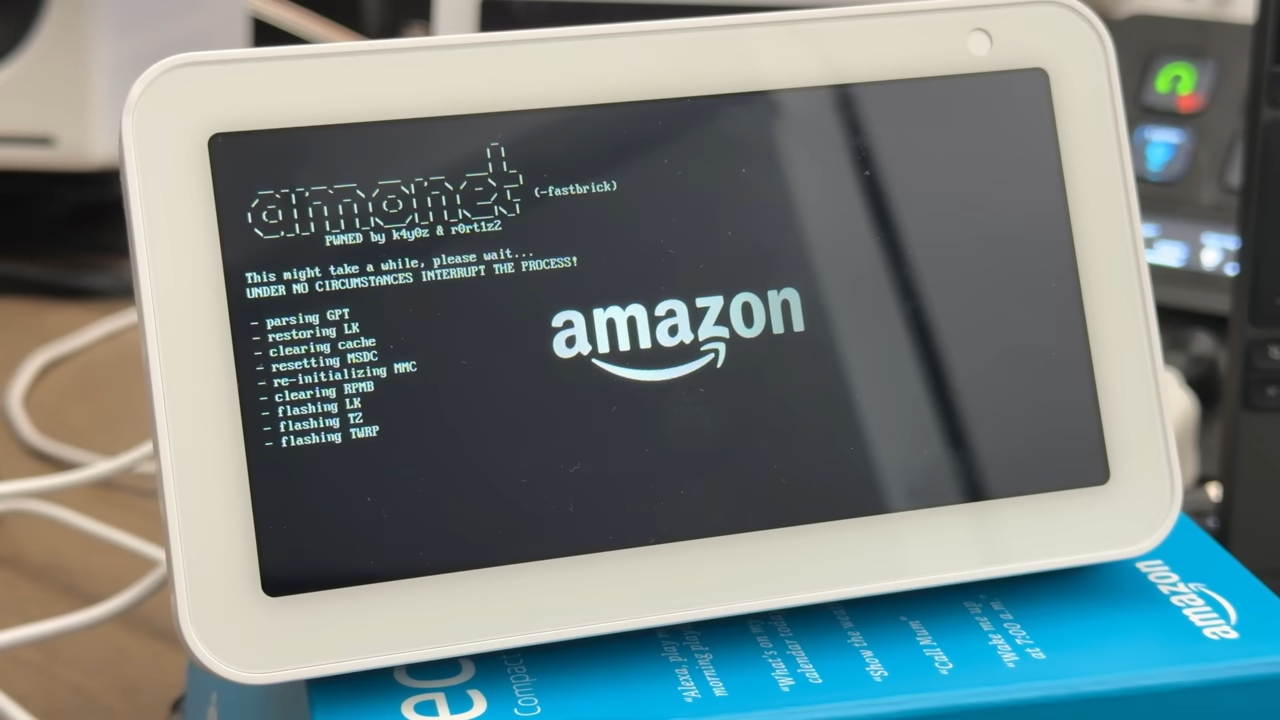
Breathe new life into an aging Amazon Echo Show 5 by turning it into a true Android tablet. A recently highlighted exploit lets owners of the first‑generation Echo Show 5 and Echo Show 8 break free from Fire OS’s limitations and unlock far more apps, features, and control. It’s a clever repurposing project that can keep hardware out of the e‑waste pile and make that smart display genuinely useful again.
The breakthrough combines an exploit discovered by Roger Ortiz with a community-built version of LineageOS by developer bengris32. Together, they open two paths for Echo Show owners:
Option 1: Keep Alexa and Echo Show features
– What it does: Preserves the familiar Echo Show interface and Alexa while adding the ability to run more Android apps.
– Trade-offs: Fire OS continues running in the background, which can reduce performance and responsiveness.
Option 2: Go full Android with LineageOS
– What it does: Replaces Fire OS entirely with an open-source version of Android for a tablet-like experience.
– Trade-offs: You lose Amazon-specific services and features, including Alexa, in exchange for speed, flexibility, and control.
Supported devices
– Works on: First-generation Echo Show 5 and Echo Show 8 only.
– Not supported: Later Echo Show models and other Amazon hardware at this time.
What you gain
– Access to a wider range of Android apps and services through sideloading or third-party app stores
– A more traditional tablet interface with deeper customization
– Better control over privacy, permissions, and background processes
– The ability to repurpose a smart display for browsing, media, smart home dashboards, or even as a kitchen tablet
What to consider before you start
– Risk of bricking: As with any jailbreak or ROM flash, there’s a real chance the device could be rendered unusable if something goes wrong.
– Warranty and support: This will void any remaining warranty and cuts off official updates and support.
– Feature trade-offs: Keeping Alexa means slower performance; switching to LineageOS means living without Amazon services.
– Security and updates: You’ll rely on community builds for updates and security patches.
How the process generally works
– Unlock the bootloader using the exploit
– Install TWRP custom recovery
– Flash the appropriate custom image through TWRP
Both approaches follow a similar setup flow. The details are documented by the developer community, including step-by-step discussions on enthusiast forums such as XDA. If you’re new to this, watching a walkthrough from creators like Mark Watt Tech can help you understand the process and pitfalls before you dive in.
Tips for a smoother experience
– Confirm your Echo Show is a first-gen model before attempting anything
– Back up anything you can, and expect a full device wipe
– Use a reliable USB cable and a stable power source during flashing
– Read through community threads fully so you know exactly what works, what doesn’t, and how to recover if something goes wrong
Bottom line
If you’ve got a first-gen Echo Show 5 or 8 gathering dust, this project can transform it from a locked-down smart display into a versatile Android tablet. Whether you keep Alexa or switch to pure LineageOS, you’ll unlock more apps, better customization, and a lot more control. Just go in with eyes open about the risks, follow community guidance carefully, and take your time.