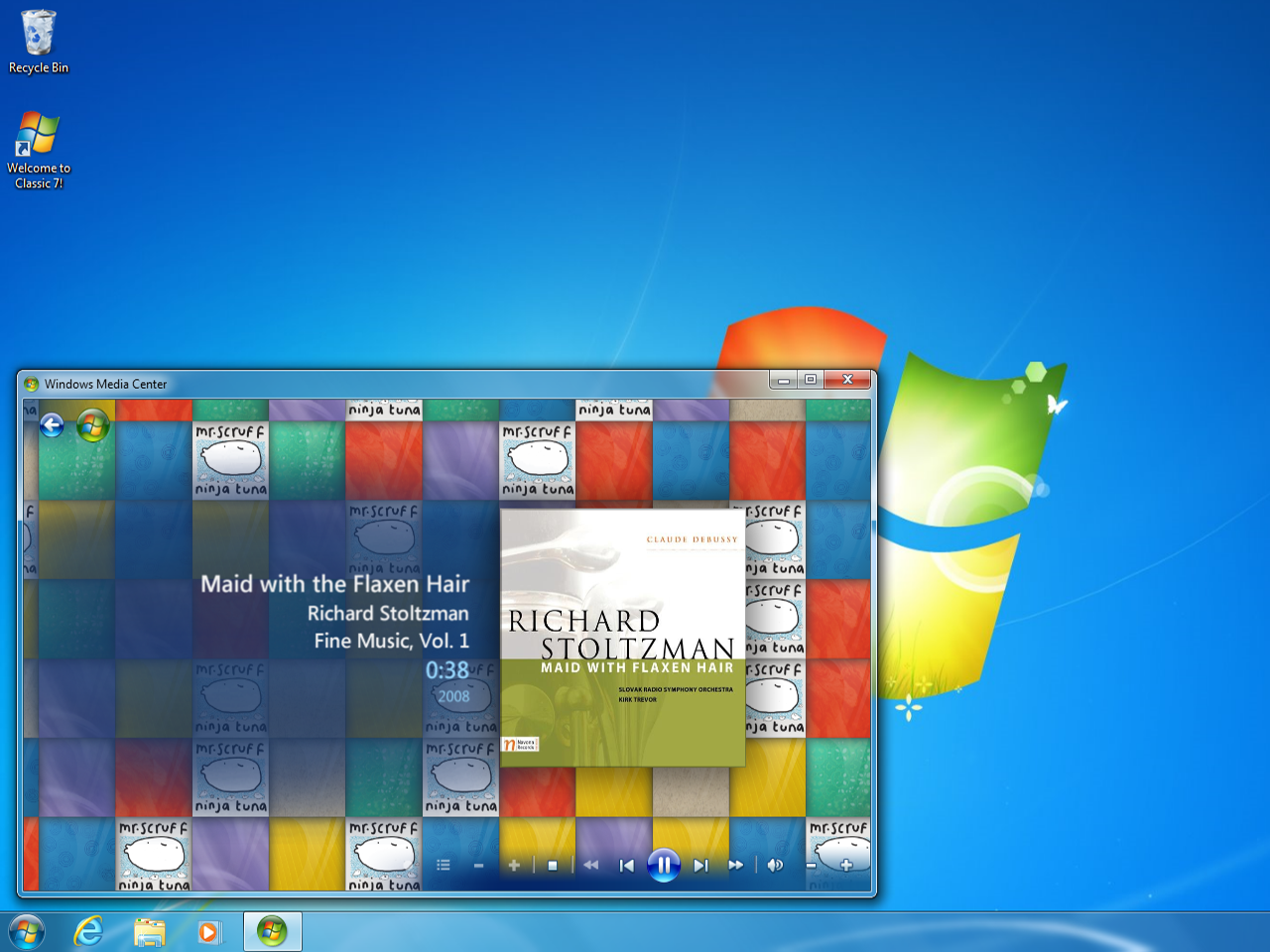
Classic 7 Revives the Windows 7 Experience on a Windows 10 IoT Base With Updates Until 2032
For many PC users, Windows 7 still represents the sweet spot of Microsoft’s desktop design: clean, fast, familiar, and free from much of the clutter that defines newer versions of Windows. While Windows 11 continues to evolve with performance tweaks and some restored customization options, many users remain frustrated by built-in advertising, heavier system requirements, privacy concerns, and features they never asked for.
Classic 7 is designed for exactly that audience. It aims to bring back the classic Windows 7 look and feel while using a more modern operating system foundation that is expected to receive security updates until October 2032.
At its core, Classic 7 is built around Windows 10 IoT Enterprise LTSC 2021, a lightweight long-term servicing version of Windows 10. Unlike consumer editions, this version is made for embedded, industrial, and retail systems, which means it avoids many of the extras found in mainstream Windows releases. Features such as Xbox Game Bar, Microsoft Edge, and built-in promotional content are not part of the standard experience.
That makes it a strong base for users who want a cleaner, more traditional desktop environment.
The biggest appeal of Classic 7 is its visual transformation. It brings back many of the design elements people remember from the Windows 7 era, including the classic Start menu, the familiar taskbar layout, desktop gadgets, theme packs, and Aero Glass styling. Aero Glass, first introduced with Windows Vista and refined in Windows 7, remains one of the most recognizable parts of Microsoft’s older desktop design language.
For users who dislike the flatter, more modern interface of Windows 10 and Windows 11, Classic 7 offers a nostalgic alternative that still runs on a supported Windows base.
Another major advantage is performance. Windows 10 IoT Enterprise LTSC 2021 has modest system requirements, needing only a 1 GHz processor and 2 GB of RAM. Because it is designed to be lean and stable, it can feel faster on older hardware than standard Windows installations loaded with background services and consumer-focused apps.
That could make Classic 7 appealing for older laptops, desktops, retro-style PC builds, or even virtual machines. Some users have also reported better performance in certain games, though results will vary depending on hardware, drivers, and software compatibility.
However, there are important warnings to consider.
Classic 7 is not an official Microsoft product. Since it modifies Windows to recreate the Windows 7 desktop experience, users must trust the developers behind the project. Installing any unofficially modified operating system carries potential security and privacy risks, especially if it is used as a main daily system.
There is also the matter of licensing. Windows 10 IoT Enterprise LTSC requires a valid license for proper legal use. While the system may run without immediate activation for testing, anyone planning to use it long term should make sure they are properly licensed.
For that reason, Classic 7 is probably best approached as a hobby project rather than a guaranteed replacement for a primary work machine. It could be ideal for testing in a virtual machine, experimenting on spare hardware, or building a nostalgic PC setup that captures the feel of Windows 7 without relying on an outdated and unsupported operating system.
Classic 7 taps into a very real demand: a simpler Windows experience. Many users do not want AI tools pushed into the desktop, constant promotional content, or major interface changes that remove long-standing customization options. They want an operating system that feels responsive, familiar, and under their control.
That is why Classic 7 is likely to attract attention from Windows enthusiasts, privacy-conscious users, retro PC fans, and anyone who still misses the Windows 7 desktop. It combines the charm of Microsoft’s older interface with the longer support window of Windows 10 IoT Enterprise LTSC 2021.
For users who want everything official and fully supported by Microsoft, Windows 11 remains the mainstream option. But for those who still believe Windows 7 was Microsoft’s best desktop experience, Classic 7 may be one of the most interesting projects to try.