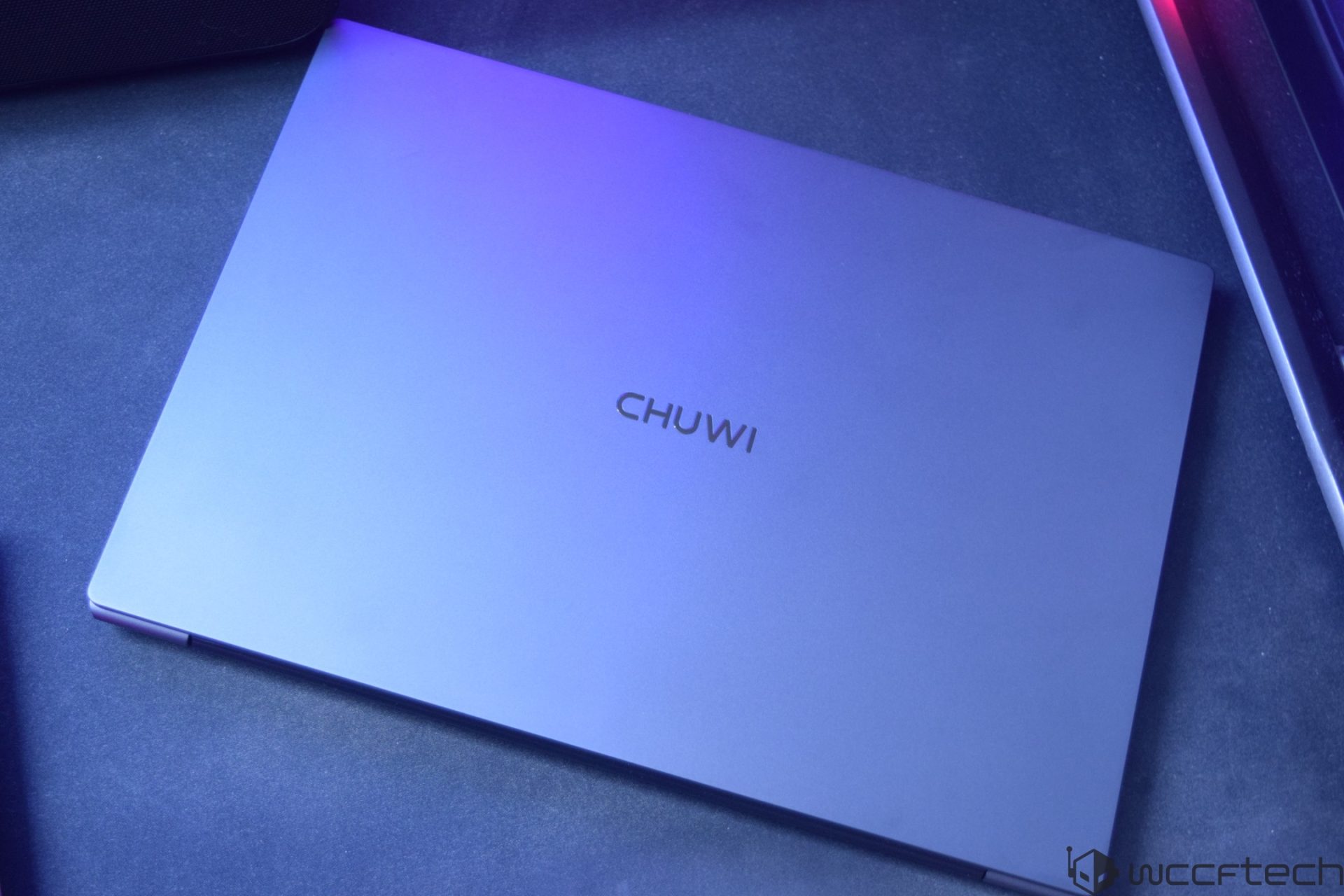
Chuwi UniBook Review: A $449 Windows Laptop With Intel Core 3 304 and a Premium-Looking Design
The Chuwi UniBook arrives at an interesting time for budget laptops. Intel’s Wildcat Lake processors are now appearing in more affordable PCs, including compact desktops and entry-level notebooks, and the UniBook is one of the first laptops built around the Intel Core 3 304.
Priced from $449, the Chuwi UniBook is aimed at students, office users, remote workers, and anyone who wants a lightweight Windows laptop without spending premium ultrabook money. It combines a slim aluminum body, Windows 11 Pro, a 14-inch display, strong port selection, Wi-Fi 6, USB-C charging, and Intel’s latest low-power Core Series 3 platform.
The big question is simple: does the Chuwi UniBook offer enough performance, build quality, and everyday usability to stand out in the crowded budget laptop market?
Chuwi UniBook specifications and target audience
The Chuwi UniBook is powered by the Intel Core 3 304, an entry-level Wildcat Lake processor designed for affordable and efficient PCs. This chip is not meant for heavy gaming, demanding video editing, or workstation-class workloads. Instead, it focuses on everyday computing: web browsing, document editing, spreadsheets, video calls, streaming, light multitasking, and general productivity.
The Intel Core 3 304 features 5 cores and 5 threads. Its design includes one performance core based on Intel’s newer architecture and four low-power efficiency cores. The performance core can boost up to 4.3 GHz, while the low-power cores can reach up to 3.3 GHz. The chip includes 6 MB of Intel Smart Cache, a 15W base power rating, a 10W minimum assured power level, and up to 35W maximum turbo power.
This makes the UniBook a practical choice for users who care more about battery life, quiet operation, portability, and price than raw performance.
Intel Wildcat Lake inside a budget laptop
Wildcat Lake is Intel’s cost-optimized platform for entry-level PCs. It borrows several technologies from Intel’s higher-end designs, including modern CPU cores, Xe3-based integrated graphics, and a newer NPU for AI-related tasks. However, the specifications are scaled down to keep pricing under control.
The Intel Core 3 304 uses a combination of Intel 18A and TSMC N3B manufacturing technologies. Its compute tile includes the CPU, integrated graphics, and NPU, while the I/O tile is manufactured separately. This chip design allows Intel to bring newer technology into more affordable machines.
For graphics, the Core 3 304 includes one Xe3 graphics core running at up to 2300 MHz. It supports up to 4K at 60Hz output, making it suitable for external monitors, streaming, video playback, and light graphical workloads. However, this is not a gaming-focused GPU. It lacks some higher-end graphics features, including full DirectX 12 Ultimate support and dedicated ray tracing hardware.
The chip also includes an NPU rated at up to 15 TOPS, while the GPU is rated at 9 TOPS. The NPU supports modern AI frameworks such as OpenVINO, Windows ML, DirectML, ONNX Runtime, and WebNN. For a laptop in this price class, the inclusion of a dedicated AI engine is a forward-looking addition, even if most everyday users may not take full advantage of it yet.
Memory and storage
The Chuwi UniBook configuration tested comes with 8 GB of DDR5-6400 memory. The Wildcat Lake platform supports both LPDDR5X and DDR5 memory, and this model uses a single 8 GB DDR5 module from Samsung.
For casual daily use, 8 GB of RAM is still workable, especially for office apps, browsing, media playback, and school tasks. However, users who keep dozens of browser tabs open or run several applications at once may feel the limitation. In today’s laptop market, 16 GB is increasingly becoming the more comfortable option, but 8 GB helps keep the UniBook’s price low.
Storage is handled by a 256 GB Hi-Flash HOGE H750 PCIe Gen3x4 SSD. In testing, it delivered roughly 2400 MB/s read speeds and 2100 MB/s write speeds. These numbers are more than enough for fast boot times, responsive app loading, and smooth everyday use. The laptop can also be upgraded with a PCIe Gen4x4 SSD, which is a welcome feature for buyers who may want more storage later.
Design and build quality
One of the strongest parts of the Chuwi UniBook is its design. For a $449 laptop, it looks surprisingly refined. The chassis uses anodized aluminum alloy, giving it a clean and premium appearance while also helping with durability. Chuwi says the body is resistant to scratches, flex, and minor bumps.
The laptop weighs around 1.2 kg, making it easy to carry in a backpack or laptop sleeve. At 16.4 mm thin, it has the kind of slim profile normally associated with more expensive ultrabooks. The rounded edges, minimal styling, and easy-to-lift lid all add to the more polished feel.
The bottom of the laptop includes ventilation cutouts and large rubber feet, helping it stay stable on desks and improving airflow. Overall, the UniBook makes a good first impression, especially for buyers who want an affordable laptop that does not look cheap.
Ports and connectivity
Port selection is another area where the Chuwi UniBook stands out. Many thin laptops reduce connectivity to just a couple of USB-C ports, but the UniBook includes a much more practical mix.
On one side, it offers two USB 3.2 Gen1 Type-C ports, one USB 3.2 Gen1 Type-A port, and an HDMI port. On the other side, it includes another USB 3.2 Gen1 Type-A port, one USB 2.0 port, a 3.5mm audio jack, a TF card slot, a lock slot, and a Gigabit Ethernet port.
That Ethernet port is especially useful for office users, students in dorms, or anyone who wants a more stable wired internet connection. The laptop also supports Wi-Fi 6 and Bluetooth 5.2, giving it modern wireless connectivity for everyday use.
For a budget Windows laptop, this level of I/O is a major advantage. Users are less likely to need adapters or hubs, which helps make the UniBook more convenient out of the box.
Display quality
The Chuwi UniBook uses a 14-inch IPS display with a 1920 x 1200 resolution, a 16:10 aspect ratio, and a 60Hz refresh rate. The taller 16:10 screen is great for productivity because it gives you more vertical space for documents, websites, spreadsheets, and coding compared to a traditional 16:9 panel.
Brightness reaches up to 300 nits, which is acceptable for indoor use and some brighter environments. However, the color coverage is listed at 60% sRGB on the tested model. Earlier promotional claims suggested up to 100% sRGB, so the lower color gamut is disappointing for users who care about accurate colors.
For office work, browsing, streaming, and writing, the display is perfectly serviceable. But for photo editing, design work, and color-sensitive content creation, this screen is not ideal.
The hinge supports a 180-degree opening angle, allowing the screen to lay flat. This can be useful for sharing content across a table or working in flexible positions.
Keyboard, touchpad, and webcam
The UniBook includes a backlit keyboard with white lighting and two brightness levels. The chiclet-style keys are comfortable enough for typing documents, emails, and school assignments. Having keyboard backlighting at this price is a nice bonus, especially for users who often work at night or in dim rooms.
The touchpad is more basic. It is somewhat small and does not feel as premium as the rest of the laptop. It works for normal navigation, but users who rely heavily on gestures or long sessions may prefer using an external mouse.
The keyboard and touchpad surfaces are also prone to fingerprints, so the laptop may need regular cleaning to keep it looking fresh.
For video calls, the UniBook includes a 720p webcam with a privacy shutter. The shutter is a useful addition for privacy-conscious users, although the camera quality is basic and best suited for casual meetings rather than high-quality streaming.
Battery life and charging
The Chuwi UniBook comes with a 53.38Wh lithium-polymer battery and supports 65W USB-C Power Delivery charging. Chuwi claims the laptop can reach around 60% charge in one hour and can deliver up to 13 hours of 1080p video playback.
Real-world battery life will depend on brightness, workload, Wi-Fi use, and background apps. For light productivity, web browsing, and video playback, the efficient Intel Core 3 304 should help the UniBook last through a good portion of the day. The use of USB-C charging also makes it easier to carry one charger for multiple devices.
CPU performance
The Intel Core 3 304 is not designed to compete with higher-end Core Ultra, Ryzen, or Apple laptop processors. With just 5 cores and 5 threads, including only one performance core, expectations should be realistic.
In CPU-Z, the Core 3 304 scored 389.7 points in single-core performance and 2654.9 points in multi-core performance. These results place it firmly in the entry-level category, but that is exactly where this laptop is meant to sit.
In Cinebench 2026, the chip recorded 401 points in single-thread testing. For daily computing, the system feels suitable for basic multitasking, browser-based work, media playback, and productivity software. Users looking to edit large videos, run demanding creative apps, or play modern games should look at more powerful laptops.
Still, for the $449 price point, the Core 3 304 delivers enough performance for the audience Chuwi is targeting.
Who should buy the Chuwi UniBook?
The Chuwi UniBook makes the most sense for students, office workers, home users, and travelers who want an affordable Windows 11 Pro laptop with a good design and strong connectivity. Its slim aluminum chassis, lightweight body, backlit keyboard, practical port selection, Ethernet support, and USB-C charging make it more versatile than many budget laptops.
It is also a good option for buyers who mainly use cloud-based tools, Microsoft Office, Google Workspace, video streaming services, email, and web apps.
However, it is not the best fit for gamers, professional creators, or users who need a color-accurate display. The 8 GB RAM configuration may also feel limiting for heavier multitasking.
Final thoughts
The Chuwi UniBook is a budget laptop that focuses on the right priorities. It does not try to be a high-performance machine. Instead, it offers a premium-looking aluminum design, modern Intel Core 3 304 efficiency, Windows 11 Pro, a practical 14-inch 16:10 display, excellent port selection, and USB-C charging at an attractive $449 starting price.
Its biggest strengths are portability, design, connectivity, and everyday usability. Its main weaknesses are the limited 8 GB memory, basic integrated graphics, modest display color coverage, small touchpad, and entry-level CPU performance.
For users who understand those limits, the Chuwi UniBook is a compelling affordable laptop for daily productivity, schoolwork, web browsing, streaming, and office tasks. At this price, it offers a surprisingly complete package for anyone shopping for a lightweight Windows laptop on a budget.Chuwi UniBook Review: Intel Wildcat Lake Shows Big Efficiency Gains for Entry-Level Laptops
The Chuwi UniBook gives us an early look at Intel’s new Wildcat Lake platform, and the results are exactly what you would expect from a chip designed for affordable, efficient laptops: modest peak performance, excellent power behavior, strong battery life, and surprisingly usable everyday capability.
This is not a laptop built for heavy creators, competitive gamers, or demanding workstation workloads. Instead, it targets students, office users, casual home computing, web browsing, media playback, and light productivity. In that role, the Chuwi UniBook makes a strong case, especially at its $449 starting price.
Intel Wildcat Lake CPU performance: modest numbers, but a clear upgrade
The Chuwi UniBook tested here uses Intel’s Core 3 304, a Wildcat Lake chip with one performance core and four low-power efficiency cores. On paper, that sounds extremely basic, and in raw benchmark results, it does not compete with mainstream Core Ultra or higher-end Ryzen processors. However, that is not the point of this platform.
In Geekbench 6, the laptop scored 2307 points in single-core and 5835 points in multi-core. In Geekbench 7, it delivered 2118 points in single-core and 5594 points in multi-core. In 3DMark’s CPU Profile test, the chip posted 947 points in single-core and 2791 points at maximum threads.
Those scores may not look exciting at first glance, but Wildcat Lake is intended to replace Intel’s older N-series chips. Compared with older models such as the N305, the new architecture offers a noticeable jump in single-core responsiveness while staying within a similar low-power class. That matters because most everyday laptop tasks still depend heavily on single-core performance.
Opening apps, browsing the web, working in documents, handling emails, video calls, streaming, and light multitasking all feel much better when single-threaded performance improves. The Core 3 304 is not a multitasking monster, but for basic computing, it feels capable and efficient.
AI performance: a lightweight NPU for local AI tasks
The Chuwi UniBook was also tested in Geekbench AI. CPU-based AI performance under the ONNX framework was acceptable, but the NPU performance under the OpenVINO framework showed a much stronger uplift.
This is not a high-end AI laptop, but the inclusion of a lightweight NPU is useful. It can assist with local AI features, background acceleration, and future software that can take advantage of dedicated neural processing hardware. For an entry-level laptop, having an NPU at all is a welcome addition.
Intel Xe3 graphics: one GPU core, limited power, surprising results
The Core 3 304 uses Intel’s Xe3 graphics architecture, but this is a very small version of it. Unlike stronger integrated GPUs, this chip comes with just one Xe3 core. That means expectations need to be realistic.
Synthetic GPU testing was limited to benchmarks such as Steel Nomad, Wild Life, and Fire Strike. Other tests, including Speed Way, Port Royal, and Solar Bay, could not run because the GPU lacks the required ray tracing hardware and modern graphics feature support such as DXR 1.1, DX12 Ultimate, and Vulkan ray tracing.
That is understandable. With only one GPU core, ray tracing would not make sense anyway. This integrated GPU is designed for display output, video playback, light graphics acceleration, older games, and very casual gaming, not modern high-end visuals.
Gaming performance: playable at 720p if you keep expectations low
Gaming on the Chuwi UniBook is possible, but only if you understand the limits of the hardware. The single Xe3 GPU core is extremely power-efficient, usually drawing around 5W to 6W during gaming, but it cannot perform miracles.
Cyberpunk 2077 was tested at 720p on low settings with XeSS set to Ultra Performance and frame generation enabled. In that configuration, the game ran at around 50 to 70 FPS. Without frame generation, performance dropped to roughly 28 to 33 FPS.
Skyrim Special Edition ran much better. At 720p low settings, it delivered around 60 FPS indoors and around 40 to 50 FPS outdoors. For such a small integrated GPU, that is a pleasant surprise.
Red Dead Redemption 2 at 720p low settings with FSR Performance upscaling managed around 30 to 35 FPS during nighttime gameplay. In more demanding daytime scenes, performance stayed closer to the low 30 FPS range.
No Man’s Sky also performed decently at 720p using the Standard preset with XeSS Performance upscaling. Spaceflight stayed above 60 FPS, while planet exploration dropped into the 40 to 50 FPS range.
Forza Horizon 6 was tested at 720p low settings with XeSS Ultra Performance, where it ran at around 30 FPS. That may not sound impressive, but considering this is a single Xe3 GPU core running on very little power, it is still notable.
Other games were also tried, including Baldur’s Gate III, LEGO Batman, Marvel Rivals, CS2, and Minecraft. As expected, older and lighter games are the best fit for this laptop. Modern demanding titles will often require aggressive upscaling, low settings, and 720p resolution, and some games may not run properly due to missing graphics feature support.
In general, Wildcat Lake laptops like the Chuwi UniBook are suitable for classic games, indie titles, lightweight esports games, emulation, and older PC games. You can expect around 30 FPS at 1080p low settings in some older titles and around 60 FPS at 720p low settings in lighter games.
For media playback and daily graphics tasks, the integrated GPU performs very well. Streaming video, browsing, office work, and basic image handling are all within its comfort zone.
Power efficiency: one of Wildcat Lake’s strongest advantages
Power behavior is where the Chuwi UniBook starts to shine. Out of the box, the laptop is configured with a 15W PL1 and a 35W PL2. Although PL4 is rated at 93W, the chip rarely gets anywhere near high power levels.
During CPU tests, the processor generally stayed around 20W. Under stress testing, the highest observed power draw was about 22.5W. Idle power draw was extremely low at around 0.6W, while video playback used only about 2W to 3W.
During gaming, the GPU typically consumed around 5W to 6W, while the CPU portion used about 18W to 20W. This makes the UniBook a very efficient machine for the kind of workloads it is designed to handle.
Thermals and noise: cool, quiet, and comfortable
The cooling system is another strong point. At idle, temperatures sat around 42°C. Under initial heavy load, the processor briefly peaked at 93°C, but it quickly dropped and stabilized in the 70°C to 75°C range.
There was also a temperature difference between the performance core and the efficiency cores. The performance core peaked at 93°C, while the efficiency cores reached around 81°C.
In normal use, the laptop stays quiet and comfortable. The cooling system is not loud, and for everyday work, the machine feels well-behaved.
Battery life: excellent endurance for daily use
Battery life is one of the best reasons to consider the Chuwi UniBook. In casual work, the laptop lasted nearly 15 hours. During 1080p video playback at 50% brightness, it delivered around 11 to 12 hours of runtime.
Standby performance was also excellent. After being left at 100% battery for a full day, the laptop dropped to only 99%. That kind of standby efficiency is extremely useful for students, travelers, and anyone who wants a laptop that can sit in a bag without draining quickly.
Build quality and ports: better than expected for the price
The Chuwi UniBook feels more premium than its price suggests. The chassis quality is impressive, and the laptop has a clean, solid design that gives it a more expensive feel.
The port selection is also excellent. You get a generous I/O layout, including Ethernet, an SD card reader, USB Type-A, and dual USB 3.2 Type-C ports. Many more expensive laptops offer fewer ports, so this is a major advantage for users who still rely on wired networking, memory cards, accessories, and external displays.
The backlit keyboard is another welcome feature. It makes the laptop easier to use in darker rooms and gives the overall experience a more polished feel.
Display, trackpad, camera, and speakers: areas that need improvement
Not everything about the UniBook is equally strong. The display is usable for office work, browsing, and video playback, but it is not especially impressive. Brightness is rated at around 300 nits, and color coverage is only about 60% sRGB. That is fine for basic work, but not ideal for photo editing, color-sensitive tasks, or outdoor use.
The 60Hz refresh rate is also basic. A 90Hz or 120Hz panel would have made the laptop feel smoother and more modern.
The trackpad is functional but generic, and the click sound feels harsh. The speakers and camera are also average at best. They are acceptable for simple calls and casual media use, but they do not stand out.
Memory and storage: 8GB RAM and 256GB SSD feel limiting
The Chuwi UniBook comes with 8GB of memory and 256GB of storage. For a budget laptop, that configuration is understandable, but it does limit the experience.
With several browser tabs, office apps, and background services running, 8GB can fill up quickly. The 256GB SSD can also become tight once Windows, updates, apps, documents, and media files are installed.
A configuration with 12GB of memory and a larger SSD would make this laptop much more appealing. The single-channel memory support also holds back performance, especially for integrated graphics.
Final verdict: an efficient entry-level laptop with strong battery life
The Chuwi UniBook is a capable entry-level laptop built around Intel’s Wildcat Lake platform. Its Core 3 304 processor is not designed for heavy multitasking, gaming, or demanding creative workloads, but it handles everyday computing very well.
For web browsing, document editing, video playback, online classes, email, light productivity, and basic entertainment, it offers a smooth enough experience while using very little power. The long battery life, quiet cooling, strong port selection, and premium-feeling chassis make it a practical choice for budget-conscious buyers.
The biggest weaknesses are the average display, basic trackpad, limited 8GB memory, and small 256GB SSD. Still, at $449, the UniBook delivers good value, especially for users who prioritize efficiency, battery life, and everyday usability over raw performance.
The Chuwi UniBook is not a performance laptop, but it is a smart low-cost machine for simple daily work. Wildcat Lake shows real promise in affordable laptops, and this device proves that even a small, efficient chip can offer a solid computing experience when paired with good battery life and a practical design.