Zoom used its Zoomtopia conference to unveil a sweeping AI upgrade designed to make meetings faster, smarter, and easier—no matter which platform you use. The highlight is an upgraded AI Companion that now spans multiple meeting apps, adds in-person note-taking, streamlines scheduling, and even brings photorealistic avatars to your video calls. The goal is clear: help teams cut through busywork and stay productive across the tools they already rely on.
For years, Zoom’s AI could record and transcribe calls inside Zoom itself. But with cross-platform notetakers like Read AI, Otter, Fireflies, Granola, and Circleback gaining momentum, Zoom is expanding its reach. The AI Companion now works across Google Meet and Microsoft Teams, and can also capture and structure notes from in-person meetings—so important details don’t get lost just because you weren’t on a video call.
Taking a cue from popular personal note-taking workflows, Zoom will let you jot down quick notes during a meeting and have AI turn them into clean, structured summaries afterward. A new cross-platform search helps you find what you need across Google and Microsoft ecosystems, turning scattered information into something you can actually use.
Scheduling is getting smarter, too. Through the AI Companion, Zoom can propose time slots that fit everyone’s calendar and even suggest meetings you can skip via a “free up my time” request. Similar concepts have appeared in calendar tools like Clockwise, but Zoom is now building them directly into its platform. You’ll also see proactive recommendations—think suggested agenda items and tasks to help you prep—plus a group AI assistant that supports team-wide workflows.
One of the flashiest additions is photorealistic avatars. These lifelike stand-ins mirror your expressions and gestures on video, which can be handy when you’re not camera-ready. The company’s CEO has already demoed the feature publicly, and consumer access is expected by year’s end. As with any realistic digital persona, there are deepfake and security considerations, so IT admins may want to set clear policies before enabling them.
Hosts are getting new tools as well. With Zoom Clips and avatars, you’ll be able to greet people in waiting rooms and share quick context about why a meeting was scheduled. Live translation powered by AI is also on the way, shrinking language barriers in real time.
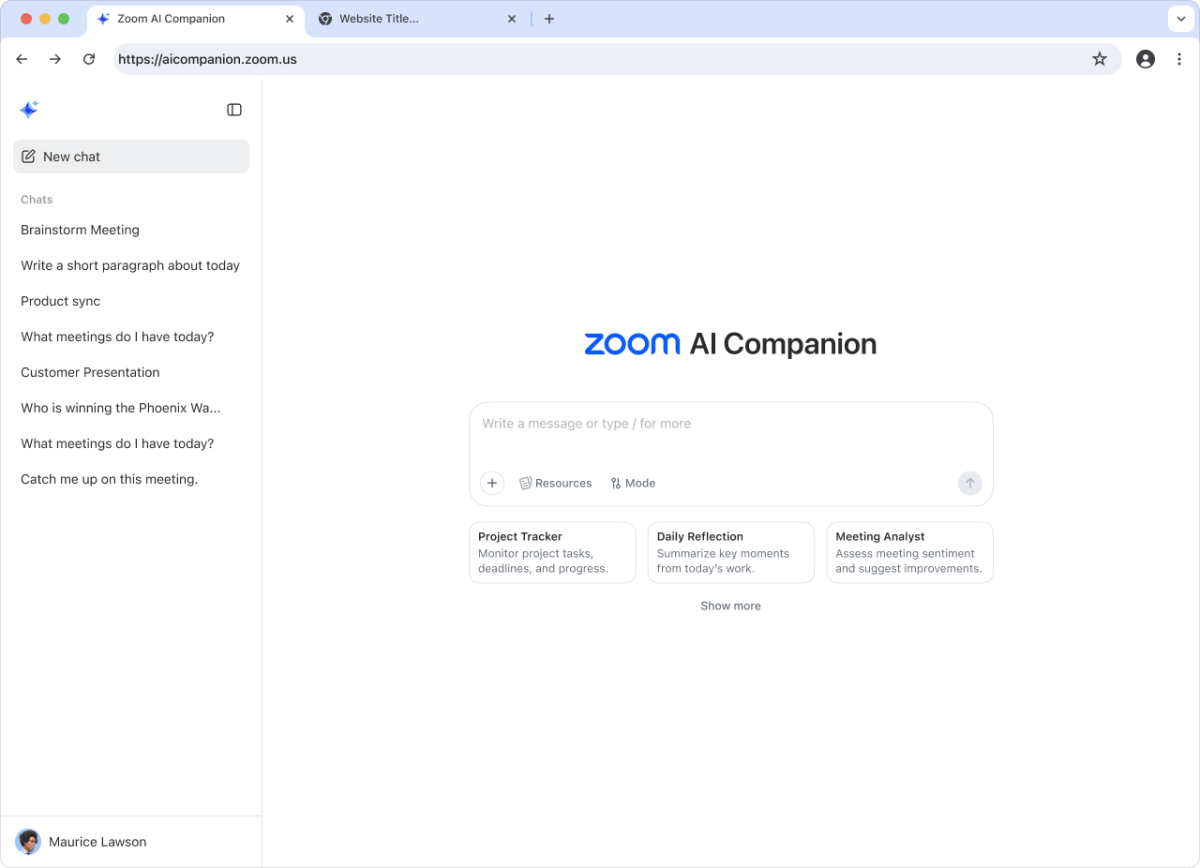
A refreshed web interface puts the AI Companion front and center, while additional AI capabilities further reduce manual work. A writing assistant will help draft emails and documents, and a deep research feature aims to accelerate information gathering and analysis.
Under the hood, Zoom is opening the door to customization and better quality. You’ll be able to build custom AI agents with support for the Model Context Protocol (MCP), run meetings at higher bit rates with 60fps video for smoother visuals, and manage recorded and uploaded content through a new video management tool.
What it means for teams:
– Work across Zoom, Google Meet, and Microsoft Teams with one AI layer
– Capture clean notes from virtual and in-person meetings
– Find available times automatically and identify low-value meetings to skip
– Prep faster with suggested agendas, tasks, and group-level assistance
– Use photorealistic avatars when you prefer not to be on camera
– Communicate across languages with AI-enabled live translation
– Draft messages and documents faster with built-in writing tools
– Build custom AI workflows via MCP and manage video assets more effectively
– Enjoy smoother, higher-quality video with 60fps and higher bit rates
Zoom’s latest wave of AI features moves beyond simple transcription to become a cross-platform productivity engine. If your team lives in meetings, these updates promise fewer logistics, better summaries, and more time for focused work.