Apple Silicon MacBook Pro laptops have built a reputation for feeling instantly responsive, thanks to fast chips, efficient macOS optimization, and speedy storage. For many shoppers, that combination has long made a MacBook Pro a safe bet if you want a premium laptop that doesn’t waste time when you click an app icon. But a recent side-by-side test suggests that advantage isn’t guaranteed anymore—especially when you’re comparing an older-generation MacBook Pro to a newer Windows ultraportable.
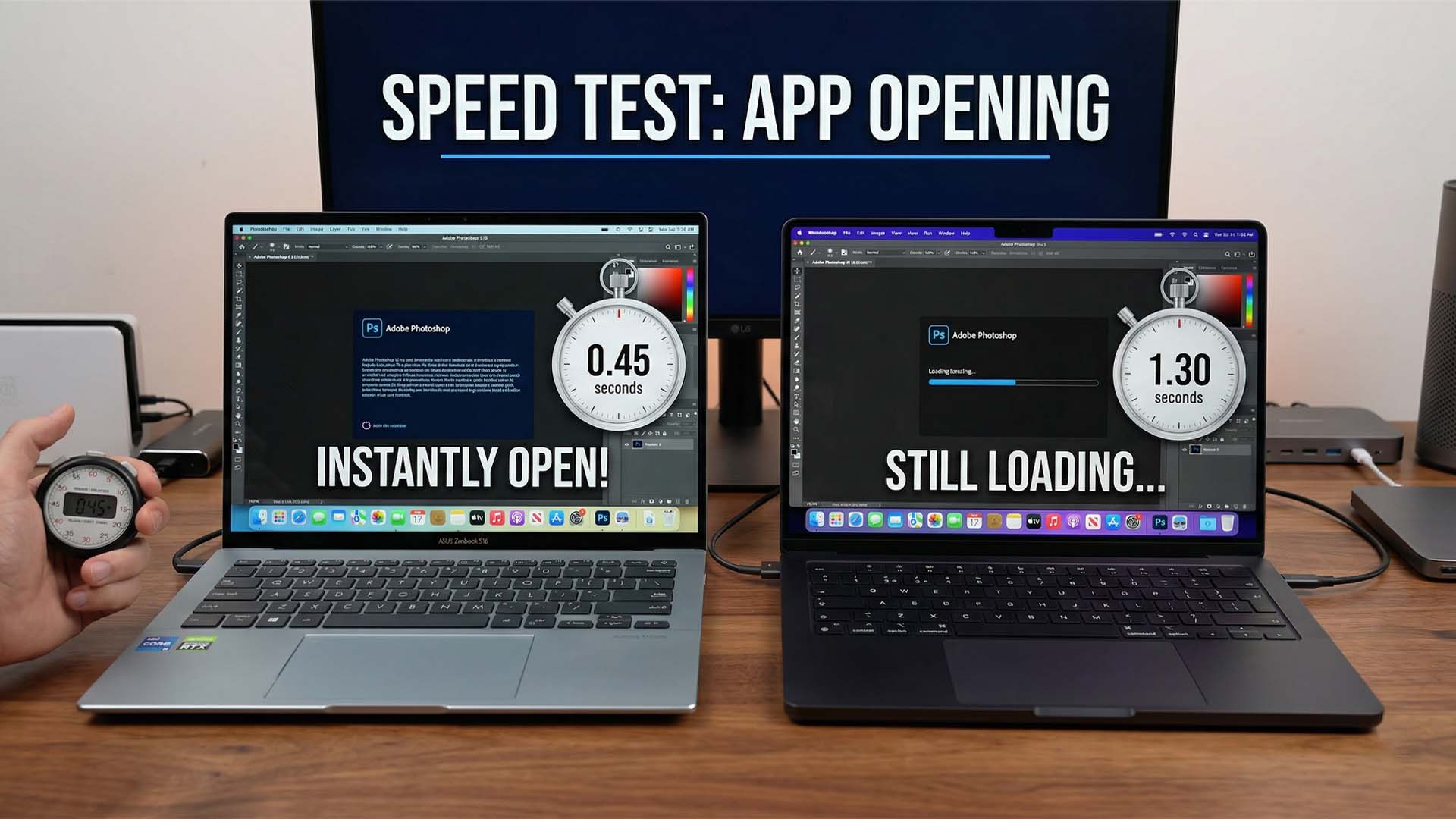
In a simple app-launch speed comparison shared by Lewis Doyle, an Apple MacBook Pro powered by the M3 Pro chip and configured with 36GB of unified memory went up against an ASUS Zenbook S16 running AMD’s Ryzen AI 9 processor, also with 36GB of memory. The test wasn’t designed to be a full benchmark suite, but it does highlight something many users care about day to day: how quickly a laptop feels when starting up and opening common apps.
The test begins with a fresh boot, where the M3 Pro MacBook Pro takes an early lead. Once app launches begin, though, the Zenbook S16 pulls ahead in several moments that may surprise Mac users. Evernote opens faster on the Windows laptop, and Microsoft Word and Spotify are also quicker to launch on the Zenbook S16 in this particular run.
At first glance, it’s easy to interpret these results as a clear win for the Windows machine, especially since Apple’s chips are often praised for strong single-core performance—something that typically benefits everyday tasks like launching apps and navigating lightweight workloads. But there are important details that can change how you read the outcome.
One key factor is storage speed and responsiveness. Older-generation MacBook Pro models can be limited by slower SSD performance, operating at PCIe NVMe Gen 4 levels that translate into lower IOPS (Input/Output Operations Per Second). Lower IOPS can noticeably impact tasks like launching applications and loading assets quickly. Meanwhile, the Zenbook S16 uses fast PCIe NVMe Gen 4 SSDs, which can give it an edge in the exact type of “open this app now” test shown here.
Drive capacity and how full the SSD is can also affect results. SSDs tend to slow down when they’re close to full, but the comparison doesn’t clarify the storage fill level on each laptop. Without that context, the test is useful as a real-world snapshot, but not a perfectly controlled measurement.
It’s also worth noting that opening speed isn’t the same as overall smoothness once an app is running. An app might launch quickly on one platform but still experience small performance hitches during scrolling, switching views, or accessing deeper features. That nuance matters because many laptop buyers care as much about fluid interaction as they do about launch times.
More broadly, this comparison hints at how much the Windows laptop landscape has improved. Windows machines, especially thin-and-light premium models with modern AMD processors and fast SSDs, are increasingly competitive in the “feels fast” category—an area where Macs have traditionally scored well.
A more apples-to-apples follow-up would be to compare the Zenbook S16 with a newer MacBook Pro generation that uses similarly modern storage and platform updates, such as a future M5 MacBook Pro configuration. That would help isolate how much of the difference comes down to chip performance, storage speed, and operating system behavior, rather than generational gaps between the machines being tested.
For now, the takeaway is simple: while Apple Silicon MacBook Pro laptops remain strong performers, some newer Windows ultraportables can match—or even beat—older MacBook Pro models in basic everyday responsiveness tests like app launching, especially when storage performance is a deciding factor.