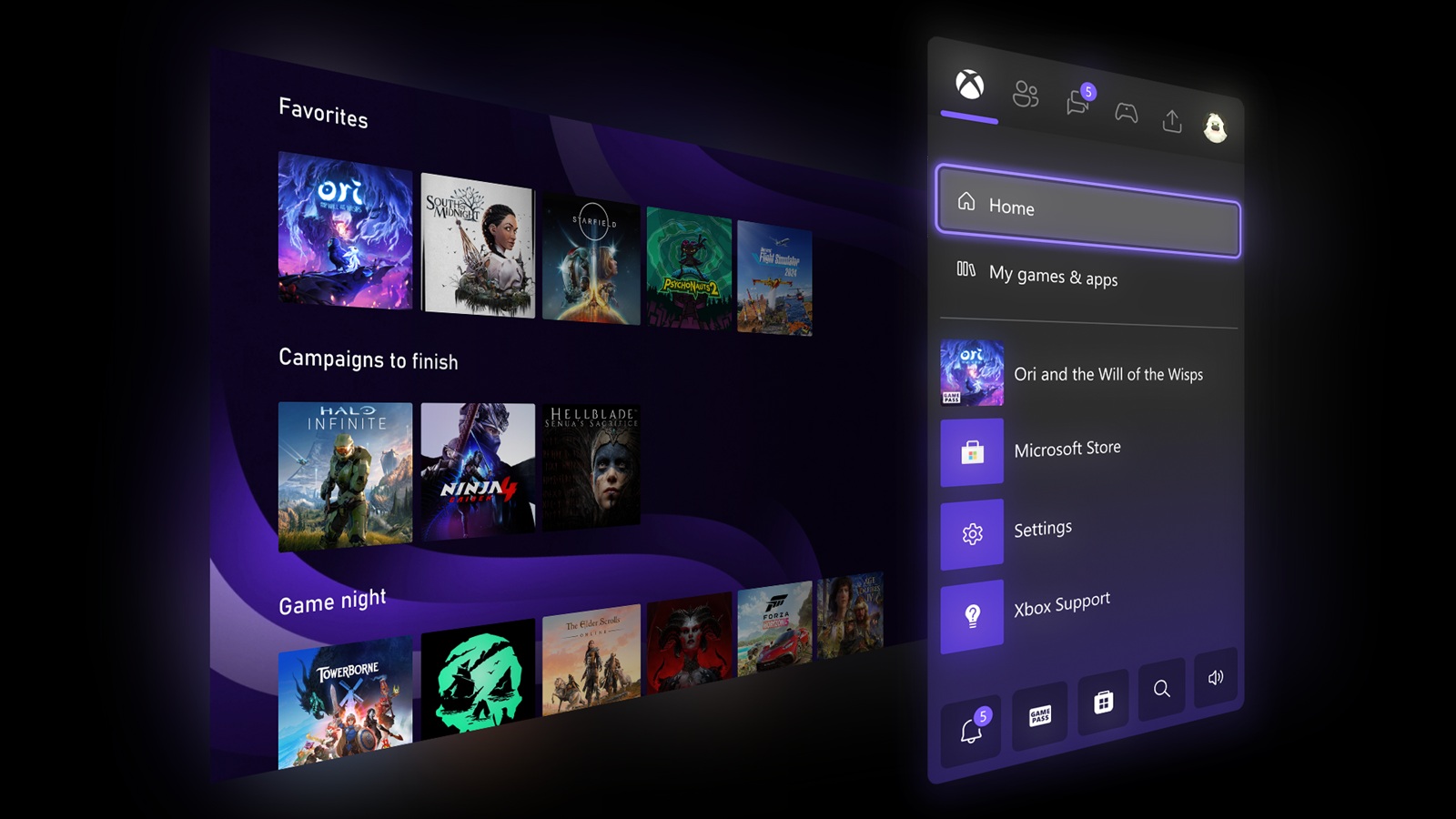
Microsoft has officially started rolling out a new “Xbox mode” for Windows 11, and it’s designed to make PC gaming feel far more like using a console. Released on April 30 as part of an optional preview update (KB5083631), the feature delivers exactly what the name implies: a full-screen Xbox-style experience that replaces the traditional Windows desktop with a controller-friendly dashboard built for games.
Once Xbox mode is enabled, your usual desktop view disappears and you’re dropped into a streamlined interface centered on your game library, Game Pass access, and cloud gaming. It’s meant to reduce distractions and make launching games quicker, especially if you’re playing from the couch or on a handheld PC.
How to enable Xbox mode on Windows 11
Xbox mode is available across a wide range of Windows devices, including desktops, laptops, tablets, and handheld gaming PCs. To turn it on, go to Settings, then Gaming, then Xbox mode, and toggle it on.
After that, you can launch it whenever you want using the Windows + F11 keyboard shortcut. You can also access it through the Xbox app or through Game Bar settings, depending on how you prefer to manage your gaming setup.
What Xbox mode actually does
At its core, Xbox mode is a gaming-focused environment that aims to cut down on interruptions and background clutter. While Windows already has Game Mode to prioritize gaming performance, Xbox mode builds on that idea by adding a complete console-style dashboard over Windows.
When active, Xbox mode suppresses background activity and keeps notifications from getting in the way. The goal is a cleaner, more focused gaming session—more like turning on an Xbox and jumping straight into your library, rather than juggling windows, desktop alerts, and extra apps running behind the scenes.
Microsoft says the bigger vision is to blur the line between Windows PCs and Xbox consoles, making it easier to access installed games, Game Pass titles, and cloud gaming from one unified interface.
Part of a bigger Microsoft gaming plan
Xbox mode is tied to Microsoft’s broader effort, known as Project Helix, to bring Windows and Xbox closer together. The feature has been in testing since late 2025 through preview programs, and this update marks its first release to stable-channel users on Windows 11 versions 24H2 and 25H2.
Known issues to keep in mind
Because this is still rolling out and evolving, there are some early caveats. Multi-monitor setups may not behave perfectly—secondary displays can occasionally go blank when Xbox mode is enabled. Some users may also run into inconsistent sleep and resume behavior depending on their hardware configuration.
For now, Microsoft recommends using hibernation instead of standard sleep while Xbox mode is in this early rollout phase.
Why Xbox mode matters for PC gamers
For players who want a more console-like experience on Windows—especially those gaming on handheld PCs, using a controller, or playing on a TV—Xbox mode could be a meaningful quality-of-life upgrade. It’s not just about visuals; it’s about reducing friction between you and your games, trimming distractions, and making Windows feel more purpose-built for gaming when you want it to be.