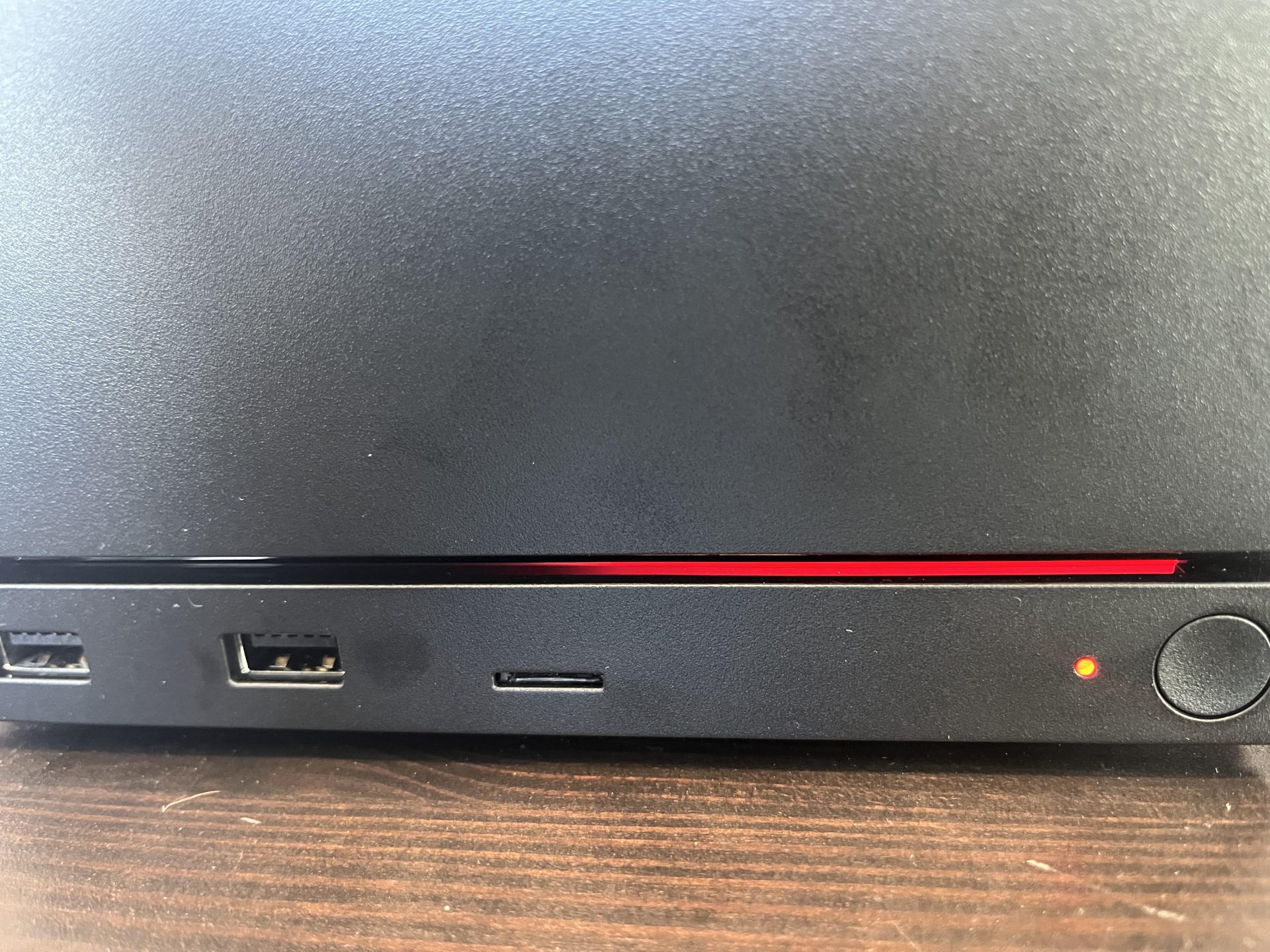
Valve explains Steam Machine “Red Line of Death” was likely memory training, not GPU failure
A Steam Machine owner recently sparked concern after reporting what appeared to be a serious hardware fault only minutes after using the device. The system showed a red LED pattern that, according to the available guidance, seemed to point to a GPU failure. For a new machine that had reportedly been running for only around 20 minutes, that diagnosis sounded alarming.
The good news is that the issue may not have been a graphics failure at all. Valve has now clarified that the warning light was likely being misread because the front LED code bar on the Steam Machine is horizontally flipped out of the box due to a communication mix-up.
In other words, what looked like a “Red Line of Death” indicating GPU trouble was actually the system showing a memory training status.
The user eventually managed to revive the Steam Machine with a simple CMOS clear. After trying several troubleshooting steps, they left the device unplugged overnight. The next day, the machine booted normally and worked as expected.
Valve later explained that the LED indicator layout caused confusion. Based on the intended code system, a red line on one side represents memory training, while a red line on the opposite side points to a GPU-related problem. Because the LED bar is flipped horizontally, the machine appeared to be showing the more serious error when it was actually going through memory training.
This situation appears to be tied to BIOS updates on Zen 4 and Zen 5 platforms. After a BIOS update or certain system changes, the machine may need extra time to retrain memory before it can boot normally. Memory training is a normal process where the system checks and configures RAM settings for stable operation, but it can sometimes make a device seem stuck or unresponsive during startup.
Valve suggested a recovery process for users who run into the same issue. First, unplug the Steam Machine and press the power button a few times to discharge any remaining power in the system. After plugging it back in, users should check whether the power LED shows a white breathing pattern. If it does, Valve recommends contacting Steam Support.
If the system still needs recovery, users can hold the power button for about six seconds until the power indicator briefly flashes, then release it. The LED should begin cycling through color codes used for recovery and troubleshooting. When the LED turns green, a short press of the power button should trigger a full CMOS reset.
After that reset, the next boot may take longer than usual because the Steam Machine may perform memory retraining. Valve says the RGB bar should appear blue during the following startup process.
The key takeaway is that Steam Machine owners seeing this red LED warning should not immediately assume the GPU has failed. In this case, the machine was not dead, and the problem was fixed with a CMOS reset. Valve’s clarification suggests that some users may simply be encountering a post-BIOS-update memory training issue rather than a major hardware defect.
For anyone troubleshooting a Steam Machine that refuses to boot after an update, patience and a proper CMOS reset may be enough to get the system running again.