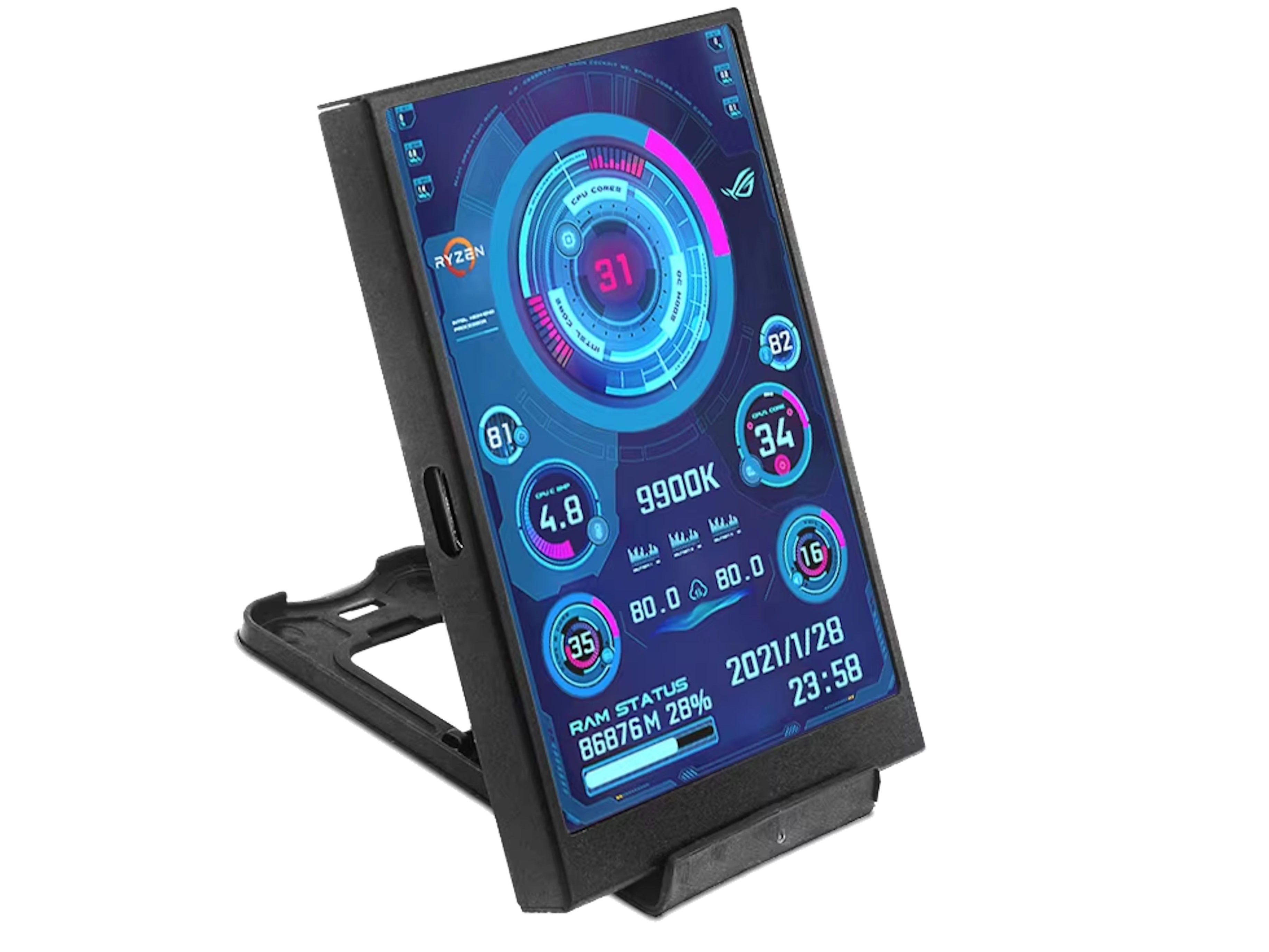
A tiny USB-C display is making waves with PC builders and gamers thanks to its ultra-low price and focus on real-time system monitoring. Priced around 13 dollars and available via direct-import marketplaces, this pocket-friendly panel turns your desktop or case window into a live dashboard for temperatures, CPU and GPU utilization, and more.
Unlike mini screens that plug in over HDMI or DisplayPort and act like a standard monitor, this model connects via USB-C and is driven by companion software. That design choice keeps your GPU outputs free while delivering a purpose-built interface for stats and readouts. The trade-off is that it’s not meant for video playback or general desktop use—it’s a dedicated sensor panel.
Key details at a glance:
– Price: about 13 dollars
– Connection: USB-C with software control
– Screen: 1.9 x 2.9 inches IPS, 320 x 480 resolution
– Orientation: horizontal or vertical
– Mounting: includes a stand and can be installed inside a PC case
The IPS panel should provide solid viewing angles and crisp readability for small text and graphs. The included software offers various layout options so you can prioritize the metrics you care about most—think CPU/GPU temps, clock speeds, usage percentages, and more. You can place it on your desk as a mini command center or mount it inside your case for a clean, showpiece look.
HDMI-style mini monitors and software-driven USB screens both have pros and cons:
– HDMI/DisplayPort monitors behave like regular displays, so they can show anything from videos to widgets, but they require a spare video output.
– USB software-driven panels like this one don’t consume a GPU port and are tailored for monitoring, though they rely on their app and don’t double as general-purpose screens.
What to consider before buying:
– Direct-import purchases can be harder to return or exchange if something goes wrong, which is part of why the price is so low.
– Estimated delivery to the United States is typically 1–2 weeks, but timing can vary.
– Because it’s software-controlled, compatibility and features depend on the app’s updates and profiles.
Who it’s for:
– PC gamers who want at-a-glance temps and usage without alt-tabbing
– Enthusiasts building clean, themed rigs with internal sensor panels
– Streamers who need critical stats visible without cluttering the main display
– Small-form-factor fans who value efficient use of GPU outputs
If you’ve been eyeing a budget-friendly way to monitor your system in real time, this compact USB-C screen delivers a lot of utility for very little money. Just weigh the import caveats and software dependence against the convenience, customization, and sleek look it brings to any gaming setup.