Lenovo ThinkPad X1 2-in-1 Gen 11 Gets a Smarter Pen Design, But There’s a Catch
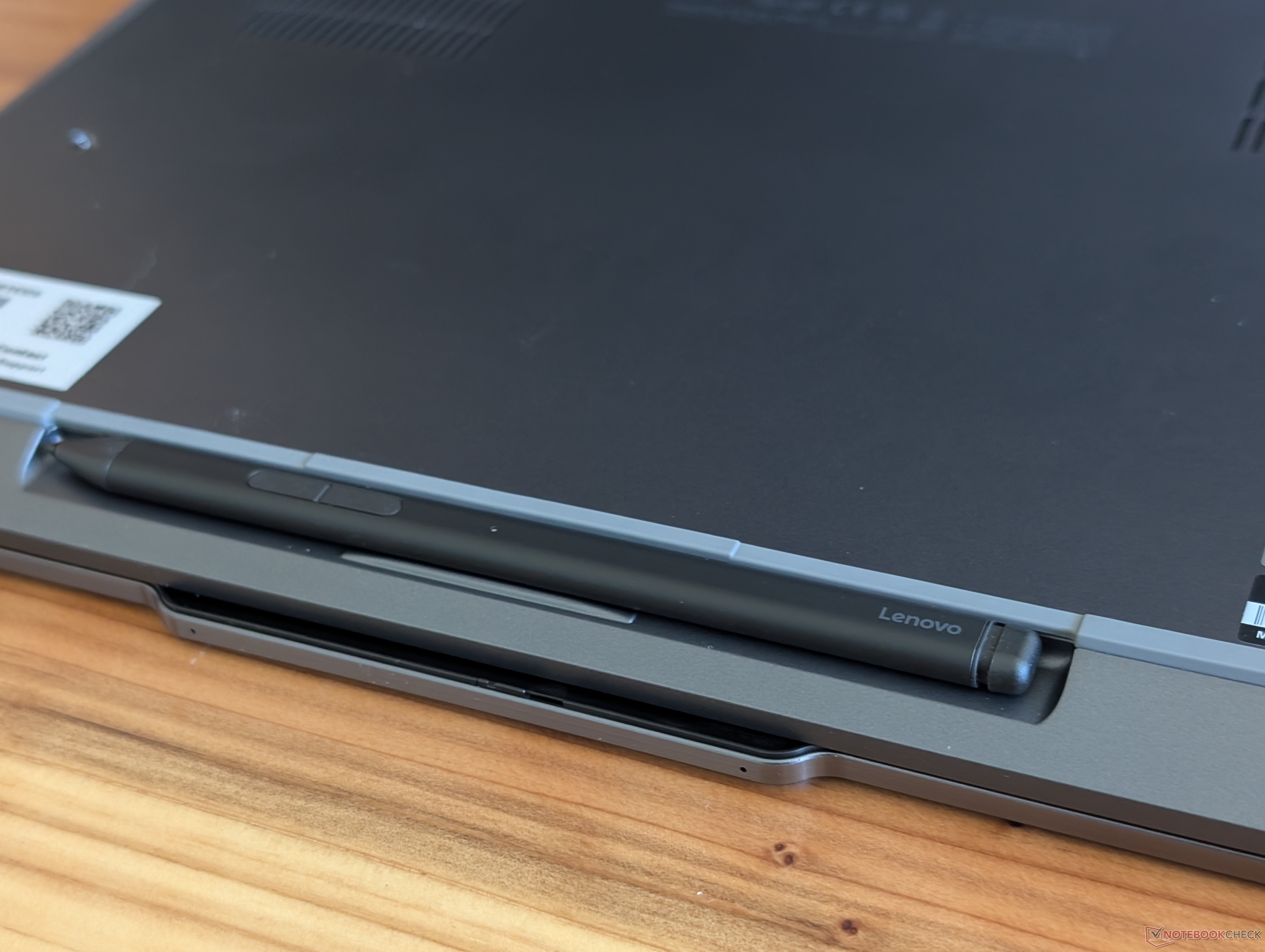
Lenovo’s ThinkPad X1 2-in-1 Gen 11 arrives with a refreshed design after two years of sticking to a familiar look. While the visual changes help the convertible feel more modern, one of the most notable updates is practical: a new magnetic slot near the lower front edge designed to store and charge the optional Slim Pen 2.
For users who regularly take notes, sketch, sign documents, or navigate Windows with a stylus, this new pen storage system could be one of the most useful upgrades on the ThinkPad X1 2-in-1 Gen 11. Instead of attaching loosely to the side or lid with magnets, the Slim Pen 2 now sits in a dedicated recessed area. When stored, it rests almost flush with the laptop’s body, giving the device a cleaner and more polished appearance.
This is a welcome improvement over older ThinkPad X1 2-in-1 models, where the stylus attachment could feel less secure. A pen held magnetically on the outside of a laptop may be convenient, but it can also be easy to knock off when sliding the device into a bag or moving around during travel. The new recessed charging area should make the stylus feel more integrated into the convertible’s design.
However, the new system is not perfect.
The first drawback is compatibility. The recessed charging slot on the ThinkPad X1 2-in-1 Gen 11 is designed specifically for the Slim Pen 2. That means older pens, such as the Yoga Pen that came with the previous ThinkPad X1 2-in-1 Gen 10, will not work with the new storage and charging area.
This could be frustrating for longtime Lenovo users who already own accessories from previous models. Lenovo has several different stylus options across its laptop lineup, and adding more model-specific pen support can make things confusing when buying replacements or trying to reuse existing accessories.
The second issue is comfort. The Slim Pen 2 is thinner than the older Yoga Pen, which helps it fit neatly into the built-in recess. While that makes the laptop look cleaner and more compact, it may not be ideal for everyone. Users with larger hands, or anyone who prefers a thicker stylus for longer writing sessions, may find the Slim Pen 2 less comfortable to hold.
Compared with larger styluses like Microsoft’s Surface Pen, the Slim Pen 2 may feel less substantial in the hand. For quick notes or short tasks, this may not matter much. But for digital artists, students, business users, or professionals who spend extended time writing or drawing, grip comfort can make a noticeable difference.
Overall, the ThinkPad X1 2-in-1 Gen 11’s updated stylus storage is a clever and attractive improvement. It makes the convertible look tidier, keeps the pen more secure, and adds convenient charging in a dedicated location. For many users, that will be a meaningful upgrade.
Still, stylus-focused buyers should be aware of the trade-offs. The new design limits compatibility to the Slim Pen 2, and the thinner pen body may not suit every hand. It is not a major deal breaker, but anyone who depends heavily on pen input should try the ThinkPad X1 2-in-1 Gen 11 in person before buying if possible.
The redesigned pen system shows that Lenovo is continuing to refine its premium business convertible, but it also highlights how small design changes can affect everyday usability. For users who value portability, clean design, and secure pen storage, the ThinkPad X1 2-in-1 Gen 11 looks like a strong step forward. For those who prioritize stylus comfort and accessory flexibility, it is worth taking a closer look before making the switch.