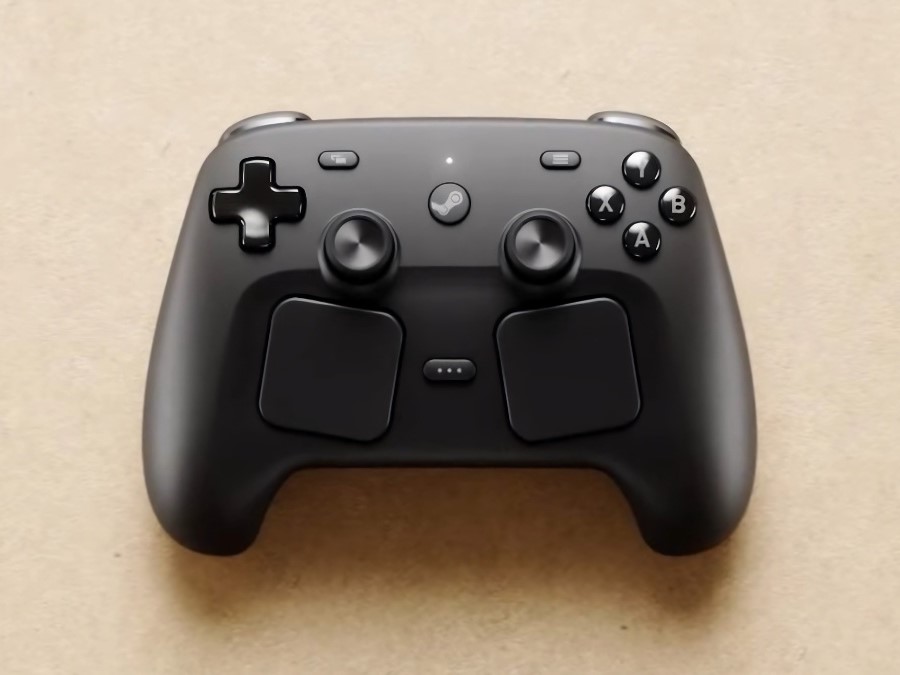
Valve has rolled out a fresh Steam Client update aimed squarely at improving the newly released Steam Controller, delivering a batch of practical fixes and a few quality-of-life upgrades. The Steam Controller only launched on May 4, and this quick follow-up update addresses several issues players have reported in the first days of use—especially around customization, compatibility, and trackpad performance.
One of the biggest improvements targets controller configuration reliability. Valve says it fixed a problem where Steam Controller configuration selections could sometimes fail to save correctly. For players who set up custom layouts per game, that kind of issue can be a constant annoyance, so this change should make creating and switching profiles far more dependable.
The update also tackles compatibility problems that could show up when the Steam Controller was docked on the charging puck. In some games, the controller might not be detected properly or behave inconsistently while connected, and Valve reports this has now been resolved. If you’ve been charging mid-session or keeping the controller docked between matches, this fix should help keep gameplay smooth and uninterrupted.
Another key fix focuses on the controller’s left trackpad—one of the Steam Controller’s defining features. Valve updated the Steam Controller firmware to correct a bug affecting certain units where touches on the left side of the left trackpad wouldn’t always register during wireless play. Since trackpad accuracy is essential for navigation, aiming, and gesture-based inputs, this firmware update is especially important for anyone who noticed missed inputs or inconsistent responsiveness.
In addition to fixes, Valve also added new Grip Sensor settings, giving users more control over grip-based behavior. You can find these options in Steam settings by going to Controller, then Details, then Calibration & Advanced Settings, and finally Grip Sensors. This should help players fine-tune how the controller responds to grip detection based on personal preference and play style.
Beyond controller-specific updates, the Steam Client itself received a handful of general improvements. These include fixing a case where the Steam Controller firmware update dialog could reappear after a successful update, correcting an issue where streamable games might still show up even when the relevant “Ready to Play” option is turned off, and resolving occasional cursor corruption while streaming on Windows. There’s also a new setting that lets you enable or disable controller battery notifications, which is useful if you want fewer interruptions—or more reminders—depending on how you play.
Overall, this update is a strong early sign that Valve is actively responding to launch feedback. If you’ve picked up the new Steam Controller, updating your Steam Client should be one of the first things you do to ensure better performance, improved compatibility, and more reliable customization.