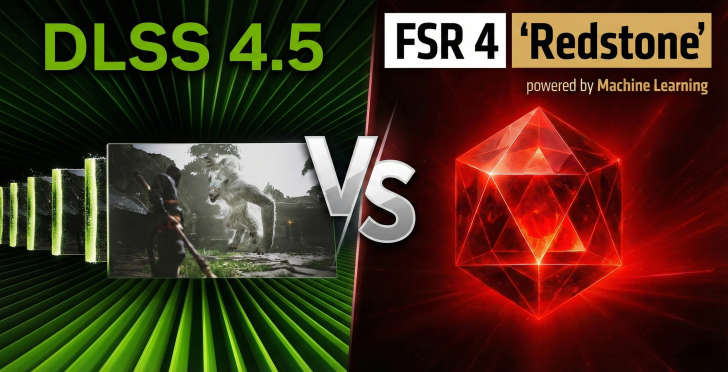
AMD’s FSR 4 was a major moment for PC gaming image upscaling. After years of playing catch-up, it finally delivered a real answer to NVIDIA’s DLSS, and many reviewers were impressed with how close the image quality gap had become. In a lot of early comparisons, FSR 4 landed somewhere between older DLSS “CNN” results and the newer Transformer-based DLSS in visual clarity, though it could trail slightly in performance depending on the game.
Now, after DLSS 4.5 was revealed at CES 2026, NVIDIA looks ready to pull ahead again—at least in certain scenarios—thanks to a meaningful update to its Transformer upscaling approach.
What’s new in DLSS 4.5 and why it matters
DLSS 4.5 isn’t a small tuning pass. It introduces several engineering changes aimed directly at improving reconstructed detail and stability in motion, especially in difficult scenes like foliage, fine textures, and fast camera pans. Key upgrades include a second-generation Transformer model, a significantly larger and higher-fidelity training set, and a much higher compute cost—around five times more than DLSS 4 in the same mode.
To help reduce the performance hit on compatible GPUs, DLSS 4.5 also leans on FP8 support on RTX 4000 and RTX 5000 series graphics cards, which can offset the increased workload.
How DLSS 4.5 was enabled for testing
DLSS 4.5 can be applied per game through the NVIDIA App by selecting a game, finding the driver settings section, and adjusting “DLSS Override – Model Presets” to Preset M (Performance) or Preset L (Ultra Performance). The focus here was Preset M, since it’s aimed at performance upscaling while still trying to keep image quality high.
One important caveat: some titles (like Black Ops 7 when owned through Game Pass) may not expose the driver override options in the NVIDIA App, which can complicate testing. Workarounds exist, but they’re not ideal—especially for multiplayer games where stability and compatibility matter.
Test setup and GPUs used
To compare AMD and NVIDIA’s latest upscaling head-to-head, the testing paired AMD’s RX 9060 XT 8GB for FSR 4 against NVIDIA’s RTX 5060 Ti 16GB for DLSS 4.5. The system used an i7-13700K, Z790 motherboard, 32GB DDR5-7200, fast NVMe storage, Windows 11 24H2, and current drivers for both platforms.
All games were tested at 1440p using Performance mode upscaling, which translates to an internal resolution of roughly 720p. That’s a tough workload for any upscaler, and it’s also where differences in stability, shimmering control, disocclusion handling, and sharpening become easier to spot.
One more testing note: gameplay capture was done using each GPU’s own hardware encoder rather than a dedicated capture card, which can influence perceived sharpness in certain scenes—particularly on the NVIDIA side due to encoder advantages.
Performance expectations: a quick reality check
DLSS 4.5 Preset M can be demanding on older NVIDIA hardware because it’s fundamentally an FP8 model, meaning pre-Lovelace GPUs may take an extra hit due to precision translation. On the RTX 5060 Ti, the cost was closer to typical Transformer presets. FSR 4 also landed in a similar general performance range, and since the two GPUs tested have comparable raster performance, neither solution was “winning” simply by generating higher FPS and feeding the upscaler more motion data.
Game-by-game results: DLSS 4.5 vs FSR 4 at 1440p Performance
Cyberpunk 2077
In Cyberpunk 2077, the matchup was surprisingly even. At 1440p Performance upscaling, neither solution delivers the crispness you’d expect from higher quality modes, but both remained very playable and visually coherent. Shimmering showed up on elements like neon lighting and textured surfaces for both upscalers, although edge aliasing was mostly controlled.
Where DLSS 4.5 had a noticeable advantage was disocclusion artifacts—especially around foliage and busy scene transitions. With DLSS 4.5, these issues were present but subtle unless you were actively hunting for them. With FSR 4, they were easier to spot during normal motion. Still, overall image quality felt close enough to call it a tie.
Hogwarts Legacy
Hogwarts Legacy was a clearer win for DLSS 4.5. The Preset M sharpening is aggressive, and in this game it helped boost perceived clarity and texture definition. Ghosting was fairly controlled on both sides, but FSR 4 struggled more with foliage. Even small camera pans introduced a noisy “background crawl” in trees and leaves that took a moment of stillness to settle down.
DLSS wasn’t perfect in motion-heavy foliage either, but it was noticeably less distracting than FSR 4 here, giving DLSS 4.5 the edge.
Clair Obscur: Expedition 33
This title is a tough test because the game’s native presentation is already soft and heavily processed. That makes upscaling quality feel more important than usual, since a good reconstruction path can help fight the blur and restore lost detail.
FSR 4 leaned a bit softer, while DLSS 4.5 Preset M’s heavy sharpening actually became a benefit, bringing back a sense of crispness the base image struggled to provide. Neither upscaler fully escaped the game’s underlying issues—noisy reflections, disocclusion artifacts, shimmering around fine elements like hair and cloth, and occasional ghosting on small particles—but Preset M’s added bite helped DLSS 4.5 take a narrow win.
Call of Duty: Black Ops 7
Black Ops 7 was harder to judge because its benchmark is chaotic: rapid panning, explosions, heavy effects, and constant motion. After frame-by-frame checks and normal viewing, the result was essentially a draw. Both DLSS 4.5 and FSR 4 held onto impressive sharpness and motion clarity considering the internal 720p render resolution. If there’s a meaningful advantage here, it’s subtle enough that it may only stand out to extremely competitive players with trained eyes.
Forza Motorsport (experimental FSR 4)
Forza Motorsport was tested in a non-standard way because it doesn’t include native FSR 4 support. Instead, FSR 4 was enabled through a community injection method using DLSS inputs. That approach can work, but it also highlights why official implementation matters.
In this case, FSR 4 Performance at 1440p showed an unexpectedly large drop in quality. Trees and foliage reconstruction looked rough, and even taillight ghosting appeared at times—something that’s usually uncommon with a solid FSR 4 setup. DLSS 4.5 was clearly ahead here, but it’s important to treat this result cautiously since the FSR 4 path wasn’t official and may not reflect how it would perform with proper in-game support.
Final takeaway: DLSS 4.5 pulls ahead slightly, but FSR 4 stays competitive
Across five tested games at 1440p using Performance mode upscaling, DLSS 4.5 with Preset M generally comes out with a small advantage. The biggest “weapon” DLSS 4.5 brings is sharpening that’s turned up extremely high, which can be a real benefit in games that already look soft or overly filtered.
That said, DLSS 4.5 isn’t a miracle upgrade that leaves FSR 4 behind across the board. In many scenes, overall quality stays in the same general tier, and both solutions still show familiar weaknesses when pushed this hard at a 720p internal resolution.
One continuing practical advantage for NVIDIA is broader, cleaner game support. While community tools can sometimes add FSR 4 into titles that don’t officially support it, results can vary wildly, and as Forza Motorsport showed, that inconsistency can quickly erase the benefits of a good upscaling algorithm.