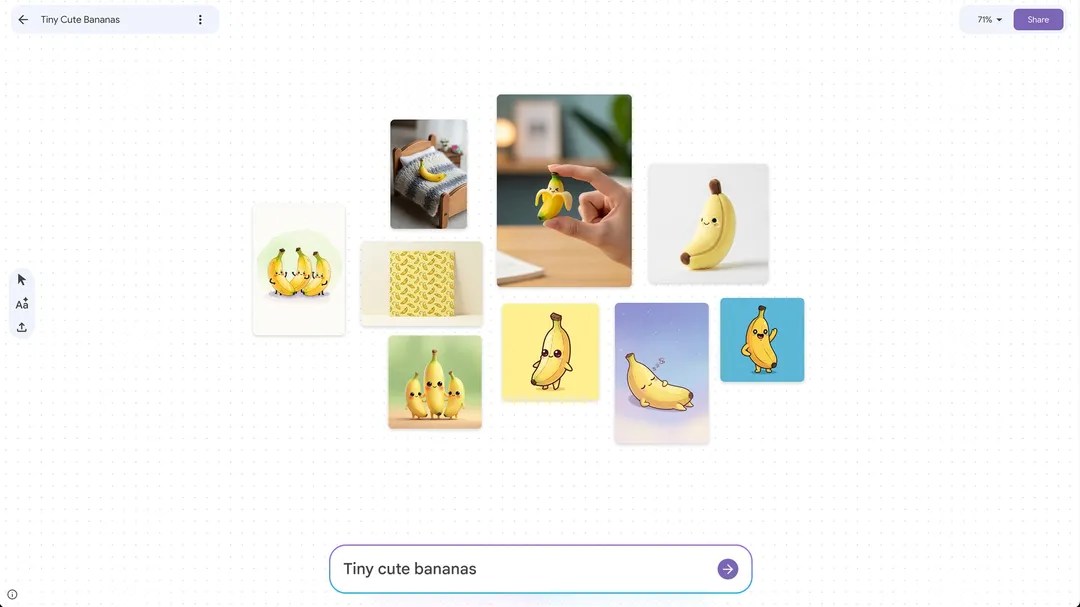
Google Mixboard: AI mood boards for inspiration, planning, and creativity
Google is stepping into the mood board game with Mixboard, a new AI-powered tool that lets anyone turn ideas into visual boards in seconds. Unlike traditional collage apps that rely on a personal stash of images, Mixboard starts with your words. Type a prompt—like “cozy mid-century living room,” “spring wedding color palette,” or “minimalist skincare brand concept”—and the system generates a full board you can tweak, expand, and refine. If you’re short on time, you can also jump in with pre-populated boards and customize from there.
At the heart of Mixboard is Google’s new image editing model, Nano Banana, which has earned praise for pulling off complex, realistic edits. After generating a board, you can ask the AI to make precise changes, swap styles, combine elements from different images, and iterate toward your vision. You can even reimagine a board with options like “regenerate” for fresh directions or “more like this” to explore variations on a theme. Beyond visuals, Mixboard can also generate text based on the images on your board—useful for captions, descriptors, mood notes, or creative copy.
The launch arrives as interest in digital mood boards surges, especially among younger users. Collage-making tools have powered viral trends and creative TikTok content, while other platforms and apps have experimented with AI-enhanced design workflows. Fashion resale communities are also embracing collage features to style and sell collections. Mixboard taps into that momentum with a streamlined, AI-first approach built for brainstorming and discovery.
Who it’s for:
– Home decor and interior design planning
– Event themes and wedding inspiration
– DIY, crafts, and maker projects
– Brand mood boards, packaging ideas, and campaign concepts
– Classroom projects and creative briefs
– Social content planning and personal aesthetics
Key features at a glance:
– Text-to-board generation: Start with prompts; no existing image library required
– Smart editing and compositing: Ask the AI to refine, restyle, or combine images
– Nano Banana under the hood: Handles nuanced, realistic edits with ease
– Idea exploration: Regenerate or request “more like this” to branch into new directions
– Text from visuals: Auto-generate descriptions and copy based on your board
Mixboard is available as a public beta in the U.S. through Google Labs, with a community hub on Discord for feedback and discovery. It also arrives amid strong momentum for the company’s broader AI efforts; after its debut, the Gemini app surged to the top spot on the U.S. App Store, signaling growing mainstream interest in accessible AI tools.
Whether you’re furnishing a studio apartment, planning a themed party, mapping out a rebrand, or just collecting aesthetic inspiration, Mixboard condenses the messy first draft of creativity into a fast, visual, and surprisingly flexible workflow. It’s early days, but the combination of text prompts, powerful image editing, and iterative exploration makes Mixboard a compelling new option for anyone who thinks in pictures.