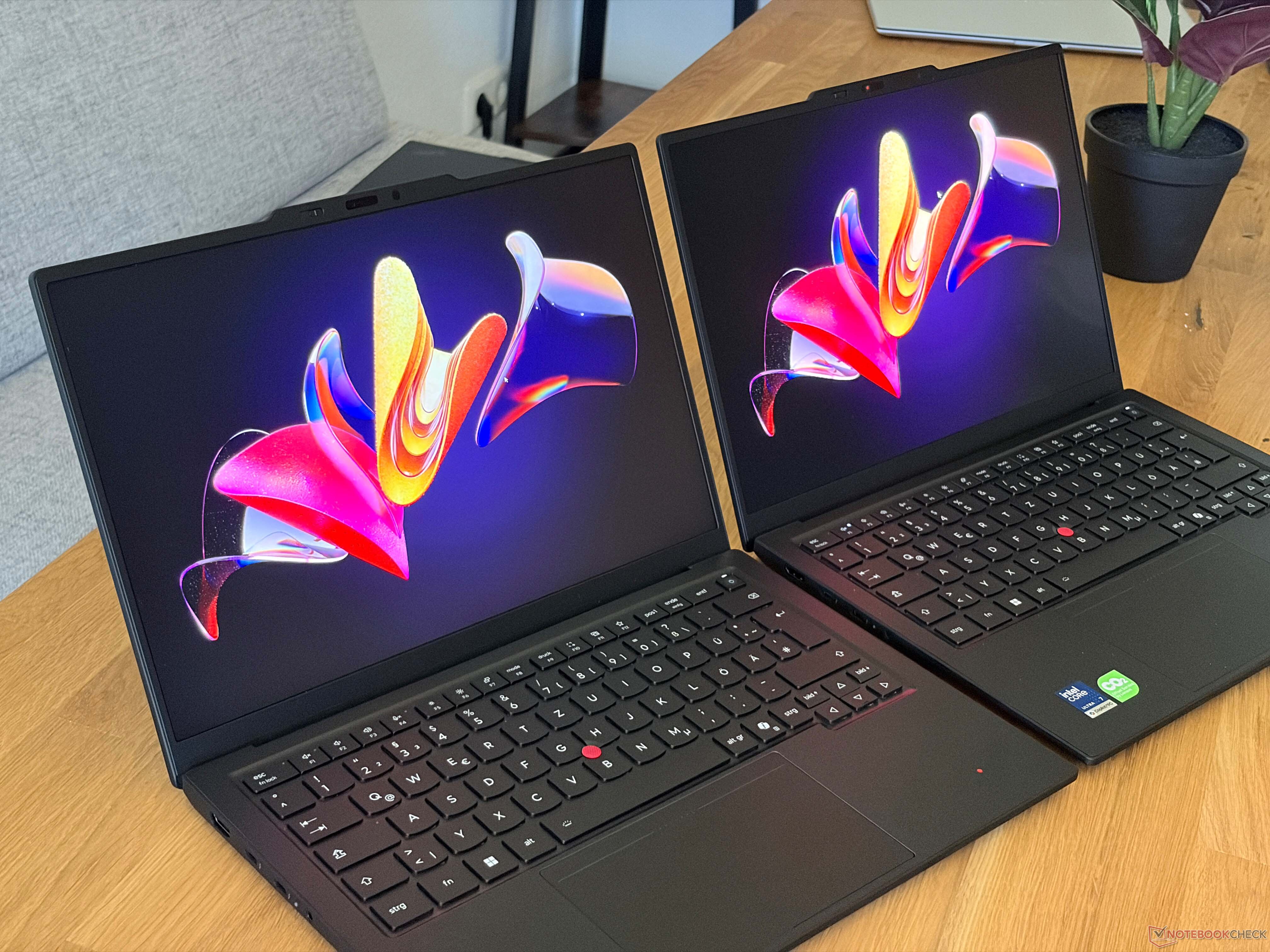
Lenovo ThinkPad X1 Carbon Gen 14 Display Comparison: OLED vs IPS
The Lenovo ThinkPad X1 Carbon Gen 14 gives buyers plenty of flexibility when it comes to display choices, with five panel options available depending on the configuration. Two of the most interesting choices are the 1920 x 1200 IPS touchscreen with a 60 Hz refresh rate and the higher-end 2880 x 1800 OLED panel with a 120 Hz refresh rate, matte finish, and anti-reflective coating.
Both displays have their strengths, but they are designed for slightly different users. If you are choosing a ThinkPad X1 Carbon Gen 14 for office work, productivity, creative tasks, or media consumption, the screen option you select can make a noticeable difference in daily use.
The OLED panel is the more eye-catching option. Thanks to its deep blacks, excellent contrast, fast response times, and HDR support, it delivers a much more vivid and dynamic viewing experience. Dark scenes look richer, colors appear more intense, and motion feels smoother thanks to the 120 Hz refresh rate. This makes the OLED version especially appealing for users who watch videos, edit visuals, or simply want a more premium-looking display.
Brightness is also a strong point for the OLED screen, particularly when viewing HDR content. Combined with the sharper 2880 x 1800 resolution, the panel offers a crisp and polished image that feels well suited to a high-end ultrabook like the ThinkPad X1 Carbon Gen 14.
However, the OLED screen is not perfect. One drawback is PWM flickering. Although the frequency is relatively high and the amplitude is low, users who are sensitive to screen flicker may still notice discomfort during long sessions. For those users, the IPS panel may be the safer and more comfortable choice.
The IPS touchscreen has a lower 1920 x 1200 resolution and is limited to 60 Hz, which feels somewhat underwhelming for a premium business laptop. A higher refresh rate would have made everyday scrolling and animations feel smoother. Still, the IPS display offers solid image quality, and it remains a practical option for users who value touch input, comfort, and reliability over maximum contrast and HDR performance.
For productivity tasks such as writing, spreadsheets, presentations, web browsing, and video calls, the IPS panel is more than capable. It may not deliver the same dramatic blacks or vibrant HDR performance as the OLED version, but it provides a balanced viewing experience that many users will find dependable.
Calibration is important for both display types. Out of the box, neither panel reaches its full potential, so calibration is recommended for the best color accuracy. After calibration, both the OLED and IPS screens become suitable for image editing and color-sensitive work. This is useful for photographers, designers, and content creators who need more accurate colors from a compact business laptop.
One limitation of the OLED configuration is the lack of a dedicated sRGB profile from Lenovo. This may be disappointing for users who work primarily with sRGB content and want quick switching between color modes. Even so, with proper calibration, the OLED panel can still be a strong option for creative workflows.
Both displays also show a slightly grainy appearance on bright backgrounds. This is visible on light-colored content such as white webpages, documents, or bright app interfaces. Interestingly, the effect is a bit more noticeable on the OLED panel. While it may not bother every user, those who are sensitive to display texture should keep this in mind before choosing the OLED option.
In the end, the best Lenovo ThinkPad X1 Carbon Gen 14 display depends on your priorities. The OLED panel is the better choice if you want higher resolution, smoother 120 Hz performance, deeper blacks, stronger contrast, and HDR support. It gives the laptop a more premium visual experience and is ideal for media, creative work, and users who appreciate vibrant image quality.
The IPS touchscreen, on the other hand, is better suited for users who are sensitive to PWM flickering, prefer touch functionality, or want a more traditional display for long work sessions. Its 60 Hz refresh rate is not exciting, but the overall image quality is still good, especially after calibration.
For most users who want the best visual experience, the OLED display is the more impressive choice. But for comfort-focused buyers and those who spend long hours reading or working on static content, the IPS panel remains a sensible and reliable alternative.