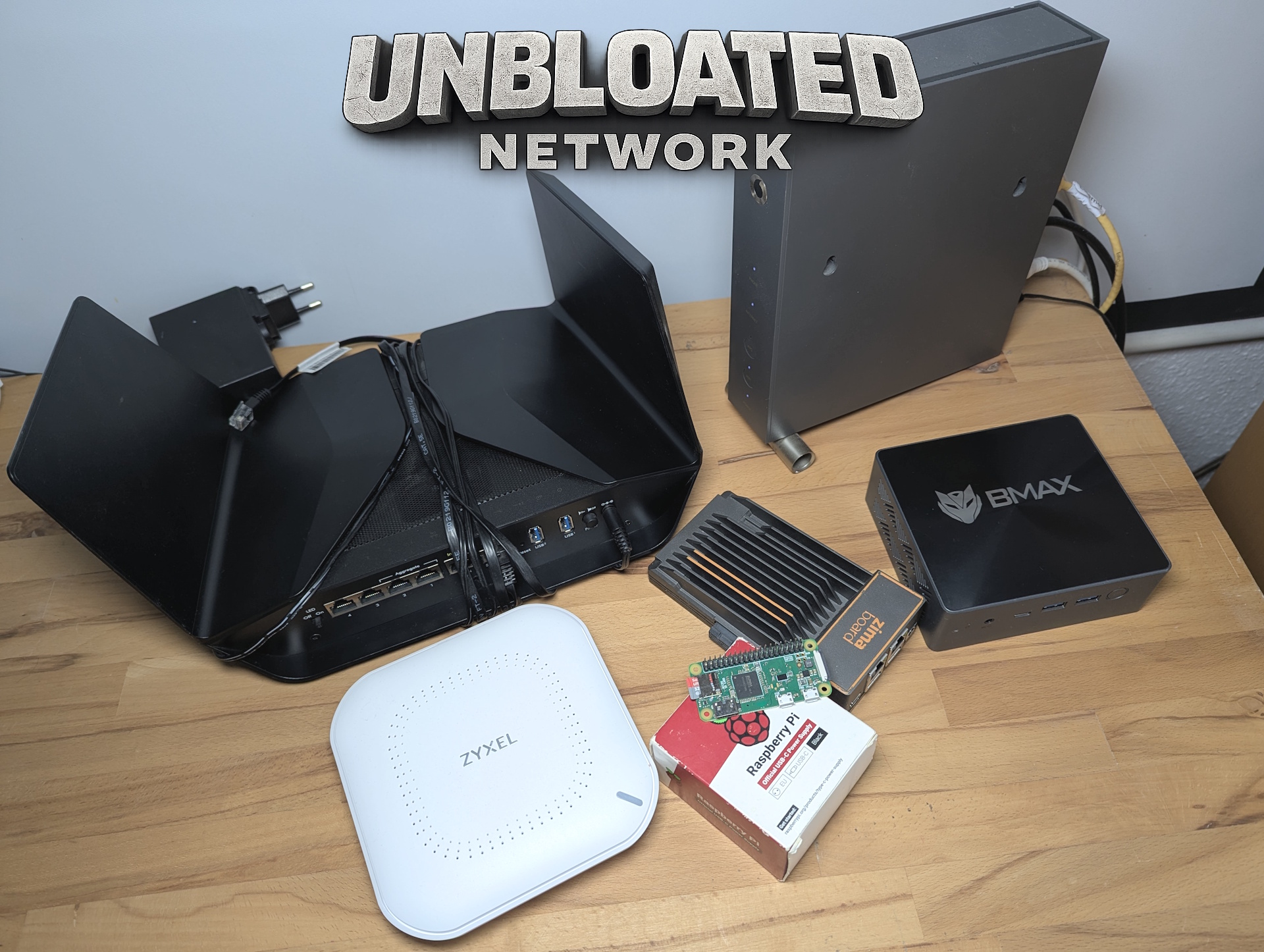
If you’re looking to replace a typical ISP-provided router with something faster, cleaner, and more reliable, two options usually rise to the top: a purpose-built OpenWRT-compatible router or a small x86 machine like a mini PC. In terms of efficiency, a dedicated OpenWRT router typically wins on power consumption, making it one of the best direct replacements for the all-in-one modem/router hardware many internet providers supply. On the other hand, a mini PC often delivers the best raw performance, especially if you want to run additional network services alongside routing.
But the “best” choice isn’t always the most powerful or the most popular—it’s often the one that fits your hardware, your space, and your long-term plans.
In this setup, the available hardware included several solid contenders: a Zimaboard 1, Zimaboard 2, a ZimaBlade, a BMax mini PC powered by an Intel N95, and a Raspberry Pi Zero. While the Pi can be tempting for lightweight projects, it was quickly ruled out for router duty for one key reason: USB Ethernet. Relying on USB for networking adds latency and creates an extra point of failure—two things you don’t want in the middle of your internet connection.
The mini PC had a similar problem. Even though it’s capable, it only has a single built-in Ethernet port. You can technically add a second port using a USB Ethernet adapter, but that brings back the same reliability and latency concerns. For a stable, always-on OpenWRT router setup, depending on USB networking isn’t ideal.
A fully supported OpenWRT router would still be the simplest, most plug-and-play approach. However, when you already own hardware that can do the job well, it makes sense to factor that into the decision. That’s where the Zimaboards stand out as a smart middle ground between a traditional OpenWRT router and a full mini PC build.
The biggest advantage is practical: each Zimaboard includes two dedicated Ethernet ports. That makes it easy to build a proper router layout with a clear separation between WAN (the internet connection coming from your modem) and LAN (the connection going out to your switch and the rest of your home network). On top of that, they’re passively cooled, which keeps the setup silent and reduces moving parts that can fail over time. Even though they use an x86 architecture like a typical PC, they remain relatively power-efficient compared to many always-on mini PC solutions.
Sure, even a laptop could be used as a router in a pinch, but it’s not a great fit for a tidy home network. It takes up space, looks out of place in a networking corner, and generally isn’t as neat or practical as dedicated hardware.
In the end, the Zimaboard 1 became the best choice for this build. Its Gigabit Ethernet ports offer more than enough throughput for typical home internet needs, and it keeps the door open for a future upgrade. The more powerful Zimaboard 2 is being saved for a higher-performance role later on—specifically as a home server—where its extra horsepower will actually matter.
If you’re deciding on hardware for an OpenWRT router, this approach highlights a useful rule: prioritize reliability and proper networking ports over sheer specs. And if you do go with a dedicated OpenWRT-compatible router, a power-efficient model without Wi-Fi enabled can be a great move—because wireless networking is often better handled by a dedicated access point anyway. This setup tends to improve coverage, stability, and flexibility without overloading your main router with extra tasks.