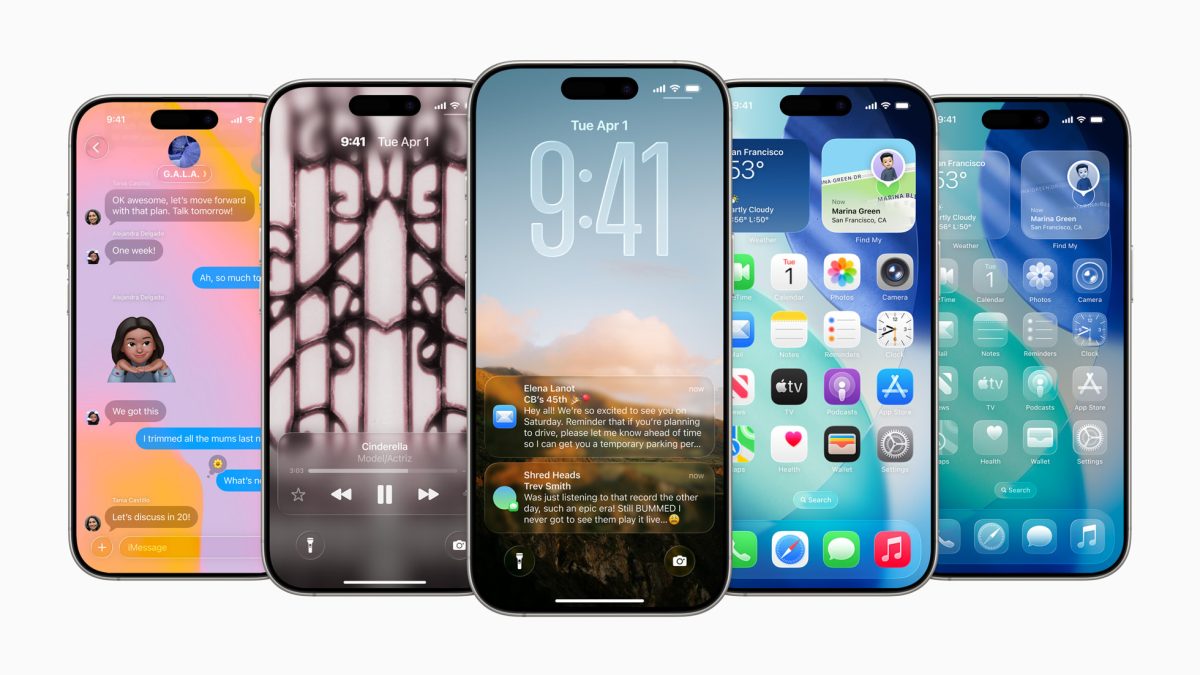
iOS 26 arrives tomorrow, and it’s a big one. Apple will roll out iOS 26 alongside iPadOS 26, watchOS 26, and macOS Tahoe, making this one of the largest multi-platform software launches of the year. The release follows Apple’s usual cadence, so you’ll know exactly when to expect it on your device.
Global release time
Apple is pushing the update worldwide at 10:00 AM PT. The rollout is simultaneous, with the exact moment adjusted to your local time zone. Here are a few quick conversions to help you plan:
– 10:00 AM PT
– 1:00 PM ET
– 6:00 PM BST
– 7:00 PM CEST
– 8:00 PM TRT/MSK
– 9:00 PM GST (Dubai)
– 10:30 PM IST
– 1:00 AM next day CST/SGT/HKT
– 2:00 AM next day JST/KST
– 3:00 AM next day AEST (Sydney)
– 5:00 AM next day NZST (Auckland)
If your city isn’t listed, use a time zone converter or check the World Clock on your phone to find the exact local time for 10:00 AM PT.
What’s new
iOS 26, iPadOS 26, and macOS Tahoe introduce a brand‑new Liquid Glass user interface along with a host of new features. The refresh spans across iPhone, iPad, Apple Watch, and Mac for a cohesive experience across all your devices.
Before you update
Apple recommends preparing your device to ensure a smooth, trouble‑free install. Plan ahead so you’re ready the moment the update appears.
– Free up storage: Have at least 20 GB available.
– Power and internet: Connect to a reliable Wi‑Fi network and keep your device on a charger.
– Back up first: Use iCloud or a computer backup so you can restore if needed.
– Keep credentials handy: Make sure you know your device passcode and Apple ID password.
– Leave time for installation: Major updates can take a while to download, verify, and install.
How to install when it goes live
– iPhone/iPad: Settings > General > Software Update, then Download and Install.
– Apple Watch: Open the Watch app on iPhone > General > Software Update. Keep the watch on its charger and connected to Wi‑Fi.
– Mac: System Settings > General > Software Update.
Tips for a quicker update
– Restart your device before checking for the update.
– Remove any old beta profiles if you were testing previews.
– Offload large apps or move videos and photos temporarily to clear space.
Set a reminder for 10:00 AM PT so you’re among the first to try the new Liquid Glass interface and everything else packed into iOS 26. Expect extensive coverage and hands‑on impressions once the rollout begins.