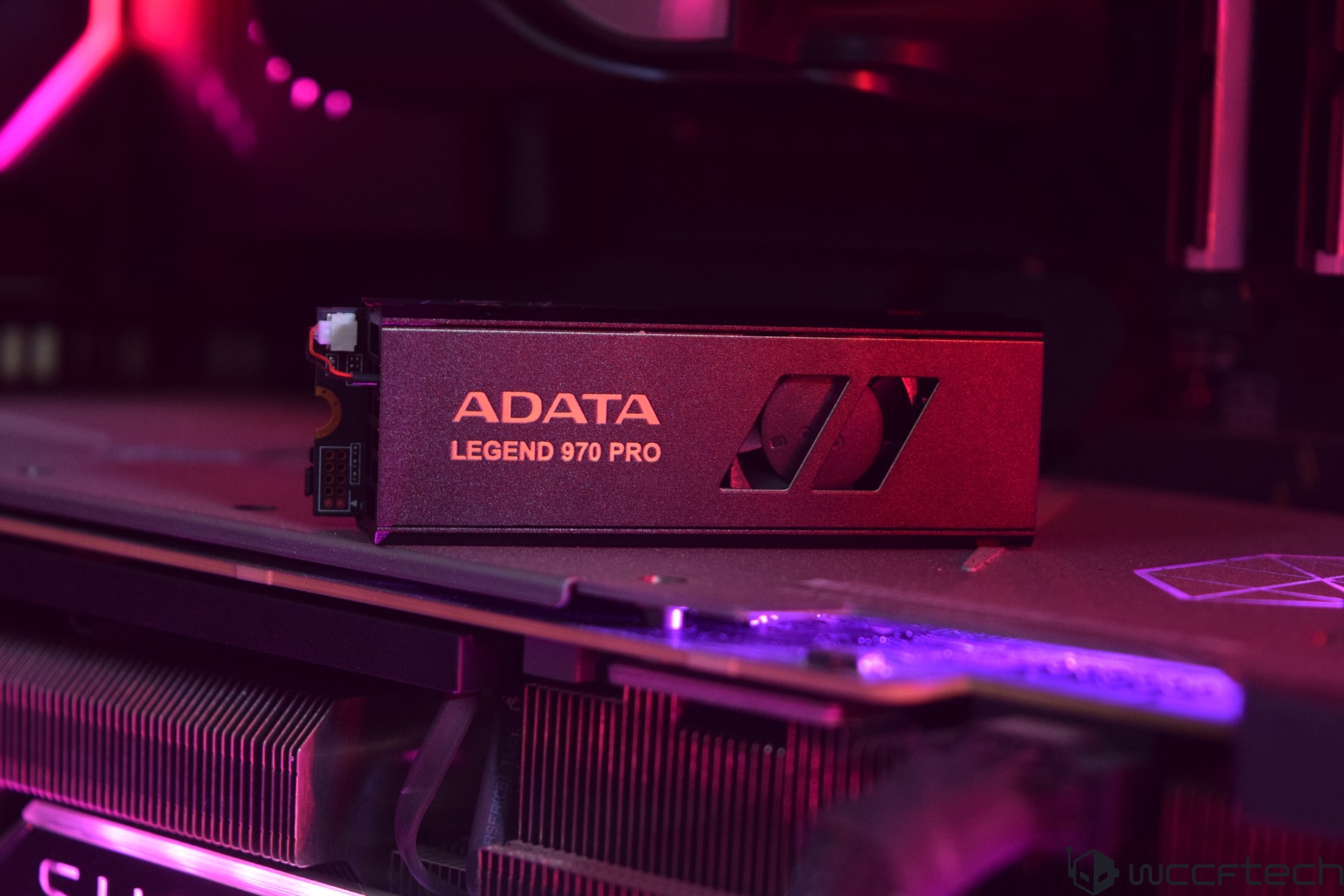
The ADATA Legend 970 PRO 2 TB SSD stands out in the burgeoning field of PCIe Gen5 NVMe SSDs, which have been rapidly evolving with greater speed and increased accessibility due to the widespread release of new AMD and Intel motherboards. Initially delivering impressive 10 GB/s read and write speeds, the technology has already seen advances with SSD manufacturers quickly topping those figures through improved thermal designs and enhanced NAND technology.
A Glimpse into the Future of Storage:
Let’s delve deeper into the ADATA Legend 970 PRO, a drive that promises to redefine the high-end storage segment. The 970 PRO series is particularly noteworthy, featuring the InnoGrit IG5666 Gen5 controller coupled with the latest Micron 232-layer TLC 3D NAND flash. This potent combination allows for large storage capacities and compliance with Microsoft’s DirectStorage API, making it one of the leading-edge InnoGrit Gen5 SSDs we’ve had the privilege to evaluate.
Distinguishing Features:
The ADATA Legend 970 PRO showcases an array of features that cater to the needs of performance enthusiasts:
– PCIe Gen5 x4 interface for rapid data transfer
– Astonishing sequential read/write speeds of up to 14,000/11,000MB/s
– An active air cooling system using a dual-layer aluminum alloy and fan, reducing temperatures by 20%
– Cable-free active cooling powered directly from the M.2 slot, facilitating a tidy setup
– Consistent performance over extended periods without slowing down
– Compatibility with the latest computing platforms from Intel and AMD
– A solid 5-year warranty for peace of mind
The 970 PRO is available in various capacities, from 1 TB to 4 TB, to suit both standard and intensive data needs. At launch, the 2 TB model boasted peak sequential read and write speeds of 14,000 MB/s and 10,000 MB/s, respectively, outpacing many Gen 5 competitors currently peaking at 12 GB/s read and 11 GB/s write speeds.
Design and Build:
Enclosed in a sleek package, the ADATA Legend 970 PRO 2 TB SSD is attached to a dual-layer aluminum alloy heatsink featuring an integrated active-fan cooler. The design is optimized to fit comfortably in the M.2 slot on the motherboard while avoiding interference with other components. This attention to detail extends to the SSD’s heatsink, designed for superior cooling performance even in passive operation.
Upon closer examination of the SSD’s structure, you’ll find that the SSD PCB is fully enshrouded by the heatsink to maximize thermal conductivity. Large thermal pads link both sides of the SSD, ensuring efficient heat transfer.
Inside the ADATA Legend 970 PRO:
The disassembly process, which involves removing four screws (with one discretely hidden under a warranty sticker), reveals the SSD’s inner workings. Front and center is the InnoGrit IG5666FAA controller, flanked by Samsung DRAM modules that provide a total of 8 GB of LPDDR4 cache. Eight NAND Flash dies are distributed evenly on both the front and back of the SSD.
Significantly, the SSD’s active fan requires no extra cabling; it’s powered directly from the M.2 slot, streamlining the installation process.
Performance Testing:
Testing the 970 PRO in a high-performance setup – anchored by an Intel Core i9-13900K and an MSI GeForce RTX 4090 graphics card – shows that it’s capable of reaching the advertised speeds, making it a competitive choice for those seeking top-tier performance.
Conclusion:
The ADATA Legend 970 PRO 2 TB SSD is poised to make waves with its high-speed data transfer capability and innovative cooling solution. With a marked reduction in operational temperatures and a design that caters to easy installation, this SSD is geared to meet the demands of users looking for the pinnacle of storage performance. Whether you’re a gaming enthusiast, a professional content creator, or simply aiming for a speedy and reliable storage solution, the Legend 970 PRO is a standout option to consider.When it comes to determining the performance capabilities of storage devices like solid-state drives (SSDs), accessing the right tools to assess speed, efficiency, and reliability is crucial. Many opt for free software programs that conduct wide-ranging tests, checking how drivers behave during data copying, reading, and writing processes. These tests can measure access times, speeds, and overall performance, providing users with the information needed to evaluate their SSDs.
Software tools like Disk Benchmark from ATTO technology are renowned within the industry for their utility in measuring storage system performance. This goes for a range of devices, including hard drives, SSDs, RAID arrays, and host connections to storage. With this tool, users can analyze how different storage solutions from various manufacturers handle data, checking for high performance in environments simulated by the software.
Another benchmarking tool at users’ disposal is CrystalDiskMark, which focuses on measuring sequential and random read/write speeds over various file sizes and queue depths. This kind of software helps potential buyers and existing owners to understand how a particular SSD handles a variety of data tasks. This can provide insights into the most suitable SSDs for their specific needs.
In addition to testing for read and write speeds, some may opt to also undertake file transfer speed tests, using large file sizes to check the peak transfer rates that SSDs can sustain. This is an important practical test that shows how well an SSD performs over extended operations, such as transferring large files or bulk data which can be essential for professionals like video editors or data analysts.
The PCMark 10 Storage benchmark tackles storage device testing from a different angle. It uses real-world traces from popular applications to create an environment that simulates typical workloads — from creative software suites to productivity applications and games. This can be invaluable for profiling the everyday performance of storage solutions in realistic scenarios, rather than relying solely on theoretical maximums.
Additionally, with the advent of gaming applications making use of technologies like DirectStorage, assessing an SSD’s capabilities in such a context has become just as crucial. These benchmarks show how an SSD’s throughput can handle the rapid loading of game assets, promising shorter load times and smoother gameplay.
When discussing specific models, it is evident that the SSD market has witnessed continuous advancements with each iteration, particularly in the Gen5 SSD ecosystem. Significant speed improvements are common, with the current norm being around 12.4 GB/s — a notable leap from Gen4 speeds. However, pushing for higher speeds in these SSDs often leads to higher operating temperatures, leading manufacturers to devise innovative cooling solutions such as larger heatsinks or even cable-free designs for easier installation and better thermal management.
For example, some of ADATA’s high-performance drives come with a pre-installed heatsink, showcasing upgrades from previous models that maximize cooling potential and do away with cables altogether, pairing seamlessly with advanced controllers for a smooth experience. This is a reflection of the trend towards not just performance but also user-friendly design in the latest generation of SSDs.
Despite the impressive technical specifications of high-end SSDs, the current reality is that many real-world applications have yet to catch up with the potential offered by these devices. The infrastructure is there, yet the software still needs to further develop to fully utilize these immense speeds. DirectStorage-enabled games have begun to unveil the potential of Gen5 SSDs, but the list is still limited.
In terms of affordability, while precise pricing for these cutting-edge SSDs like the ADATA Legend 970 PRO can vary, potential buyers might anticipate costs in the region of $300 for a 2TB model. These prices reflect the high-end nature of the device, particularly in the limited space where such top speeds are still a developing norm.
As SSD technology continues to evolve, it’s important for users to stay abreast of the latest advancements and understand the benchmarks that matter for their specific use cases. By accounting for performance, cooling solutions, and practical software applications, end-users can make informed choices when selecting the storage solutions that best fit their needs and budgets.