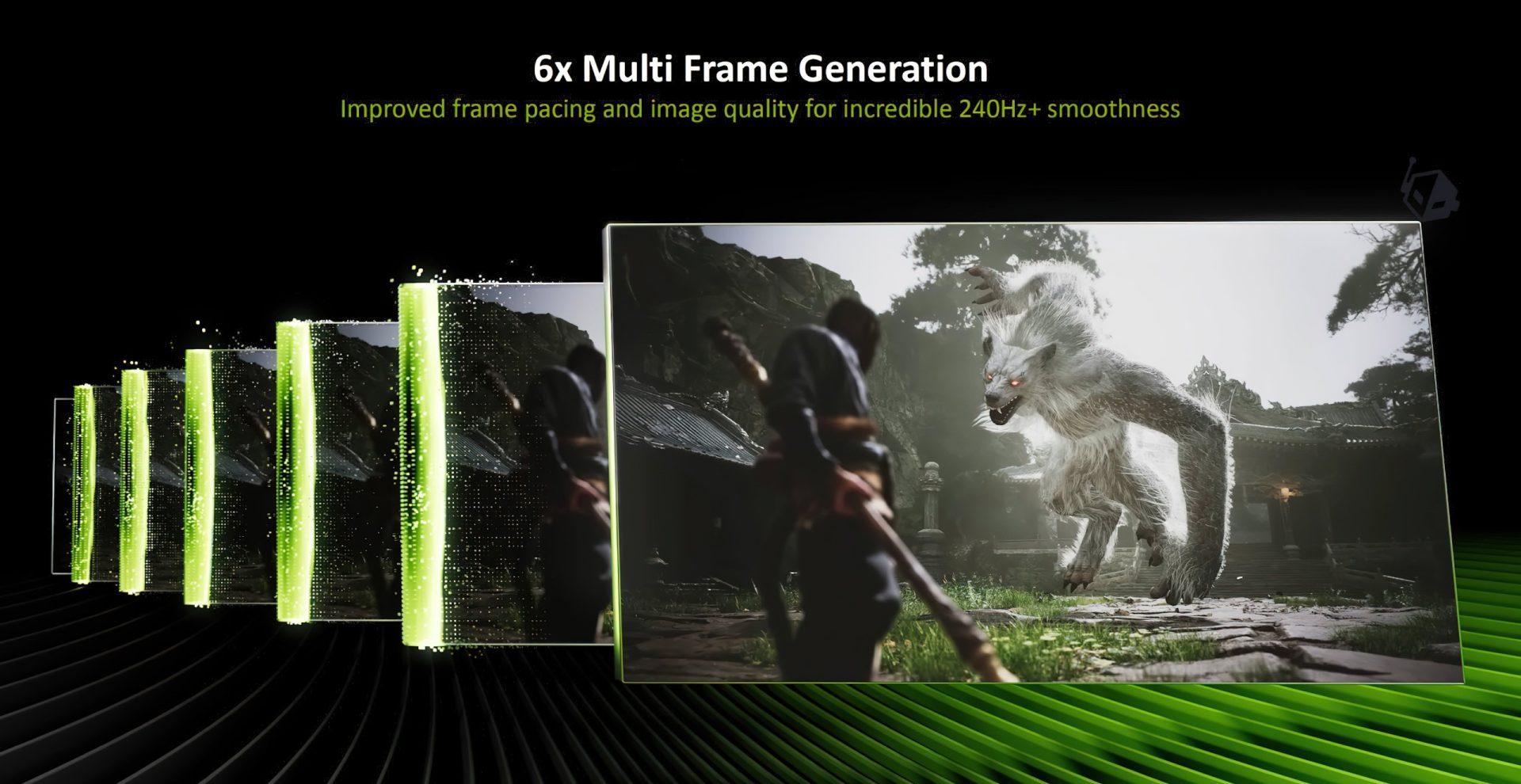
NVIDIA has officially rolled out its latest frame generation upgrade: DLSS 4.5 Multi-Frame Generation (MFG) with a new 6X mode. If you’ve been waiting for smoother high-refresh-rate gameplay, cleaner on-screen menus, and a smarter way to hit your monitor’s target FPS without wasting resources, this update is aimed directly at you.
DLSS 4.5 builds on the improvements introduced earlier this year, including an updated transformer-based model designed to enhance Super Resolution quality. But the big new headline for many gamers is the next step forward for frame generation. DLSS Multi-Frame Generation already pushed beyond traditional frame gen by generating multiple frames per rendered frame, and now DLSS 4.5 expands that capability to a 6X mode for even higher perceived smoothness.
What DLSS 4.5 MFG 6X changes in real gameplay
With MFG 6X enabled, NVIDIA can generate up to six frames as part of the frame generation pipeline, helping games feel dramatically smoother on high refresh rate displays. Alongside the raw FPS uplift, NVIDIA is also targeting two areas that frame generation users frequently notice: frame pacing and UI quality.
Better frame pacing means the motion should look more consistent, especially in demanding scenes where performance can fluctuate. On the UI side, the updated frame generation model incorporates additional game engine data to improve the appearance and clarity of static interface elements. In practice, that can help reduce the “soft” or “off” look that some menus, HUDs, or overlays can show when frame generation is pushed hard.
In performance terms, NVIDIA’s 6X mode can deliver a meaningful boost in very heavy workloads. One example cited is up to a 33% uplift at 4K in Black Myth: Wukong with settings maxed and path tracing enabled. There is also a tradeoff: latency can increase slightly, roughly in the 10–15% range. Even so, the overall goal is clear—make high-detail, high-refresh-rate gaming feel smoother, even in extremely demanding rendering modes like path tracing.
Dynamic Multi-Frame Generation: the smarter way to target your refresh rate
Alongside fixed 6X, NVIDIA is introducing DLSS 4.5 Dynamic Multi-Frame Generation, which is designed to keep your game aligned with your monitor’s refresh rate more intelligently.
Instead of locking you to a single frame generation multiplier (2X, 3X, 4X, 5X, or 6X), Dynamic MFG lets you set a target FPS. DLSS will then shift between 1X and up to 6X on the fly to maintain that target based on how demanding the scene is.
This matters most for high refresh rate monitors because different moments in the same game can require very different levels of help. For example:
– On a 120Hz display, you may only need a lower multiplier much of the time, and Dynamic MFG can avoid unnecessary overhead.
– On 144Hz or 240Hz screens, Dynamic MFG can raise the multiplier when the game gets heavy, then drop it back down during lighter scenes.
– For extreme high refresh rate setups (240Hz+ and beyond), the fixed 6X mode is positioned as the “push everything to maximum smoothness” option, while Dynamic mode can still adapt moment to moment.
The practical upside is not just smoother performance—it can also reduce wasted GPU effort and power draw by not forcing an aggressive multiplier when it isn’t needed.
How to enable DLSS 4.5 MFG 6X and Dynamic MFG
To use DLSS 4.5 MFG 6X, you’ll need:
– NVIDIA GeForce Game Ready Driver 595.79 WHQL or newer
– The latest NVIDIA App version
Once you’re updated, make sure your monitor is set to the refresh rate you actually want to target (for example, 144Hz or 240Hz). Then, in the NVIDIA App:
1) Open NVIDIA App and go to Graphics from the left sidebar
2) Select the game you want to configure
3) Scroll to driver settings and locate DLSS Override – Frame Generation Mode
4) Choose Dynamic
5) Set Target FPS (often your monitor’s max refresh rate if you want the smoothest output)
6) Set Multiplier to “Up to 6x”
7) Apply the settings
If you use NVIDIA’s FrameView overlay, it can also show which MFG multiplier is currently active. With a fixed mode, you’ll see a constant multiplier. With Dynamic MFG, you’ll see the multiplier change depending on how demanding the gameplay moment is.
Preset A vs Preset B (and games that benefit from Preset B)
The NVIDIA App also includes two frame generation model presets:
– Preset A: the standard model
– Preset B: intended for games that expose a UI depth buffer, improving UI visual quality
NVIDIA lists the following games as showing visual benefits with Preset B:
Elder Scrolls 4: Oblivion Remastered, Dragon Age: The Veilguard, Outer Worlds 2, DOOM: The Dark Ages, Borderlands 4, Indiana Jones, God of War Ragnarök, Marvel Spider-Man 2, Starfield, Marvel’s Spider-Man Remastered, Horizon Forbidden West, Marvel’s Spider-Man: Miles Morales, Horizon Zero Dawn Remastered, Ratchet & Clank, F1 25, Monster Hunter Wilds, F1 24, Star Wars Outlaws, Forza Horizon 5, Battlefield 6 Campaign.
Impressions: why Dynamic MFG feels like the feature frame gen needed
Testing DLSS 4.5 MFG in both fixed and dynamic modes makes it clear why NVIDIA is leaning into dynamic control. As frame generation gets more powerful—now reaching up to 6X—locking a single multiplier for an entire play session can be inefficient. Dynamic MFG better matches how people actually play: performance demands rise and fall constantly, and the “right” multiplier changes with them.
The higher 5X and 6X modes are also particularly valuable for modern visually intensive titles, especially those using advanced path tracing that can heavily tax even high-end GPUs. In those scenarios, the additional performance headroom can make high-refresh-rate gameplay at your GPU’s recommended resolution feel realistic where it previously wasn’t. Combine that with improved UI handling and the updated model leveraging NVIDIA’s transformer technology and Tensor Cores, and DLSS 4.5 MFG comes across as a meaningful step forward for gamers who prioritize smoothness without giving up image quality.