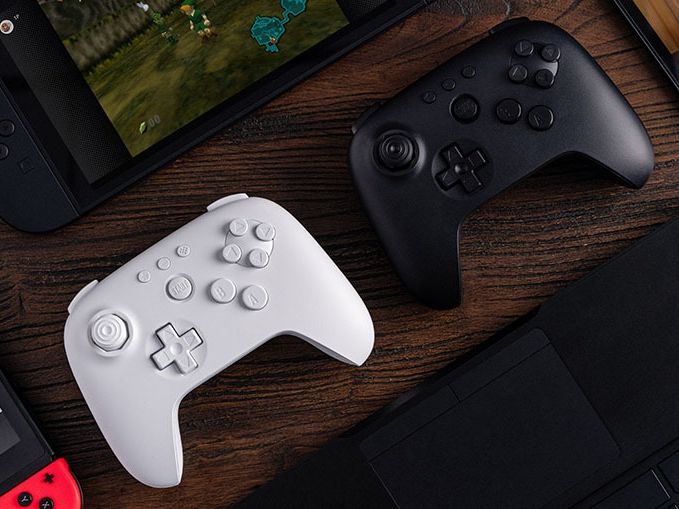
If your Analogue 3D is finally on the way, there’s one essential step to take before you start playing: update your 8BitDo 64 Bluetooth Controller. Both companies have issued a public reminder that a firmware update is required for the controller to work properly with the system.
The controller, built specifically with the Analogue 3D in mind, has been available for a while and also works with other platforms. Now that the console is shipping as of November 18, owners are being urged to install the latest firmware before pairing. The current release is version 2.02, which is described as critical for new Analogue 3D users and includes optimized analog stick performance to ensure smooth, precise control.
How to update the 8BitDo 64 Bluetooth Controller
– Download and install 8BitDo Ultimate Software V2 for Windows or macOS.
– Power on your 8BitDo 64 Bluetooth Controller.
– Connect the controller to your computer using a USB-C cable.
– Launch the Ultimate Software; it should automatically detect the controller.
– Follow the on-screen instructions to update the firmware to the latest version.
– After updating, pair the controller with your Analogue 3D and enjoy.
What the controller offers
– Designed for Analogue 3D with firmware-level optimizations
– Hall Effect joysticks and metal joystick rings for durability and drift resistance
– Bluetooth 5.0 wireless or wired USB-C connectivity
– Compatibility with Analogue 3D, Nintendo Switch systems, Android, and Windows
– Priced at around $39.99
Bottom line: update first, play better. Installing firmware 2.02 before connecting to the Analogue 3D helps ensure optimal performance and a hassle-free setup.