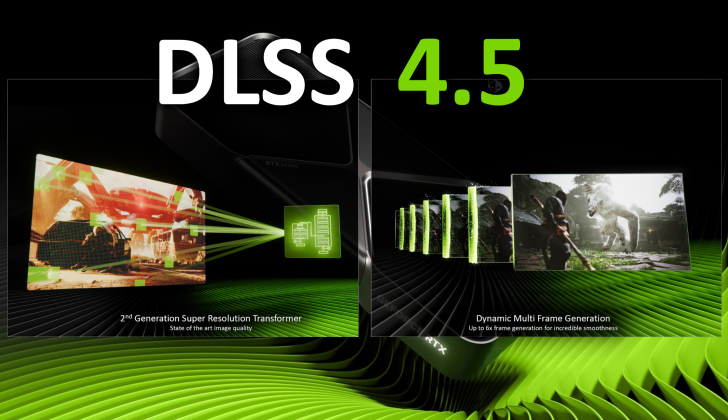
New testing and a fresh YouTube comparison are reinforcing the same takeaway: NVIDIA’s newest DLSS 4.5 “Transformer” model delivers noticeably sharper image quality, but it’s not equally practical across every RTX generation. In fact, the latest transformer-based preset appears to be best suited to RTX 40 and RTX 50 series GPUs, while older RTX 20 and RTX 30 cards can see meaningful performance penalties—sometimes to the point where DLSS stops making sense compared to native rendering.
DLSS 4.5 is built around a second-generation Transformer model, and the visual improvement can be easy to spot, especially in demanding games that expose fine details, texture edges, and temporal stability. Even in performance-focused modes, DLSS 4.5 can produce a cleaner, sharper presentation than earlier DLSS versions. The catch is that this extra clarity doesn’t come free. The newer model takes more compute resources, and on some GPUs it can also require significantly more VRAM to do its job properly.
That’s where DLSS Preset M comes in. NVIDIA recommends Preset M as a strong quality option, and enthusiasts have been putting it through real-world testing across cards ranging from RTX 20 series up through RTX 50 series. The results line up with expectations: the older the RTX card, the harder Preset M hits performance—particularly on budget and mid-range models that already operate close to their limits in modern titles.
In a comparison demonstrated by Daniel Owens, DLSS Preset M was tested against Preset K (based on the first-generation Transformer approach) on multiple GPUs, using Cyberpunk 2077 as the main benchmark. The test included the GeForce RTX 2060, RTX 3060 Ti, and RTX 4060 Ti 16GB, with an additional data point shown for RTX 5090.
The RTX 2060 is where Preset M’s downside becomes obvious. With only 6GB of VRAM and much lower overall performance headroom, the card struggled under the heavier DLSS workload. At 1080p Ultra settings with DLSS set to Quality, Preset M ran about 7% slower than native TAA in Cyberpunk 2077. That’s a key point: instead of gaining frames while improving image quality, the RTX 2060 actually lost performance compared to native. Meanwhile, Preset K improved FPS substantially—around a 20% uplift—though with the expected trade-off in image quality versus the newer model.
Put simply, on an RTX 2060-class GPU, Preset M can end up being the worst of both worlds: not fast enough, and not convincingly better than native rendering to justify the hit.
One reason older cards struggle is resource demand. NVIDIA documentation indicates DLSS 4.5 can consume close to twice the VRAM on RTX 20 and RTX 30 series GPUs compared to RTX 40 and RTX 50 cards in similar scenarios. Combine that with weaker raw throughput and the absence of certain newer capabilities (including FP8 support highlighted in the discussion), and Preset M becomes far less “plug-and-play” for earlier generations.
Moving up to the RTX 3060 Ti improves the situation, but it also shows how settings matter. At 1440p Ultra using DLSS Balanced, Preset M did outperform native, though the test notes a visible image quality downgrade compared to running DLSS Quality mode. The implication is important for real-world players: yes, Preset M can be faster than native on a 3060 Ti if you lean on more aggressive DLSS modes, but if you try to keep higher image quality settings, performance may trend closer to native rather than delivering a major uplift.
The RTX 4060 Ti 16GB is where Preset M starts to look more comfortable. With more VRAM and stronger efficiency, the performance gap between Preset K and Preset M was much smaller—about a 7% difference at 1440p. While the comparison didn’t include native TAA for that exact segment, the expectation is that this class of GPU is far more likely to deliver DLSS gains without the frustrating “why is this slower than native?” outcome seen on the RTX 2060.
At the extreme high end, the RTX 5090 shows the smallest penalty between presets. At 4K Ultra using DLSS Performance mode, Preset M was only a few percent behind Preset K in the shown results. And because DLSS 4.5’s image quality in Performance mode can still look notably better than older approaches, high-end owners are more likely to consider the trade-off worthwhile.
Here’s the performance snapshot from the testing referenced in the post content:
On an RTX 2060 at 1080p Ultra with DLSS Quality, native TAA delivered 60 FPS, Preset K reached 72 FPS, and Preset M dropped to 56 FPS.
On an RTX 3060 Ti at 1440p Ultra with DLSS Balanced, native ran 55 FPS, Preset K hit 77 FPS, and Preset M landed at 62 FPS.
On an RTX 4060 Ti 16GB at 1440p Ultra with DLSS Balanced, Preset K reached 86 FPS and Preset M came in at 80 FPS.
On an RTX 5090 at 4K Ultra with DLSS Performance, Preset K delivered 176 FPS and Preset M achieved 167 FPS.
The big picture is clear for anyone tuning Cyberpunk 2077 or other demanding PC games: DLSS 4.5 Preset M can look excellent, but it’s far more “next-gen GPU friendly” than the presets and models that came before it. If you’re on RTX 40 or RTX 50, you’re much more likely to see minimal performance impact while enjoying the sharper output. If you’re on RTX 20 or some RTX 30 cards—especially lower-VRAM models—it may be smarter to stick with lighter DLSS presets or even native TAA, depending on your game settings, resolution, and VRAM headroom.


