Apple has officially rolled out the final version of watchOS 11 to the public, offering a plethora of exciting new features and improvements. The update has moved out of its beta phase, and you can now download and install it on your compatible Apple Watch models. Here’s how you can get watchOS 11 on your device.
If you’re new to the Apple ecosystem, updating to watchOS 11 is straightforward via the Apple Watch app on your iPhone. Simply navigate to General > Software Update, and follow the on-screen instructions. Before proceeding, ensure that your Apple Watch has at least 50% battery life and is plugged into a power source. Additionally, make sure it’s within range of your iPhone and connected to a secure internet connection.
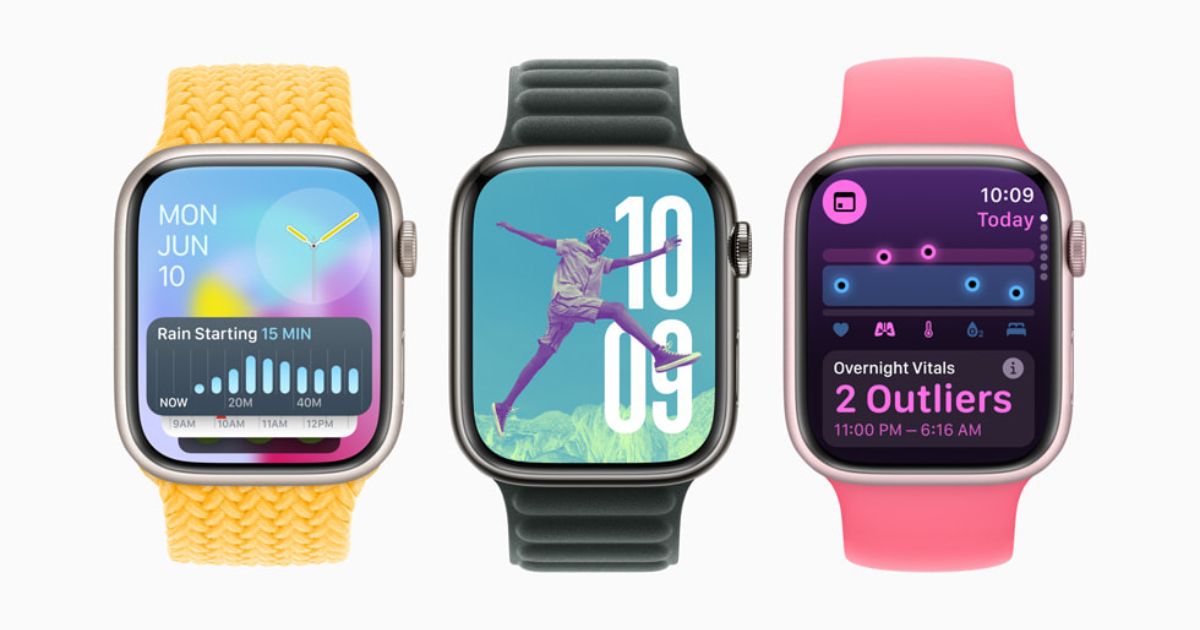
watchOS 11 is packed with features designed to enhance health, fitness, personalization, and connectivity. The update brings deeper insights into your daily health, leveraging machine learning to create the perfect Photos watch face. The Smart Stack becomes even more useful with suggested and interactive widgets, as well as Live Activities.
For fitness enthusiasts, watchOS 11 introduces the ability to track the impact of workout intensity over time, categorized into Easy, Moderate, Hard, and All Out effort labels. You can also now include distance metrics for a variety of sports in the Workout app. The updated Activity app allows you to customize your ring goals day by day or pause them for a rest period without affecting your award streaks.
The new Translate app supports 20 languages, offering real-time translations and offline access for Apple Watch Series 9 and Ultra 2 users. The Tides app provides detailed tide data for over 115,000 beaches and 5,000 surf spots worldwide.
The Smart Stack now features suggested widgets that appear based on various signals like time, location, and activities, allowing you to interact with apps directly from the stack. The update also includes dynamic watch faces, such as the Photos watch face which intelligently curates photos based on various categories like People and Nature.
If you are concerned about sleep health, the new Sleep Apnea Notifications will alert you if your Apple Watch detects consistent signs of moderate to severe sleep apnea over a 30-day period, available on Series 9 and Ultra 2 models. This feature supports users 18 years and older who do not have a previous diagnosis of sleep apnea.
Other noteworthy features include Check In functionality, custom walking and hiking routes in Maps, enhanced ticket information in Wallet, double-tap gesture scrolling, and Tap to Cash for sending money. Ultra-Wideband home keys enable unlocking doors without moving your Apple Watch close to the lock. The update also brings personalized workout and meditation recommendations in the Fitness app, pregnancy tracking in Cycle Tracking, and additional controls in the Remote app.
Note, some features might not be available in all regions. For more detailed information and the complete list of watchOS 11 features, visit Apple’s official website.
Stay tuned for comprehensive guides and tutorials on Apple’s latest software updates, including watchOS 11, iOS 18, and iPadOS 18.