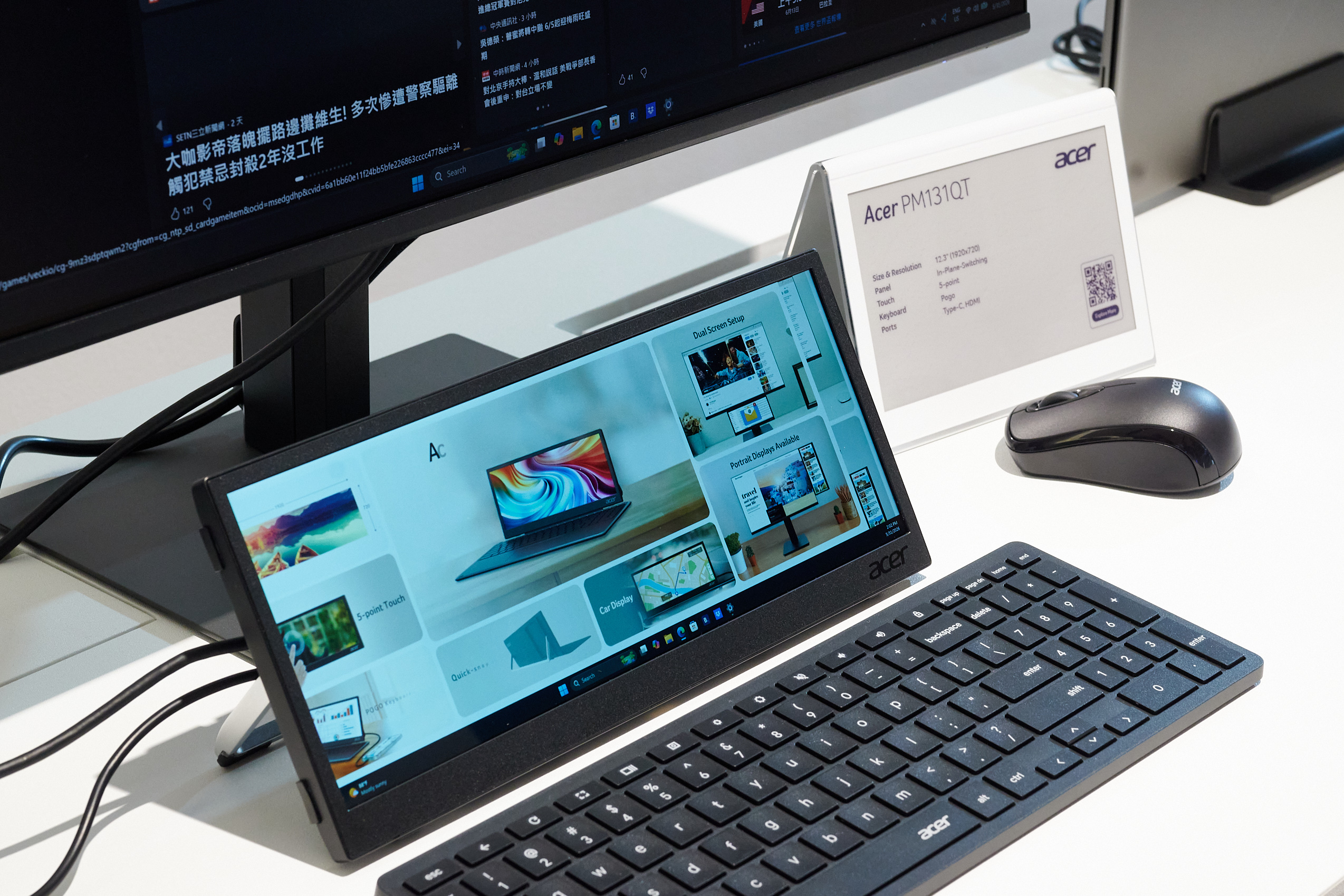
Acer PM131QT: A Compact Touchscreen Display Built for Flight Simulators, Racing Sims, and Productivity
Acer has introduced the PM131QT, a compact secondary display designed for users who need extra screen space without adding a full-size monitor to their setup. Whether you are building a flight simulator cockpit, fine-tuning a sim racing rig, or simply looking for a smarter way to manage desktop tools, this small external screen could be a practical addition.
The Acer PM131QT stands out because of its unusual wide format. It features a 12.3-inch IPS panel with a resolution of 1920 x 720 pixels, giving it a stretched layout that is well suited for dashboards, instruments, control panels, timelines, chat windows, monitoring tools, and other secondary content.
For many gamers and professionals, a traditional second monitor can be too large or awkward. A full-size display often takes up valuable desk space and can distract from the main screen. The PM131QT is designed to solve that problem by offering just enough screen area for useful information while remaining compact and easy to position.
Simulation fans may find it especially appealing. In Microsoft Flight Simulator, for example, the display could be used to show aircraft instruments, navigation tools, radio panels, or other cockpit elements that do not need to stay on the main screen. This creates a cleaner primary view while making the overall setup feel more immersive.
The same idea applies to racing simulators. Drivers could move telemetry, lap times, maps, car settings, or dashboard data to the PM131QT, keeping the main monitor focused on the track. Since the display has far fewer pixels than a typical secondary monitor, it may also be easier on system performance compared with adding another large screen.
Acer is also positioning the PM131QT as a productivity tool. Its touchscreen support makes it useful for direct interaction, allowing users to tap controls, adjust settings, manage apps, or use specialized software panels more naturally. Creative professionals could use it for tool palettes, editing controls, audio mixers, or workflow shortcuts. Streamers might use it for chat, stream controls, or monitoring software.
Flexibility is another key feature. The PM131QT can be used in landscape mode for a dashboard-style layout or rotated into portrait orientation for side-panel use. It also includes an integrated stand, while a tripod thread on the back gives users more mounting options for custom setups, cockpit builds, workstations, and gaming desks.
Connectivity includes USB Type-C and HDMI, making it compatible with a wide range of PCs, laptops, and gaming setups. The IPS panel is expected to provide solid viewing angles and good image quality, which is important for a display that may be placed off to the side or mounted at an angle.
The Acer PM131QT is expected to launch toward the end of the year, with pricing anticipated to be around $230. For users who want a compact touchscreen monitor for simulation games, racing rigs, streaming, or multitasking, it could become an interesting alternative to bulky secondary displays.