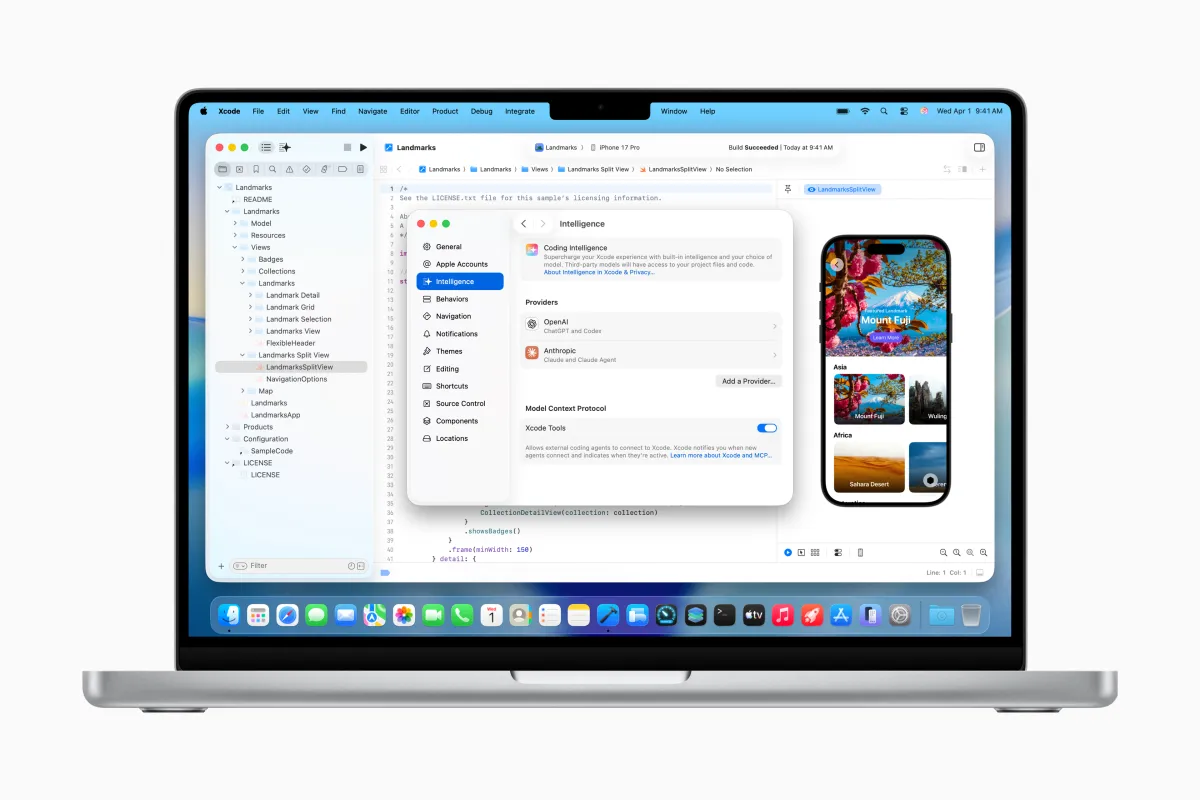
Apple is taking a big step toward AI-powered development with the arrival of agentic coding in Xcode. The company has announced Xcode 26.3, an update that lets developers use agent-style coding tools, including Anthropic’s Claude Agent and OpenAI’s Codex, directly inside Apple’s official development environment.
The Xcode 26.3 Release Candidate is available now to Apple Developers through Apple’s developer site, with a wider release coming later via the App Store.
This move builds on last year’s Xcode 26 update, which introduced built-in support for popular AI assistants like ChatGPT and Claude. With Xcode 26.3, Apple is expanding from “assistant” style help toward more autonomous, agentic workflows—meaning the AI can do more than answer questions or generate snippets. It can actively use more of Xcode’s capabilities to automate multi-step tasks and help manage larger changes across a project.
What agentic coding means inside Xcode
With agentic tools enabled, AI models can interact with your project in a deeper way. They can inspect project structure and metadata, build the app, run tests, detect errors, and attempt fixes—turning what used to be several manual steps into a guided workflow driven by natural language instructions.
Apple says the agents will also have access to current Apple developer documentation. That matters for developers who want AI-generated code that aligns with the latest APIs and recommended best practices, especially when frameworks and platform requirements change quickly across iOS, iPadOS, macOS, watchOS, and other Apple platforms.
Built to work efficiently, and designed for more agents over time
To prepare for launch, Apple worked closely with Anthropic and OpenAI to shape how these agents run in Xcode. A key focus was efficiency—optimizing token usage and “tool calling,” so the agent can perform tasks without unnecessary overhead.
Under the hood, Xcode uses MCP (Model Context Protocol) to expose Xcode features to the agent and connect it with development tools. The practical benefit is flexibility: Xcode can work not only with the built-in options, but also with other MCP-compatible agents. These agents can potentially help with project discovery, editing and file management, previews and snippets, and pulling in up-to-date documentation.
How developers can use the new AI agents in Xcode 26.3
Getting started is straightforward. Developers can download supported agents from Xcode settings, then connect an account with the chosen AI provider by signing in or adding an API key. Xcode also lets developers pick which model version they want from a drop-down menu—for example, choosing between different Codex model variants depending on speed, cost, or capability.
From there, developers can use a prompt box on the left side of Xcode to describe what they want in plain language. That could be something like adding a new feature that uses an Apple framework, specifying how it should look in the UI, and defining how it should behave.
As the agent works, it shows its process by breaking the task into smaller steps. It also looks up the documentation it needs before writing code. Changes are visually highlighted, and a project transcript lets developers follow along with what the agent is doing behind the scenes—an approach Apple believes can be especially helpful for newer developers learning how real-world projects are structured and modified.
Code verification, iteration, and easy rollbacks
Once the agent finishes, it verifies that the code works as expected by using the results of builds and tests. If something fails, the agent can continue iterating to fix issues. Apple also notes that prompting the agent to think through its plan before coding can improve outcomes, because it encourages pre-planning rather than jumping straight into edits.
Importantly, Apple is baking in a safety net: developers can revert whenever they’re not satisfied. Xcode creates milestones each time the agent makes a change, making it easy to roll back to a known-good state.
To help developers learn the workflow, Apple is also hosting a code-along workshop on its developer site, where users can follow in real time and practice using agentic coding tools alongside their own copy of Xcode.
With Xcode 26.3, Apple is signaling that AI in app development is moving beyond simple code suggestions toward more capable, task-driven automation—while still keeping developers in control of every change.


