Microsoft is adding a new Windows 11 performance feature designed to make everyday interactions feel faster, especially when opening apps and using key parts of the operating system.
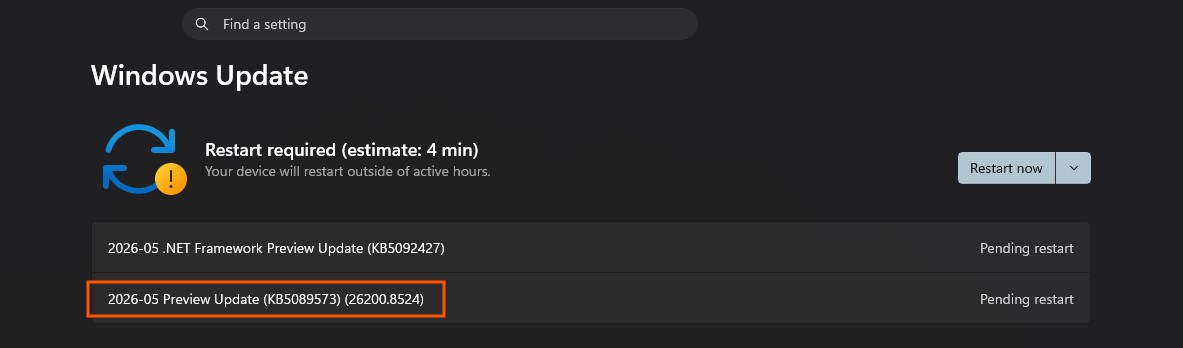
The feature, known as Low Latency Profile, is included in the Windows 11 optional update KB5089573, also listed as Build 26200.8524. It is part of the latest May optional update and targets Windows 11 versions 24H2 and 25H2. Although Microsoft describes it under “General Performance,” the feature appears to work by giving the CPU a short, temporary boost during latency-sensitive tasks.
In simple terms, Windows 11 may briefly push the processor to higher frequencies when you perform actions that need a quick response. This can include launching apps, opening the Start menu, using Windows Search, or bringing up the Action Center. These are small moments, but they can make a noticeable difference in how smooth and responsive the system feels.
Microsoft’s changelog says the update “accelerates app launch and core shell experiences such as Start menu, Search, and Action Center.” That means the improvement is not aimed at gaming performance or long-running workloads, but rather at the quick interactions users perform many times a day.
At the moment, Low Latency Profile does not appear to be enabled by default for everyone. Users can install the optional update manually by going to Settings, then Windows Update, then Advanced options, and selecting Optional updates. Devices running Build 26200.8524 or 26100.8524 should be eligible, though Microsoft is expected to expand availability more broadly in June.
For now, the feature may still require manual activation through third-party utilities, which is not recommended for most users. Windows 11 currently does not provide a simple built-in switch to turn Low Latency Profile on or off. Once Microsoft completes the rollout, the feature is expected to work automatically on supported PCs.
Early testing suggests the CPU boost does activate during certain Windows actions. For example, opening the Start menu can cause a brief increase in CPU usage, while opening the Action Center may push CPU activity much higher for a short moment. The goal is not to keep the processor under heavy load, but to remove tiny delays and reduce micro-stutters during common system interactions.
This type of performance tuning could be especially useful for users who notice occasional lag when navigating Windows 11. Even if the improvement sounds minor, smoother Start menu behavior, faster app launches, and more responsive search can make the entire desktop experience feel more polished.
The Low Latency Profile feature is another sign that Microsoft is focusing on responsiveness in Windows 11, not just large feature additions. While users may not see a new button or setting, the system could feel quicker in day-to-day use once the update is fully enabled.