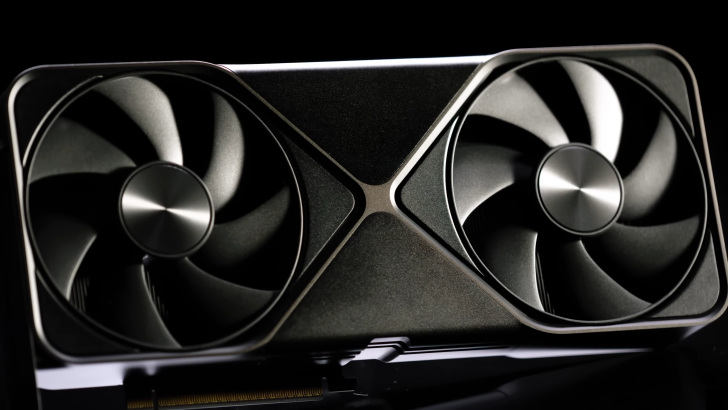
NVIDIA’s newest heavy hitters, the GeForce RTX 5090 and RTX PRO 6000, are reportedly running into a virtualization snag that can leave them unresponsive after extended use in virtual machines.
According to early reports from CloudRift, a GPU cloud platform for developers, these flagship cards may stop responding after a few days of VM workloads. Once the issue appears, the GPUs can’t be accessed again until the host node is fully rebooted. Notably, other models like the RTX 4090, Hopper H100, and even the Blackwell-based B200 have not shown the same behavior so far.
What triggers the problem is GPU passthrough in a virtualized environment using the VFIO driver. After a Function Level Reset (FLR), the affected GPU may fail to come back online, leading to a kernel soft lock that deadlocks both the host and guest environments. In large-scale deployments with many guests per host, forcing a reboot is disruptive and costly.
This isn’t an isolated case. A user in the Proxmox community reported a full host crash after shutting down a Windows VM, and says NVIDIA has acknowledged the issue, reproduced it, and is working on a fix. An official statement is still pending, but early signs point to a quirk impacting these specific Blackwell-based desktop/workstation cards rather than the entire Blackwell family.
Why this matters:
– GPU passthrough is widely used to accelerate virtualized AI, ML, and graphics workloads.
– Kernel soft locks and node reboots can cause downtime across multiple tenants and services.
– Enterprises, studios, and researchers relying on RTX 5090 or RTX PRO 6000 for VM workloads may need contingency plans until a patch is available.
Short-term tips while waiting for a fix:
– Limit or avoid operations that trigger Function Level Reset in VFIO-managed VMs if possible.
– Stagger maintenance windows and plan for controlled host reboots if you notice unresponsiveness.
– Consider using unaffected GPUs such as RTX 4090, Hopper H100, or B200 for critical virtualized workloads until driver or firmware updates arrive.
– Monitor driver and firmware release notes closely and collect logs around VFIO events to aid troubleshooting.
In a bid to accelerate progress, CloudRift has posted a $1,000 bug bounty for a fix or viable mitigation. Given the impact on AI workloads and virtualized environments, a driver or firmware update from NVIDIA is likely forthcoming. Until then, teams running RTX 5090 or RTX PRO 6000 under VFIO should keep a close eye on stability, prepare rollbacks, and track updates from their virtualization platform and GPU vendor.