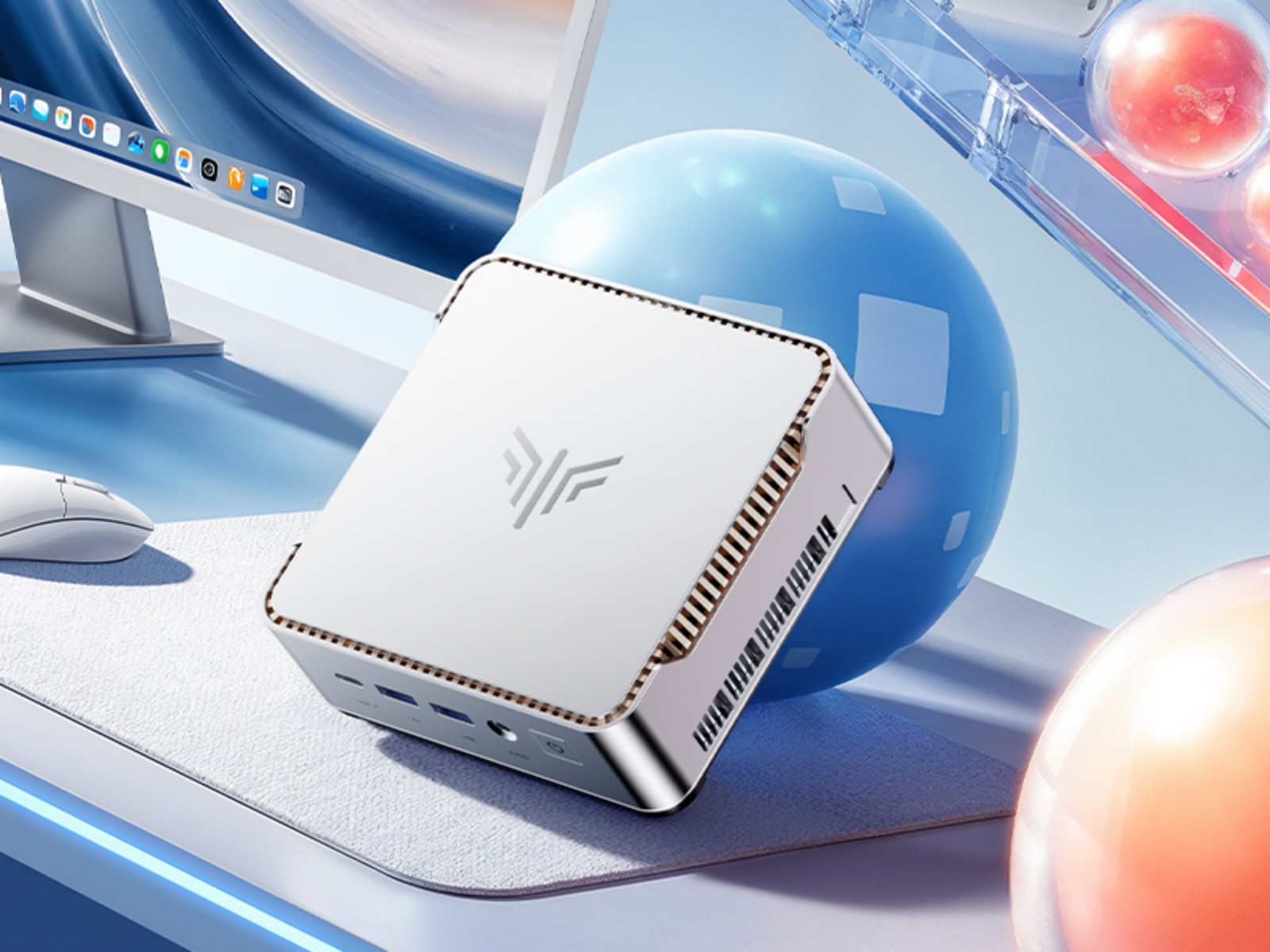
Kamrui cuts prices on Ryzen-powered Pinova P1 and P2 mini PCs for Prime Day
Kamrui is making compact desktop computing more affordable during Amazon Prime Day with discounts on two Ryzen-powered mini PCs: the Kamrui Pinova P1 and Kamrui Pinova P2. Designed for home offices, business desks, media setups, and space-saving workstations, both systems offer a small footprint, AMD processing power, 16 GB of RAM, and upgrade-friendly storage options.
With Prime Day pricing and extra coupon codes, the Kamrui Pinova P1 drops to $287, while the Kamrui Pinova P2 comes down to $296.99. Shoppers can use the code 2544MINIPC for an additional discount on the Pinova P1 before July 31. For the Pinova P2, the code C6DQYL8X is valid until July 19, bringing the total discount to 22%.
The Kamrui Pinova P1 is built for users who want a quiet, portable, and efficient mini PC without giving up everyday performance. It runs on the AMD Ryzen R2544 embedded processor, a quad-core, eight-thread chip with a low 28 W TDP. That makes it suitable for quiet environments such as offices, reception desks, classrooms, living rooms, or shared workspaces.
The Pinova P1 includes 16 GB of DDR4 SODIMM memory and a 256 GB PCIe NVMe M.2 SSD. For users who need more headroom, the RAM can be upgraded to 32 GB, while the second SSD slot allows total storage expansion of up to 4 TB. That makes the system flexible enough for office documents, media libraries, light creative workloads, and everyday multitasking.
Portability is another major advantage. Measuring just 128.2 × 128.2 × 51 mm and weighing only 290 g, the Pinova P1 takes up very little room on a desk. Its compact black chassis also makes it a good fit for a home theater PC setup, where it can sit near a TV without drawing attention.
Connectivity is strong for a PC this small. The Pinova P1 includes Gigabit Ethernet, Bluetooth, and dual-band Wi-Fi 5. On the front, users get two USB 3.2 Gen1 Type-A ports, a USB 3.2 Gen1 Type-C port, and a 3.5 mm audio combo jack. Around the back, there are four additional USB 3.2 Gen1 Type-A ports, DisplayPort 1.4, HDMI 2.0, and an RJ45 Ethernet port. This gives users enough flexibility for monitors, keyboards, mice, external drives, printers, and other accessories.
The Kamrui Pinova P2 offers a slightly different take on the compact desktop formula. It keeps the small form factor and energy-efficient design but moves into a more refined matte aluminum chassis. For users who want a mini PC that looks more premium on a desk or mounted behind a monitor, the P2 may be the more attractive option.
Inside, the Pinova P2 is powered by the AMD Ryzen 3 4300U, a 7 nm quad-core processor with a 28 W TDP. It is paired with 16 GB of LPDDR4 memory, which helps save space and improve thermal efficiency. Storage starts at 512 GB with a PCIe NVMe SSD, and the system supports up to 4 TB through dual SSD slots.
Like the P1, the Pinova P2 includes a generous selection of ports. It features six USB 3.2 Gen1 Type-A ports in total, with two on the front and four on the rear. The rear panel also includes HDMI 2.0, DisplayPort 1.4, and RJ45 Ethernet. Wireless connectivity includes Bluetooth and dual-band Wi-Fi 5 for accessories and network access.
One useful bonus with the Pinova P2 is the included VESA mount. This allows the mini PC to be attached to the back of a compatible monitor, creating a cleaner desk setup and making it ideal for offices, digital signage, compact workstations, and minimalist home setups.
Both Kamrui mini PCs are aimed at users who need dependable everyday computing in a compact package. The Pinova P1 is a strong choice for buyers who want more memory upgrade flexibility, while the Pinova P2 offers a sleeker aluminum design, larger base storage, and easy monitor mounting.
For shoppers looking for an affordable AMD Ryzen mini PC during Prime Day, the Kamrui Pinova P1 and Pinova P2 deals offer solid value, especially for home office work, web browsing, streaming, business applications, and space-conscious desktop setups.
Disclosure: This article is based on advertiser-provided information and is a paid placement.