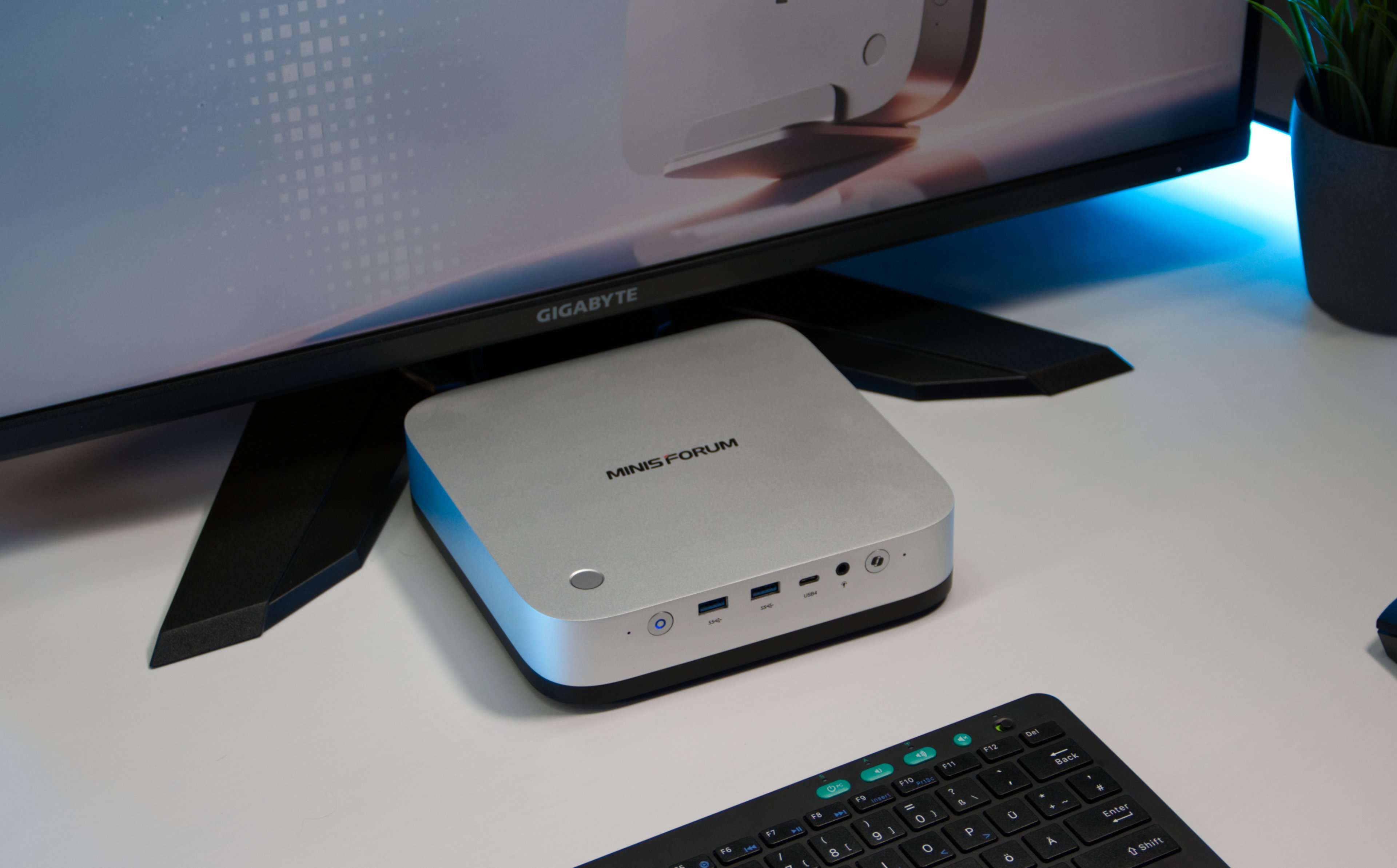
Minisforum M2 Pro Mini PC Packs Serious Power Into a Compact Desktop
The Minisforum M2 Pro is a compact mini PC designed for users who want high-end performance without filling their desk with a large desktop tower. Despite its small footprint, this machine comes loaded with powerful hardware, modern connectivity, and a few surprising features that make it stand out in the growing mini PC market.
At the heart of the Minisforum M2 Pro is Intel’s Core Ultra X7 358H processor, paired with integrated Intel Arc B390 graphics. This combination gives the system enough power for demanding productivity tasks, multitasking, media creation, office workloads, and even some graphics-heavy applications. For users looking for a space-saving desktop that still feels fast and responsive, the M2 Pro makes a strong case.
The performance package is backed by 32 GB of LPDDR5X-7467 memory and a fast 1 TB SSD. Storage flexibility is another major highlight, as the system includes three M.2 slots. That gives users plenty of room to expand storage for large files, creative projects, games, media libraries, or work-related data.
Connectivity is one of the biggest strengths of the Minisforum M2 Pro. It includes three USB4 ports, 10 Gbps LAN, 2.5 Gbps LAN, HDMI 2.1, and DisplayPort. The USB4 support is especially useful because it allows users to connect high-speed peripherals, docking stations, external storage, and even an external graphics card. This makes the M2 Pro more versatile than many traditional mini PCs.
Another standout design choice is the built-in power supply. Most mini PCs rely on a bulky external power brick, but the M2 Pro keeps the power supply inside the chassis. This helps reduce desk clutter and gives the setup a cleaner, more polished look. For home offices, studios, and minimalist workspaces, that detail makes a noticeable difference.
Minisforum also added features that are not commonly found in compact desktops. The M2 Pro includes built-in speakers, which are convenient for basic audio needs, video calls, or quick media playback. It also comes with a fingerprint scanner, allowing users to log in to Windows quickly and securely without typing a password.
Cooling is another area where the Minisforum M2 Pro performs well. Even under sustained workloads, the cooling system keeps temperatures under control while maintaining low noise levels. In testing, the system averaged around 33 dB(A), meaning it stays pleasantly quiet during everyday use and remains manageable even when pushed harder. For users who dislike loud fans, this is a major advantage.
However, the M2 Pro does come with a few trade-offs. The RAM is soldered, so users cannot upgrade the memory later. While 32 GB is enough for most users, those who prefer long-term upgrade flexibility may see this as a limitation. Accessing internal components is also not as simple as it could be, as parts of the internal assembly need to be removed before reaching the SSD slots.
The port selection is generous, but some power users may still want even more expansion options depending on their workflow. That said, the inclusion of USB4, dual LAN options, HDMI 2.1, and DisplayPort already makes the system more capable than many compact desktops in its class.
With a price of $1,439, the Minisforum M2 Pro targets users who want premium mini PC performance rather than a budget-friendly desktop replacement. Its combination of Intel Core Ultra processing power, Arc B390 graphics, high-speed memory, expandable storage, quiet cooling, and strong connectivity makes it a compelling option for professionals, creators, and enthusiasts who need a compact but capable workstation.
The Minisforum M2 Pro shows how far mini PCs have come. It delivers impressive performance in a small chassis, keeps noise levels low, reduces desk clutter with an internal power supply, and offers modern features that make daily use more convenient. While the soldered RAM and less convenient internal access are worth considering, the overall package is powerful, flexible, and well suited for users who want desktop-class capability in a much smaller form factor.