Clogged Fans Can Kill a Gaming Laptop: Alienware Repair Shows Why Maintenance Matters
Gaming laptops deliver desktop-class performance in a portable form, but that power comes with a serious responsibility: regular maintenance. These machines pack high-performance CPUs, GPUs, DDR5 memory, VRMs, cooling fans, heat pipes, and other heat-sensitive components into a very tight chassis. When airflow gets blocked, temperatures can rise quickly, and the results can be expensive.
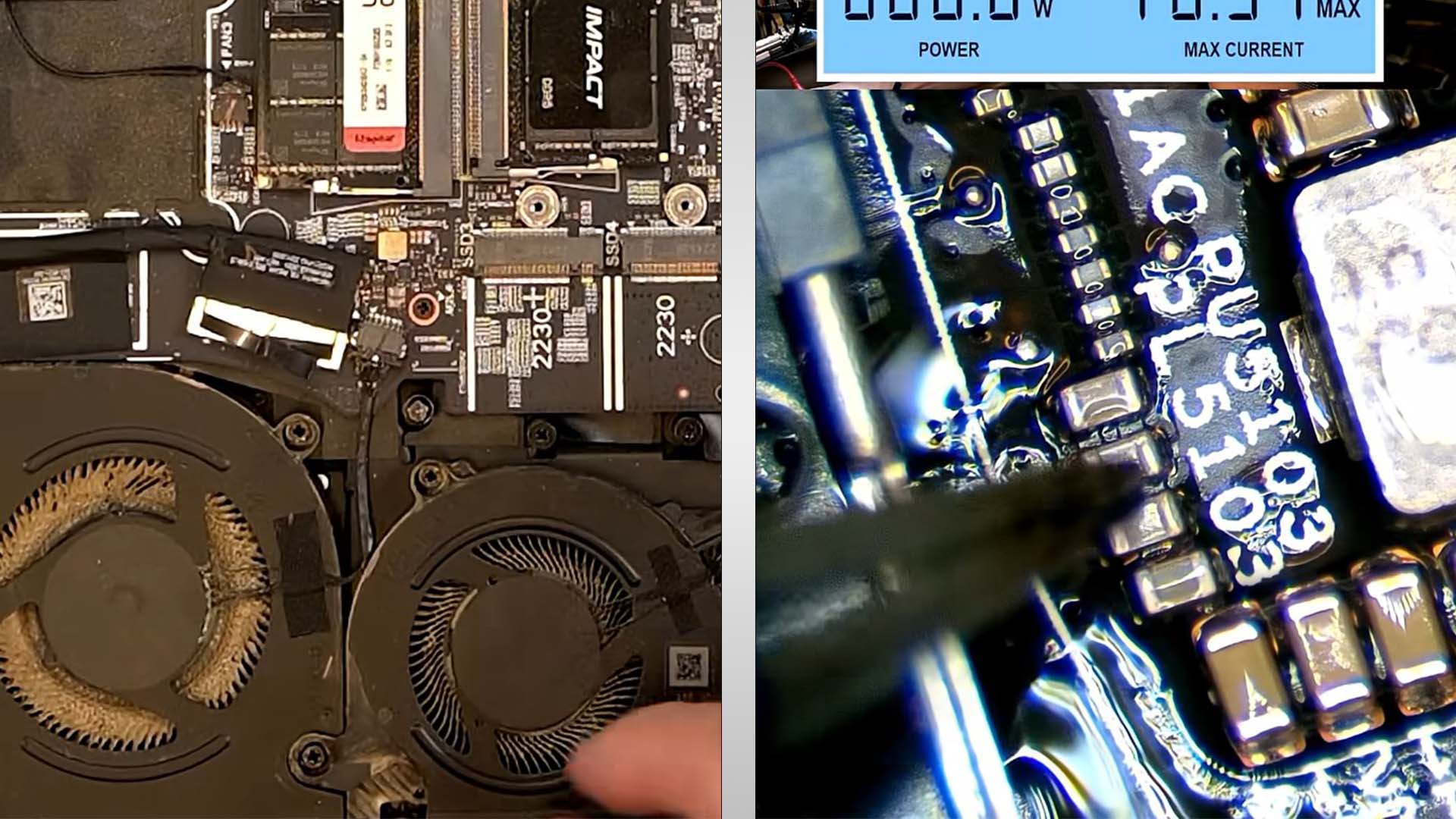
A recent repair case involving an Alienware gaming laptop shows exactly how bad things can get when dust buildup is ignored. The laptop reportedly would not power on, and once the bottom cover was removed, the problem became obvious. The internal cooling fans were heavily clogged with dust and debris, preventing proper airflow through the system.
That blockage likely caused the laptop to overheat, eventually leading to a failure on the DDR5 power rail. In this case, the issue was traced to a blown capacitor. The repair technician suspected the power rail problem almost immediately after seeing the condition of the fans, and the diagnosis was later confirmed.
Fortunately, replacing the damaged capacitor was a relatively straightforward fix for an experienced repair professional. However, for most users, this kind of failure can be difficult to diagnose and even harder to repair without the right tools and technical knowledge. What began as simple dust buildup turned into a motherboard-level repair.
This is why gaming laptop maintenance should never be treated as optional. Even well-designed gaming laptops can run hot under heavy loads, especially during long gaming sessions, video rendering, streaming, or other GPU-intensive workloads. When dust blocks the fans and heatsinks, the cooling system can no longer move heat away from critical components efficiently.
Over time, excessive heat can damage more than just performance. It can shorten the lifespan of the CPU and GPU, dry out thermal paste, weaken solder joints, stress memory power delivery components, and cause capacitors or other board components to fail. In severe cases, the laptop may shut down randomly, throttle heavily, refuse to charge, or stop powering on entirely.
There are several ways owners can reduce the risk of overheating. The most important step is cleaning the fans and vents regularly. If you use your gaming laptop in a dusty room, on a bed, on fabric, or around pets, dust can build up much faster than expected. Using the laptop on a hard, flat surface and keeping the vents clear can make a noticeable difference.
For deeper maintenance, replacing the thermal paste on the CPU and GPU can help restore cooling performance, especially on older laptops. Thermal pads or thermal putty on GPU memory, VRMs, and MOSFETs may also need attention depending on the model and condition of the system. These materials help transfer heat away from sensitive components, and when they degrade, temperatures can rise.
If opening the laptop feels risky, software-based tuning can also help lower temperatures. Undervolting the processor can reduce heat output without necessarily sacrificing much performance. Intel laptop users often rely on tools such as ThrottleStop, while GPU tuning and undervolting can be done through utilities like MSI Afterburner. Lowering voltage and optimizing power limits can help a gaming laptop run cooler and quieter.
Still, software tweaks are not a substitute for physical cleaning. If the fans are blocked, no undervolt will fully solve the problem. Dust removal should be the first priority, followed by thermal maintenance and performance tuning.
The takeaway is simple: a gaming laptop is not a set-it-and-forget-it device. These systems require care, especially because their powerful hardware operates in a compact space with limited cooling headroom. Ignoring dust buildup can turn a premium gaming machine into an expensive repair project.
Regular cleaning, proper airflow, fresh thermal materials, and sensible temperature management can help extend the life of a gaming laptop and prevent failures like a blown DDR5 power rail. For anyone who owns a high-performance laptop, a little maintenance today can save a major repair bill tomorrow.