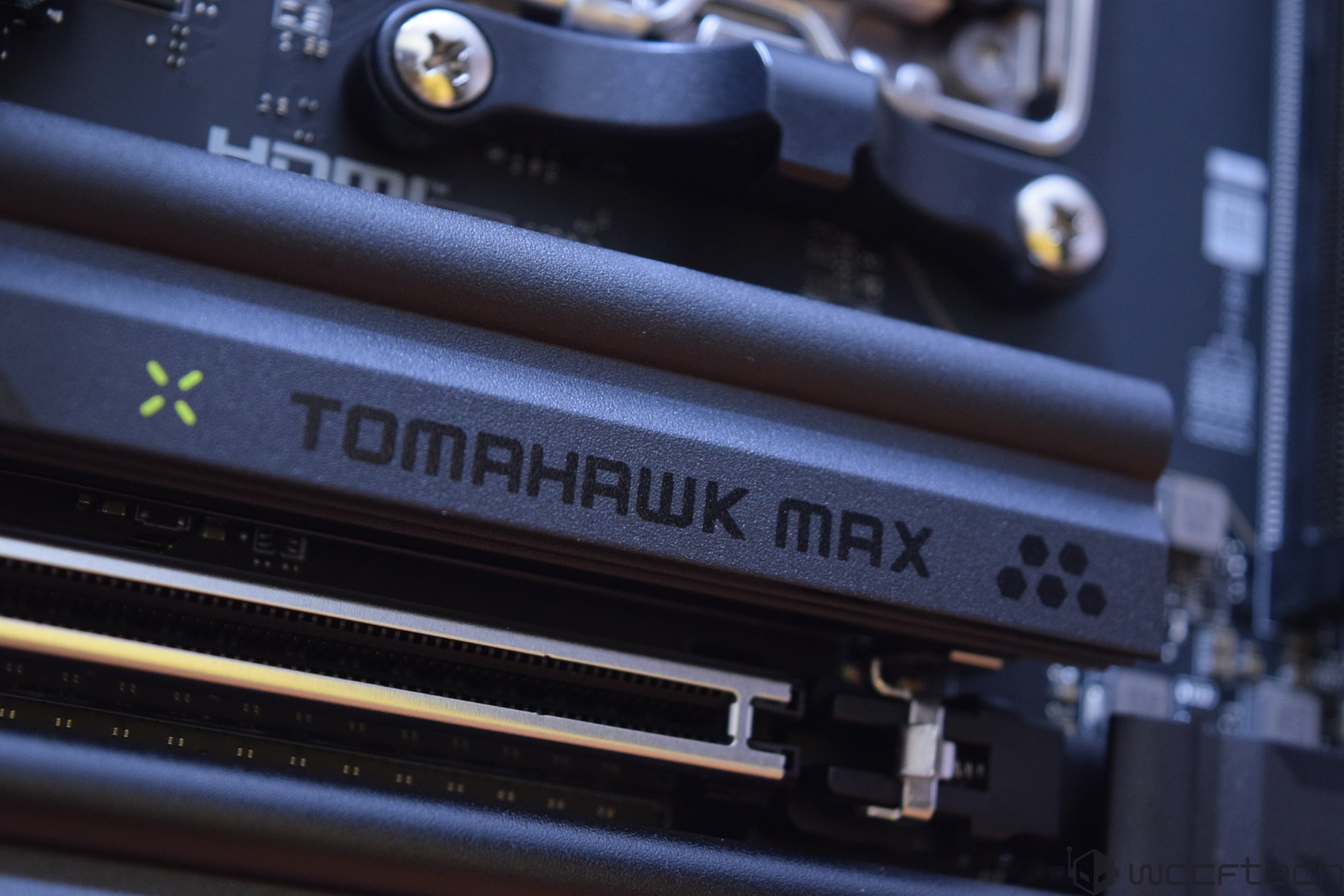
MSI is gearing up for the next wave of AMD AM5 builds with the MAG X870E Tomahawk MAX WIFI, a “MAX” refresh motherboard expected around November 2025. Pricing is still listed as TBA, but the board is positioned in the upper mainstream/high-end bracket and is expected to land around the $300 US mark—right in the sweet spot for gamers and creators who want modern connectivity, strong storage options, and room to grow with future Ryzen CPUs.
It’s also arriving at an important moment for the AM5 ecosystem. It’s been about three years since AM5 and the first 600-series boards launched, and during that time AMD has rolled out multiple desktop CPU generations across Ryzen 7000, Ryzen 8000, and Ryzen 9000. The older 600-series motherboards remain highly capable—even with newer Zen 5 processors—but AMD’s newest chipset family is designed to push the platform forward with refreshed board designs and more up-to-date baseline features.
AMD’s new 800-series chipsets: what’s changing and why it matters
AMD is expanding AM5 with a new 800-series chipset lineup, starting with the enthusiast-focused X870E and X870, and later covering the mainstream with B850 and B840. The headline is simple: AMD wants next-gen connectivity and high-speed expansion to be easier to get, with fewer compromises depending on which board you buy.
Key upgrades highlighted for X870E and X870 motherboards include:
– USB4 support as a standard feature across X870/X870E boards
– PCIe Gen5 support for both graphics and NVMe storage on X870/X870E boards
– Higher EXPO memory clock potential on X870/X870E designs
On top of that, AMD has indicated newer Precision Boost Overdrive (PBO) and Curve Optimizer (CO) algorithms alongside Ryzen 9000 CPUs, and these newer motherboards are built to support those features out of the box—useful for anyone looking to fine-tune performance without stepping into fully manual overclocking.
How X870E and X870 differ
Both chipsets target builders who want a premium AM5 motherboard experience, but X870E tends to be the “all-in, maximum lanes” option.
– X870E uses a dual-die approach (Promontory 21 x2), which generally translates into more available connectivity and lanes while keeping the platform’s flagship features intact.
– X870 uses a single Promontory 21 die (x1) and retains the same core support (including USB4 and Gen5 for GPU and SSD), but with fewer lanes overall.
In plain terms, X870 can still deliver the big-ticket features most people care about, while X870E is more likely to satisfy users who plan on multiple high-speed devices and heavy I/O—think several NVMe drives, lots of USB devices, capture gear, and other add-ons.
Where B850 and B840 fit for mainstream AM5 builds
Not everyone needs USB4 and full Gen5 expansion everywhere, and that’s where B850 and B840 come in.
– B850 is designed to bring modern AM5 capability to the mainstream. It uses the Promontory 21 die but drops native USB4. It still supports Gen5 graphics, while Gen5 M.2 (NVMe) becomes optional depending on the specific motherboard model.
– B840 is the more budget-friendly option using an older Promontory 19 die. It focuses on affordability and typically means Gen4 for GPU/SSD, no CPU overclocking support, and memory overclocking only.
This is important for searchers comparing “best AM5 motherboard for gaming” at different price tiers: X870E/X870 are about maximizing next-gen connectivity, B850 aims to balance features and cost, and B840 is the entry point for AM5 without premium extras.
DDR5 on AM5: faster by default, faster with the right board
AM5 is a DDR5-only platform, and the newer 800-series boards continue that direction. Native support is listed at DDR5-5600, while higher-end models can push far beyond that—potentially exceeding 8000 MT/s on certain premium boards. For buyers focused on high FPS gaming or memory-sensitive workloads, this is another reason newer chipset boards may be appealing even if older 600-series boards still work well with the latest CPUs.
AM5 socket overview: LGA 1718 and long-term upgrade potential
AM5 marks a major physical change versus AM4. AMD moved from a PGA (pins on the CPU) layout to an LGA (pins in the socket) design, known as LGA 1718. More connections help support the platform’s newer capabilities and broader feature set.
Longevity is another selling point. AMD has communicated a 2027+ plan for AM5, a big deal for builders who want a platform that can handle multiple CPU upgrades across several years—especially those moving over from AM4, which became well-known for its unusually long life and wide compatibility.
Cooler compatibility: good news for upgraders
One of the most practical concerns when switching platforms is whether you’ll need a new CPU cooler. For AM5, Ryzen 7000, Ryzen 8000, and Ryzen 9000 desktop processors maintain dimensions that allow current coolers to remain compatible. The CPUs use a square 45x45mm design with a thicker integrated heat spreader (IHS), but the overall compatibility story remains friendly—great for anyone trying to keep upgrade costs under control.
MSI MAG X870E Tomahawk MAX WIFI: why builders will be watching it
With X870E bringing USB4 as standard, PCIe Gen5 for GPU and NVMe, and stronger memory overclocking headroom through EXPO-focused designs, boards like MSI’s MAG X870E Tomahawk MAX WIFI are built to target buyers who want a modern AM5 setup that won’t feel outdated in a year or two. As the AM5 ecosystem expands into more price points with B850 and B840, X870E models will likely remain the go-to choice for enthusiasts who want the fullest feature set without stepping into extreme flagship pricing.
If you want, paste the rest of the MSI MAG X870E Tomahawk MAX WIFI specs/features from the post (VRM details, M.2 count, LAN/Wi‑Fi version, rear I/O, audio, etc.), and I’ll rewrite this again into a tighter product-focused piece aimed at ranking for “X870E motherboard” and “Tomahawk MAX WIFI” searches.