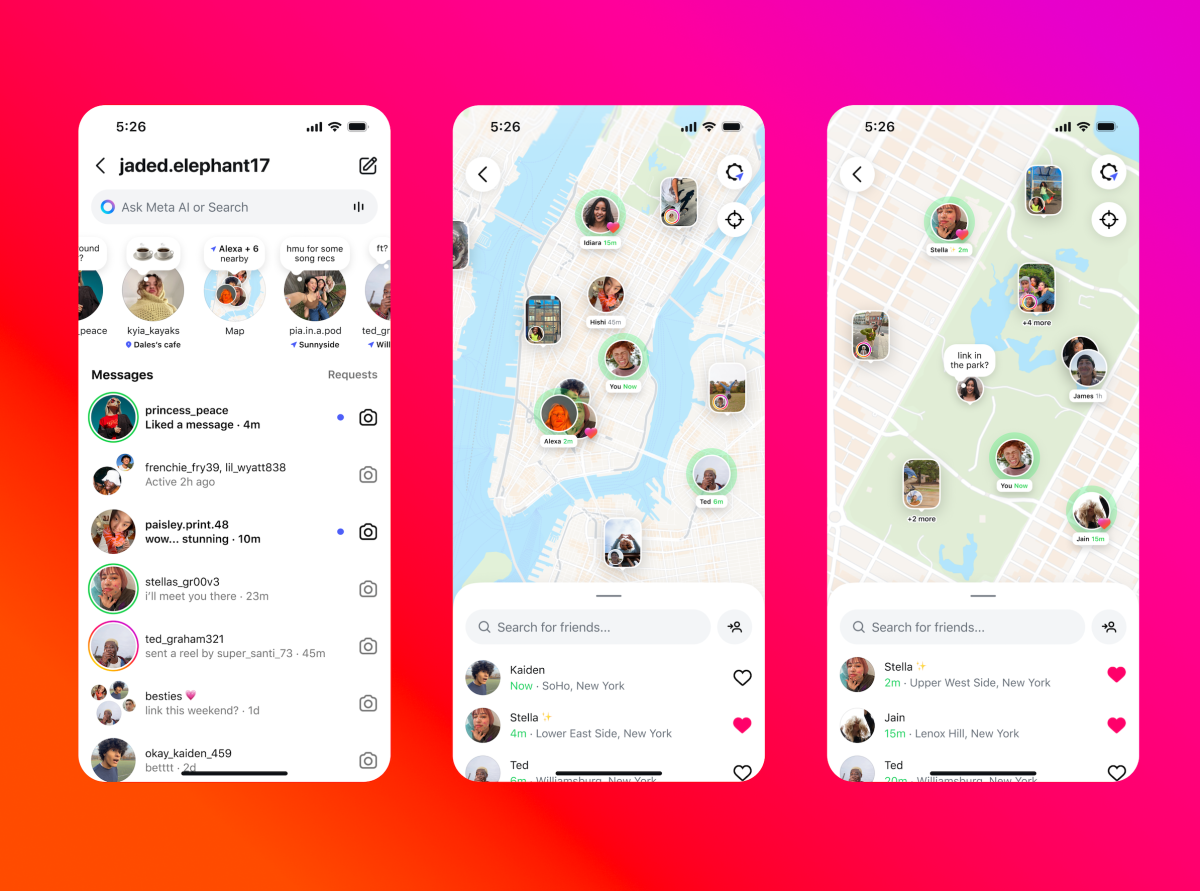
Instagram recently unveiled its new “Instagram Map” feature, designed to let users in the U.S. share their active location and discover content based on location. With similarities to Snap Map, it’s important to note that sharing your location on Instagram is completely optional and requires user consent to be activated.
Adam Mosseri, the head of Instagram, addressed concerns following the launch, emphasizing that the feature does not automatically share users’ locations. There have been widespread, yet incorrect, social media claims suggesting otherwise. Mosseri clarified that the fear stems from users seeing themselves on the map, leading to the misconception that others can see them too.
He reassured users in a recent post that location sharing demands a double confirmation process. Instagram Map operates by incorporating location tags from Stories or Reels where users have tagged a location. This isn’t a new concept, as Instagram has long had location tags visible in its map view, but this feature enhances accessibility.
Unlike Snap Map, which can provide real-time location updates, Instagram Map only updates when the app is actively in use or running in the background. This provides users with more control over their privacy.
Here’s how you can manage Instagram Map settings:
1. To access the feature, head to your direct messages and tap the new “Map” option. If it’s your first time, a pop-up will explain that your location won’t be shared unless you choose to do so.
2. For setting preferences, navigate to your profile, open settings, go to “Story, live and location,” and select “Location sharing.” Here, decide whether to share with friends, close friends, specific users, or no one.
Even with your location off, you can still see those who share theirs with you. Instagram Map also enables the discovery of location-based Stories and Reels. For example, content like a friend’s music festival story or a creator’s reel about a new restaurant will appear on your map if tagged with a location.
Additionally, Instagram Notes can now be shared on the map alongside locations, offering glimpses of messages left by friends and followers.
These updates continue to enhance Instagram’s interactive capabilities, offering new ways to connect and explore.