Logitech MX Keypad Launches as a Compact $99.99 Control Pad for AI-Powered Developer Workflows
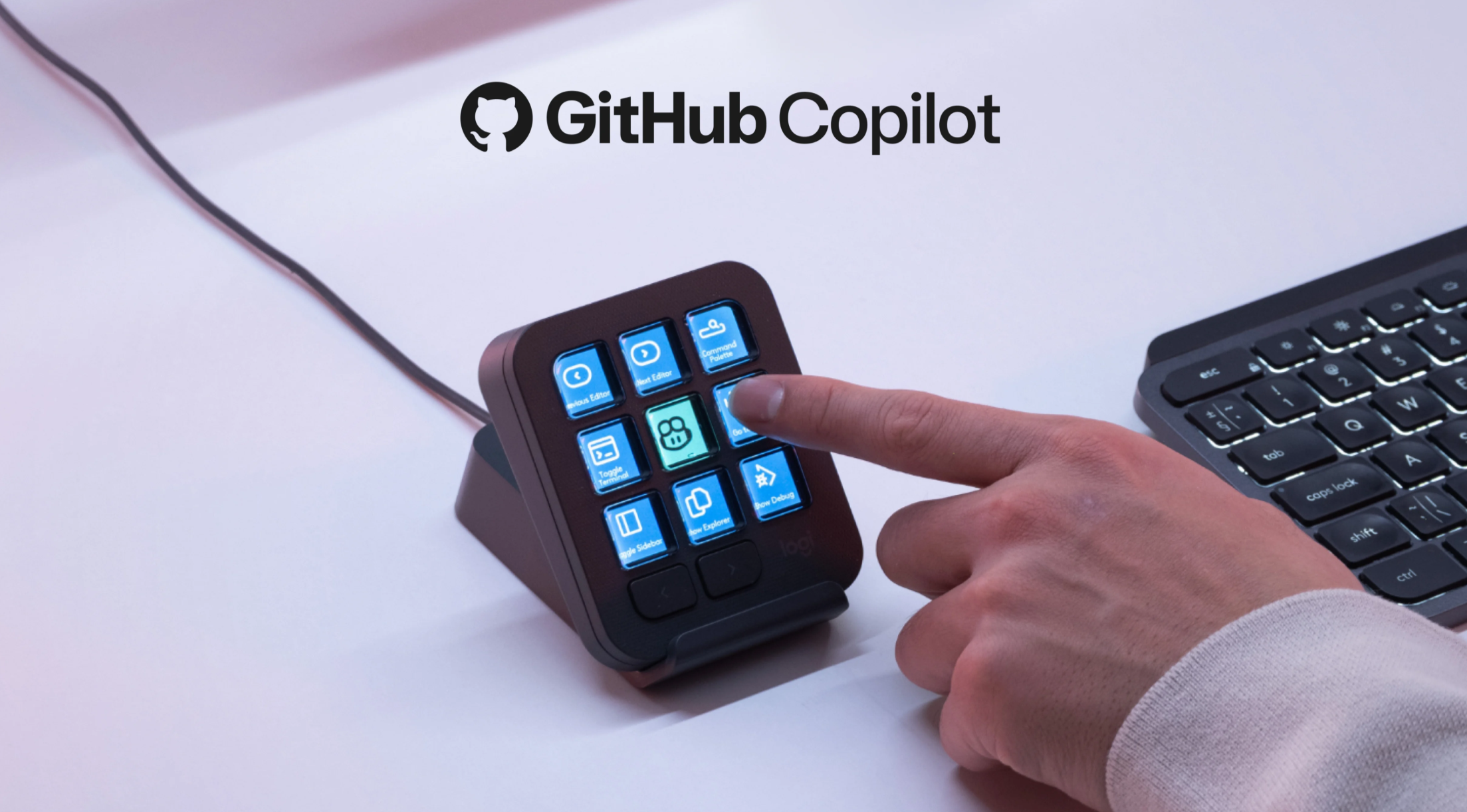
Logitech is targeting developers, creators, and power users with a new compact productivity device built for modern software workflows. The Logitech MX Keypad is a small programmable control pad featuring nine full-color LCD keys, each designed to trigger shortcuts, scripts, macros, app commands, or AI prompts with a single press.
Priced at $99.99, the MX Keypad is designed to simplify the way users interact with complex development environments and productivity apps. Instead of memorizing long keyboard shortcuts or repeatedly typing the same commands, users can place their most-used actions directly on a dedicated keypad.
Each of the nine LCD buttons can show a custom icon and perform a different task. Through Logitech’s Logi Options+ software, users can assign specific shortcuts, macros, scripts, and app-based actions to each key. The software requires Windows 10 or macOS 14 or newer.
Although the device has only nine main keys, Logitech has added two navigation buttons that let users move between different pages of controls. According to the company, the MX Keypad can support up to 15 pages of functions, giving users access to far more commands than the compact design initially suggests.
One of the most useful features is application-based profiles. This allows the keypad to automatically change its button functions depending on the app currently in use. For example, the same key can perform one action in Visual Studio Code, another in Slack, and a different command in Chrome. This makes the MX Keypad especially useful for developers who constantly switch between coding tools, communication apps, browsers, and AI assistants.
Artificial intelligence is a major focus of the MX Keypad. Logitech is positioning the device as a hands-on controller for AI-assisted programming and automated workflows. The company has created integrations and plugins aimed at development environments, including native support for GitHub Copilot inside Visual Studio Code.
This means developers can potentially trigger AI coding actions, launch prompts, or run workflow commands without leaving their main workspace. Logitech says its initial focus is on software development tools, but support for more applications and services is expected to grow over time.
The MX Keypad is also designed to support a broader plugin ecosystem. Community-made integrations may allow the device to work with AI coding platforms such as Claude Code and OpenAI Codex. For developers using AI tools as part of their daily workflow, this could turn the keypad into a practical shortcut hub for repeated prompts, code generation tasks, and automation commands.
The full-color LCD keys are central to the experience. Since every button can display a custom image or icon, users can quickly recognize what each key does at a glance. This visual feedback is particularly helpful when switching between multiple pages of controls or different app profiles.
Customization is handled through Logi Options+, where users can adjust key functions and visual layouts. Logitech also offers access to a marketplace for additional plugins, profiles, and icon packs, helping users personalize the keypad for their specific workflow.
The MX Keypad connects through USB-C, keeping the setup simple and reliable. Logitech is offering the device in two color options: graphite and light gray.
At $99.99, the MX Keypad is positioned as a more affordable alternative to Logitech’s larger MX Creative Console, which costs $199. While the Creative Console is aimed at broader creative workflows, the MX Keypad focuses on a smaller, streamlined LCD key surface for developers, AI users, and productivity-focused professionals.
Logitech says the MX Keypad is available in select markets starting September 8, 2026. For users who rely heavily on shortcuts, automation, coding tools, and AI-assisted workflows, the new compact keypad could be a useful way to speed up everyday tasks and reduce repetitive input.