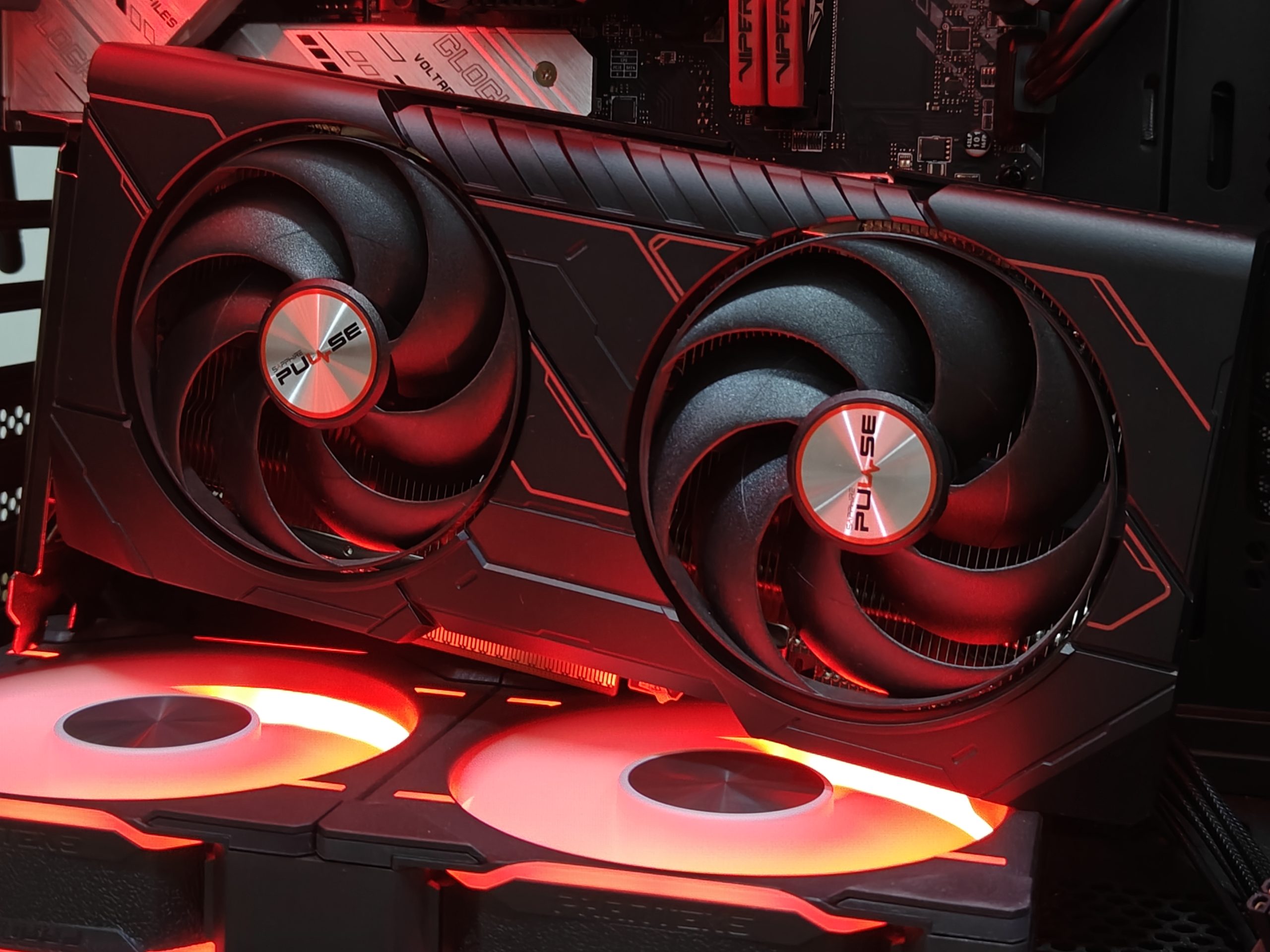
A recent debate on the Hardware Unboxed podcast reignited one of PC gaming’s most controversial questions: is 8GB of VRAM still enough in 2025? Edward Crisler, PR Manager of Sapphire NA, argued that 8GB is sufficient for 99% of games at 1080p—specifically while defending the heavily criticized 9060 XT 8GB, a graphics card many reviewers have hammered for being limited by its memory capacity and long-term viability.
Crisler’s point was simple: the 9060 XT 8GB isn’t a bad GPU if you’re gaming on a budget, and at 1080p it can deliver a strong experience in most titles. That’s a bold claim in a world where modern releases are increasingly texture-heavy and ray tracing continues to push memory demands upward.
After using a Sapphire 9060 XT 8GB Pure since August, I’ve seen both sides of this argument firsthand. As a piece of hardware, the card is genuinely appealing: it’s sleek, runs cool, and stays nearly silent—helped by its modest 170W total board power. With FSR4 Quality enabled (including in games that don’t officially support it), it can even deliver a surprisingly enjoyable 1440p experience for the price. In my case, that price was $225 at Microcenter, which makes the value proposition hard to ignore.
But good thermals and decent raw performance don’t solve the core issue people complain about: VRAM limits. The real question is how often 8GB becomes a hard wall in modern games, and what you have to sacrifice to stay on the good side of that limit.
Test system used:
Intel Core i7-13700K
MSI Z790M Power
32GB (2x16GB) DDR5-8000 CL32 Patriot Xtreme5
Sapphire 9060 XT 8GB Pulse
Arctic Liquid Freezer II 420mm
1TB WD SN850X PCIe 4.0 SSD
Seasonic Focus V3-GX1000 80+ Gold
Cyberpunk 2077 shows the best and worst of 8GB VRAM
Cyberpunk 2077 is a great starting point because it supports FSR4 officially and can look fantastic without forcing you into extreme settings. At 1440p with FSR4 Quality, maxed-out settings, and ray-traced lighting set to Medium (with RT shadows and reflections off), the card initially hovers close to a 60 FPS experience. Early gameplay feels smooth, landing around 50 FPS in the tutorial with no stuttering.
The problem arrives once you leave the early sections and the world opens up. VRAM needs creep past 8GB, and performance can collapse into severe stutter and a slideshow-like feel—think 20 FPS territory in some areas. Dropping texture quality to Medium doesn’t reliably prevent it. The most effective fix is turning off ray-traced lighting, which not only stabilizes VRAM usage but also boosts performance dramatically, jumping from around 60 FPS to nearly 100 FPS in the same general configuration.
The takeaway: the GPU itself has enough horsepower for moderate ray tracing in Cyberpunk, but the 8GB VRAM buffer can turn “playable” into “painful” as soon as the game’s memory needs spike.
Star Wars Jedi: Survivor highlights how games “protect” you from VRAM limits
This 2023 Unreal Engine 4 title behaves differently. Instead of stuttering when VRAM runs short, it aggressively culls texture quality to stay inside the memory budget. At 1440p Epic settings with FSR4 Quality (added via a workaround) and ray tracing enabled, the framerate can remain smooth—but the visuals take a major hit. Character models and environment surfaces can look oddly low-resolution, and this still happens even when texture quality is reduced to High or Medium with ray tracing on.
To actually keep the game looking acceptable, the practical solution is to disable ray tracing and run Medium or High textures. Even then, High textures can show pop-in, including in fairly early scenes, making Medium the safer choice for consistency.
The takeaway: 8GB can keep performance stable here, but sometimes only by letting the game visibly downgrade what you see.
Red Dead Redemption 2 runs great, but comes with an API caveat
With FSR4 Quality at 1440p and high-to-ultra settings, Red Dead Redemption 2 runs exceptionally well on this card, typically in the 70–90 FPS range. Image quality with FSR4 Quality is also noticeably cleaner than native 1440p TAA, which is a rare win-win.
The main catch is that FSR4 locks you into the DX12 API, and some locations—like Saint Denis—are known for DX12-related stutter where Vulkan usually performs better. Even so, VRAM usage in testing topped out at 7.67GB, which is extremely close to the 8GB ceiling but didn’t actually trigger the ugly behavior seen in other games. No texture culling, no major texture pop-in tied directly to memory overflow.
The takeaway: some big games still fit inside 8GB at 1440p if you lean on upscaling, but you may run into non-VRAM issues depending on the API.
A Plague Tale: Requiem makes ray tracing essentially unrealistic on 8GB
This game is a harsh reality check. At 1440p with FSR4 Quality, max settings, ray tracing enabled, and Ultra textures, performance immediately collapses as the game spills into system memory—dropping to around an 11 FPS average. Lowering textures to High can look okay for a moment, but once the area fully loads, the framerate can plunge from the 40s to under 20.
Even at Medium textures, you can get a smooth 60+ FPS right at the start, only to have the experience fall apart once the VRAM buffer fills. Massive stutters and dips into the teens follow as the game saturates the available memory.
Turn ray tracing off, though, and everything changes. With RT disabled, you can crank settings (including textures) and enjoy a stable 75+ FPS experience.
The takeaway: ray tracing plus modern textures is where 8GB can completely break the experience, even if upscaling is enabled.
Clair Obscur: Expedition 33 proves 8GB can still shine with smart settings
At 1440p max settings with native FSR4 Quality, Expedition 33 stutters on the 9060 XT 8GB. But it’s also one of the best examples of how a few targeted tweaks can transform 8GB cards.
By lowering texture quality to Medium and reducing shadows, foliage, and reflections from Epic to High, VRAM usage drops significantly. The game reduces draw distance for these elements, which introduces noticeable pop-in, but the trade-off is worthwhile: stutters largely disappear, performance averages around 75 FPS, and VRAM usage peaks at about 7.43GB. Occasional dips toward 60 FPS can still happen during area transitions or heavy streaming moments, but the overall feel becomes smooth and responsive.
The takeaway: 8GB can deliver a great 1440p experience if you’re willing to tune settings that heavily influence VRAM usage.
So, is 8GB VRAM enough for 1080p gaming?
In practice, the answer is closer to “yes, with conditions” than either extreme. Edward Crisler’s claim that 8GB is enough for 99% of games at 1080p is hard to outright dismiss, especially if you’re realistic about what you’ll actually use day-to-day.
The biggest pattern across testing is clear: ray tracing is the first feature you’ll need to give up on a regular basis, not because the 9060 XT 8GB lacks raw RT performance in every game, but because enabling RT often pushes VRAM demands over the limit. And when that happens, it’s not just a small performance dip—it can mean stutter storms, texture culling, or full-on memory spillover that wrecks playability.
The other consistent fix is also clear: lowering texture quality to Medium is often the difference between smooth gaming and VRAM-related issues. Pair that with FSR4 (officially supported or modded in) and the 9060 XT 8GB becomes far more usable than its reputation suggests.
The bottom line: if your goal is affordable 1080p gaming and you don’t treat ray tracing as a must-have, an 8GB card like the 9060 XT 8GB can absolutely work. But if you want maximum textures, ray tracing, and “set it and forget it” longevity as new AAA games arrive, 8GB is increasingly a compromise—and you’ll feel that limit more often over time.