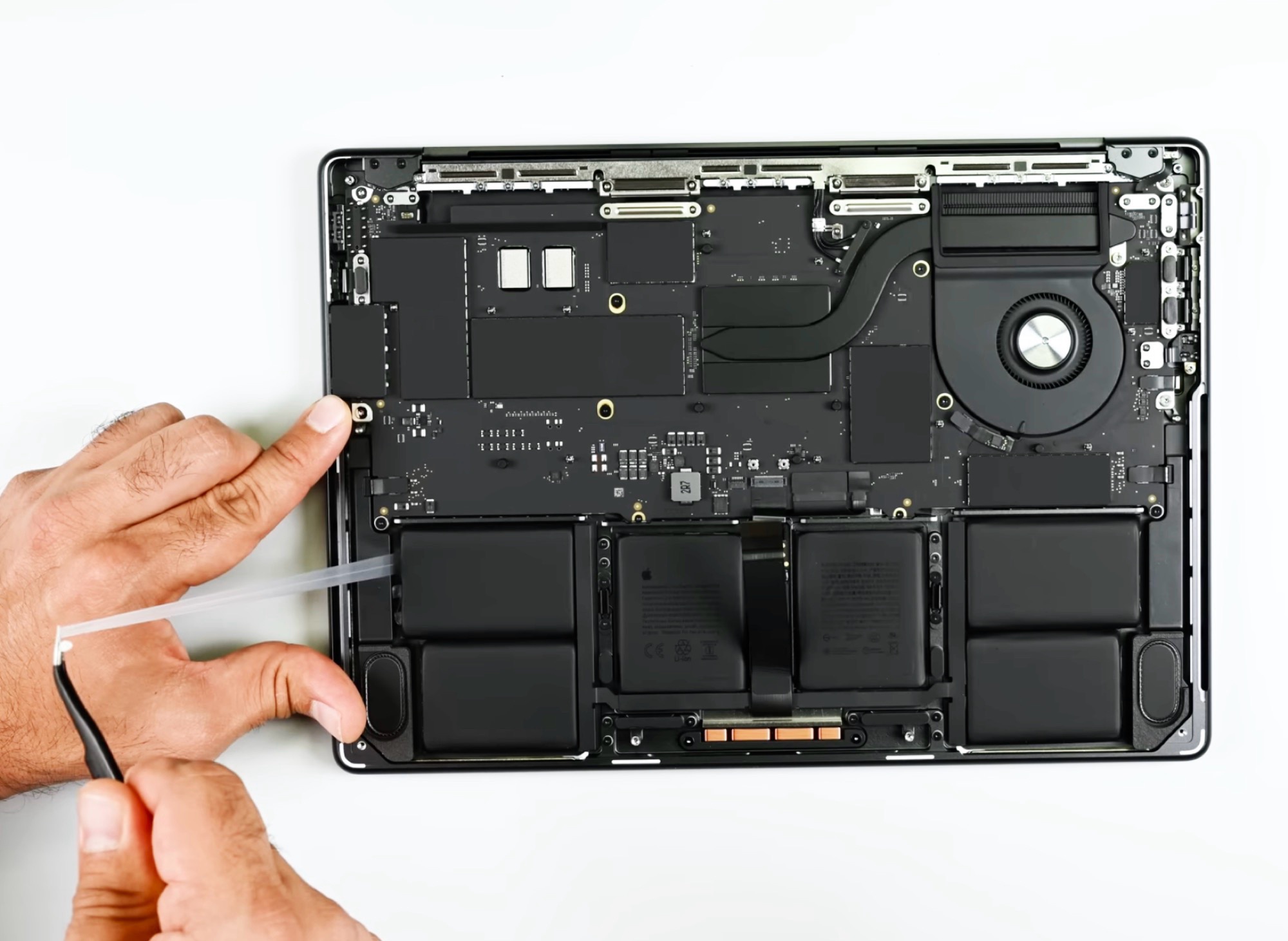
MacBook Pro 14-inch (M5) teardown: modest internal tweaks, stubbornly difficult battery replacement
Apple’s latest 14-inch MacBook Pro with the M5 chip keeps the familiar look, but a detailed teardown reveals that repairability still isn’t its strong suit. On paper, the headline upgrades are the new Apple M5 ARM processor and a quicker SSD, while the exterior design remains unchanged. In day-to-day use, early critiques echo the previous generation: fans can get surprisingly loud under heavy workloads, there’s still no Wi‑Fi 7 support, and user maintenance options are limited.
A recent teardown from repair specialists shows why. Getting to the battery is more complex than it should be. After removing the screwed-on bottom case and disconnecting the trackpad cable, you must peel away twelve adhesive strips that hold the six battery cells in place. Complicating matters further, Apple supplies the replacement battery bundled with the entire upper case assembly, including the keyboard. Following the recommended repair path means nearly disassembling the whole notebook, which adds time, cost, and risk.
There are bright spots. Both speakers are straightforward to swap, and once the motherboard is out, it’s possible to replace the ports, trackpad, and fan. Compared to the prior model, a few small but welcome refinements stand out: the battery can now be removed without first taking out the trackpad, and an official repair guide was available from day one. Even so, the overall process can be painstaking, and the machine earns a low repairability rating of four out of ten.
If you value raw performance and a speedy SSD in a proven chassis, the MacBook Pro M5 delivers. If you prioritize easy DIY repairs, especially for wear items like the battery, prepare for a challenging procedure and potentially higher service costs. For long-term owners, that’s an important consideration alongside missing features like Wi‑Fi 7 and the system’s tendency to spin up its fans under sustained load.


