Google Rolls Out New Android Features for Motion Sickness, Accessibility, Find Hub, and Messages
Google has announced a fresh set of Android updates aimed at making smartphones more helpful, comfortable, and personal in everyday life. The latest features focus on reducing motion sickness, improving accessibility for blind and low-vision users, helping people remember where they placed important belongings, and bringing more customization to Google Messages.
The update includes five new Android features, with some powered by Gemini, Google’s AI assistant. Together, they show how Google is continuing to blend artificial intelligence with practical phone tools that solve common daily problems.
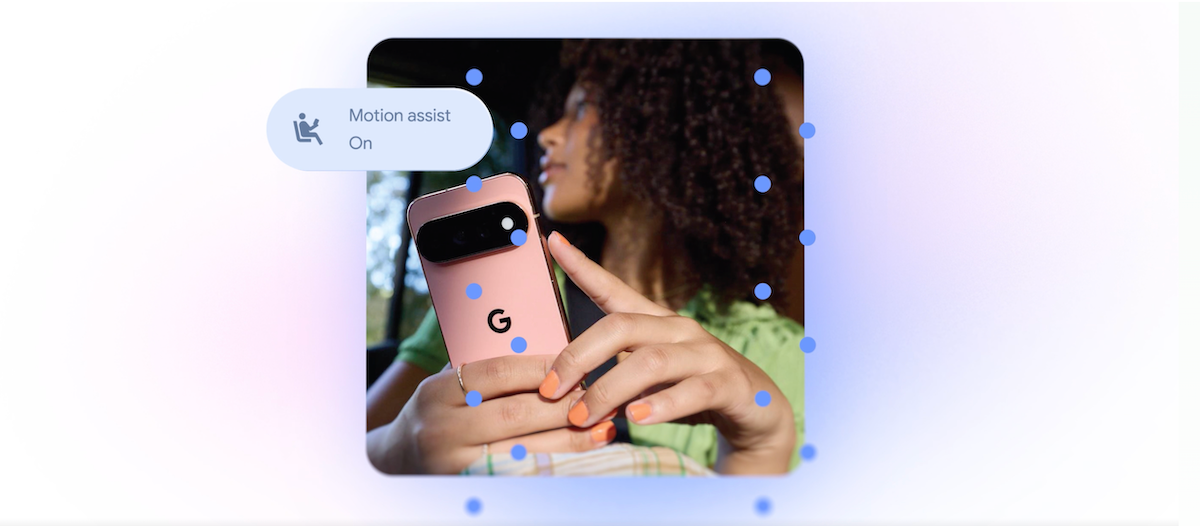
One of the standout additions is Motion Assist, a new Android feature designed for people who feel motion sickness while using their phone in a moving car, bus, or train.
Motion sickness can happen when your eyes are focused on a still phone screen while your body senses movement. This mismatch can lead to nausea, dizziness, or discomfort. Motion Assist addresses this by adding a moving bubble overlay on the display. These bubbles respond to the movement of the vehicle, helping your eyes better align with what your body is feeling.
Users can choose to turn Motion Assist on automatically, add it to Quick Settings for easy access, and adjust how it looks. Google says people will be able to customize the shape, color, and transparency of the bubbles, making the feature easier to fit into their personal phone setup.
According to Google, Motion Assist is available for Android 17 users.
Another major update is Guided Vision, a new accessibility feature created for blind and low-vision Android users. This tool uses the phone’s camera along with Gemini to help people understand what is around them.
Guided Vision can assist with everyday tasks such as reading small text on food packaging, checking a menu in a dimly lit restaurant, or identifying household objects. Instead of simply relying on the camera, the feature can offer spoken guidance to help users position their phone correctly.
For example, if the object is not in view, Guided Vision may tell the user to move the phone, pan around, or center the item in the frame. This makes the experience more interactive and practical, especially for people who need real-time assistance while navigating their surroundings.
Google says Guided Vision will be available on phones running Android 9 and newer in countries where Gemini is supported.
Google is also upgrading Find Hub with a new remembered items feature. This addition allows users to ask Gemini to remember where they placed important belongings.
For instance, if someone puts their passport in a bedroom drawer, they can tell Gemini, and that location will be saved in Find Hub. Later, when they need to find it, they can check the saved information instead of searching the house.
Users can also attach a photo to a remembered item, making it easier to recognize later. This could be useful for items that are easy to misplace, such as keys, documents, wallets, chargers, storage boxes, or travel essentials.
The feature turns Find Hub into more than just a tool for tracking devices. It becomes a personal memory assistant for physical items that do not have trackers attached.
Google Messages is receiving useful upgrades as well. One new addition brings Google Keep integration directly into conversations. This means users can share and edit notes, grocery lists, travel plans, reminders, and other information without leaving a chat.
For families, roommates, friends, or travel groups, this could make planning much easier. A shared grocery list can be updated inside a conversation, or vacation notes can be edited by multiple people as plans change.
Google Messages is also getting more visual customization options. Users will be able to personalize individual chats with backgrounds, photos, and colors. Text bubbles will automatically match the selected chat style, giving each conversation a more personal look.
This update is designed to make Google Messages feel more expressive and flexible, especially for users who want different chats to have their own identity.
With these Android updates, Google is focusing on features that improve comfort, accessibility, organization, and personalization. Motion Assist may help users who struggle with phone use during travel, while Guided Vision gives blind and low-vision users more support through AI-powered camera assistance.
Meanwhile, Find Hub’s remembered items feature could become a practical tool for anyone who frequently forgets where they put important belongings. Google Keep integration and new chat customization options also make Google Messages more useful and personal.
Overall, the latest Android feature rollout shows Google’s continued push to make smartphones smarter, more accessible, and better suited to everyday life.


