Google Gemini Privacy Settings: Reviewed Chats May Stay for Up to Three Years
Google’s shift from Assistant to Gemini on Android is now underway, and it comes with an important privacy detail users should not overlook. Starting Sept. 4, Android devices that move away from Google Assistant will open the Gemini app instead. For adults, one key setting is already enabled by default: Keep Activity.
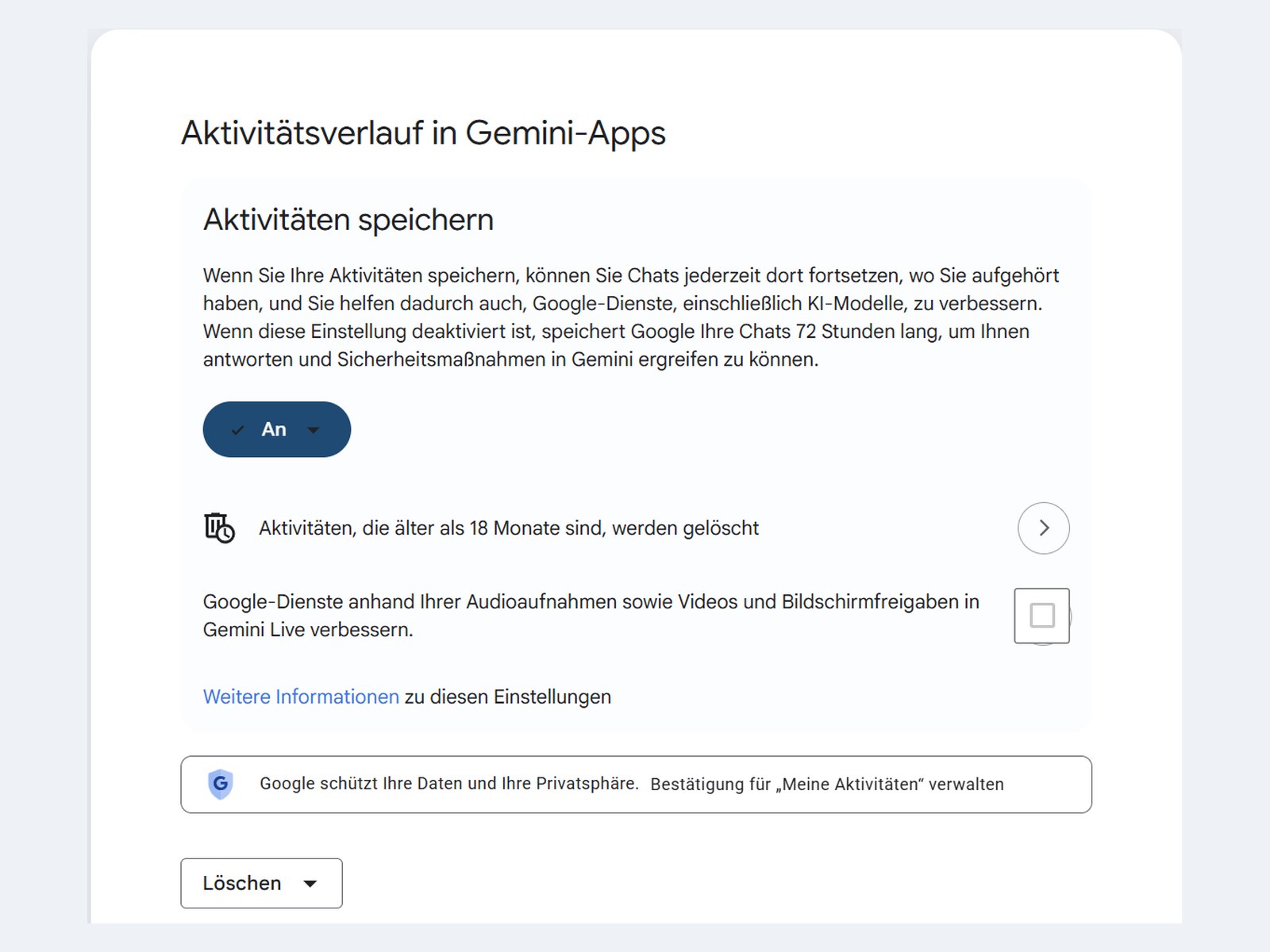
According to Google’s own help information, users aged 18 and older have Keep Activity turned on automatically. That means Gemini can save your interactions, including text prompts, Gemini Live conversation transcripts, approximate device location, and details about how you use the app.
By default, Google automatically deletes this activity after 18 months. However, users can change the retention period to 3 months or 36 months, or they can disable automatic deletion entirely.
Turning off Keep Activity does not erase everything immediately
Many users may assume that turning off Gemini activity tracking means their conversations disappear right away. That is not exactly how it works.
Even when Keep Activity is switched off, Google may still keep your Gemini conversations in your account for up to 72 hours. The company says this temporary storage is used to provide responses, process feedback, and help protect its services. This same 72-hour rule also applies to temporary chats.
In other words, disabling the setting limits long-term activity storage, but it does not completely prevent short-term retention.
Human-reviewed Gemini chats are treated differently
The most important privacy detail involves conversations that are reviewed by humans. Some Gemini chats may be seen by review teams, which can include Google employees and trained external service providers. Google says it removes the connection between the data and your account before reviewers access it.
However, once a conversation has been reviewed, deleting your Gemini activity does not remove that reviewed copy.
Google explains that chats reviewed by human reviewers, along with related data such as language, device type, location information, or feedback, may be kept for up to three years. This means clearing your Gemini history removes the activity from your account view, but it does not delete reviewed copies already separated from your account.
The same rule applies to feedback. If you rate a Gemini response with a thumbs up or thumbs down, the related conversation and feedback may also be retained for up to three years.
Audio has stronger default protection
There is one area where Gemini offers more protection by default: audio. Google says your audio, Gemini Live videos, and screenshares are not used to improve Google services by default.
However, transcripts of Gemini Live conversations are still covered by the Keep Activity setting. So while your actual voice may not be used by default, the written version of what you said can still be stored depending on your settings.
Some Google Assistant history may move to Gemini
Users moving from Google Assistant to Gemini should also be aware that some older Assistant records may be imported into Gemini Apps Activity.
Google says up to 90 days of saved Assistant communication request history may be transferred from Web and App Activity into Gemini Apps Activity in some regions. The company does not clearly list which regions are included.
This could affect users who previously used Assistant for tasks such as calls or messages. If your device has switched to Gemini, it is worth checking your activity settings to see what has been saved.
How to change Google Gemini activity settings
You can manage Gemini privacy settings directly in the Gemini app. Open the app, tap your profile picture, and go to the activity settings. You can also access the same controls through your Google activity page in a web browser.
From there, you can turn off Keep Activity, change the auto-delete period, or delete existing Gemini activity.
The order matters. If you want to limit future storage, turn off Keep Activity first, then delete your existing history. But remember: if a conversation has already been reviewed by a human reviewer, that separate reviewed copy may remain stored for up to three years and cannot be removed through your account controls.
Should you turn off Gemini Keep Activity?
Whether you should disable Keep Activity depends on how you use Gemini.
Turning it off can improve privacy by reducing long-term storage of your chats in your account. But it also limits Gemini’s ability to remember previous conversations. Some connected features, including certain Google Workspace integrations, may also become unavailable when activity storage is disabled.
For users who value convenience and personalized responses, keeping the setting on may feel useful. For users who are more concerned about privacy, shortening the auto-delete period or turning off Keep Activity may be the better choice.
The key takeaway is simple: Gemini’s privacy settings deserve a closer look. Your chats may not always disappear when you delete them, especially if they have been selected for human review. As Google Assistant continues to be replaced by Gemini on Android, users should review their settings now rather than relying on the defaults.