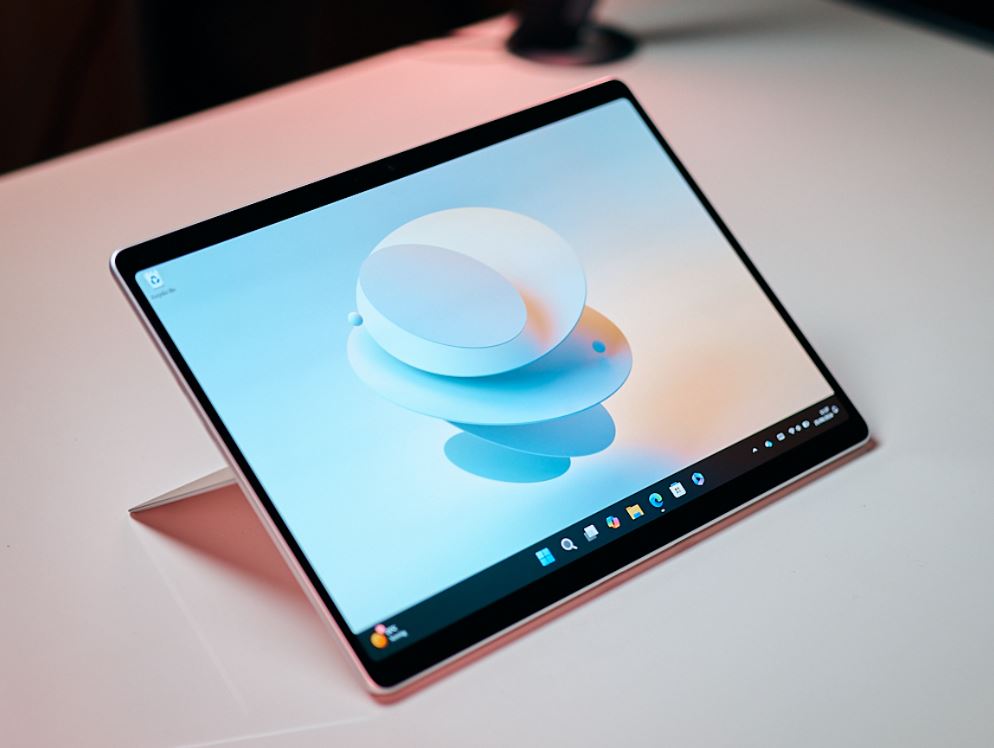
The Microsoft Surface Pro series continues to expand with the introduction of the Surface Pro Copilot+, an intriguing blend of performance, portability, and productivity. Starting at the competitive price point of $1,000, the base model is designed to capture the attention of professionals and casual users alike. This variant is engineered with the Snapdragon X Plus chip at its core, promising efficient power for everyday computing, despite being slightly pegged back in CPU prowess compared to its peers.
The Copilot+ base model shines in its GPU capabilities, aligning with its more expensive counterparts, making it suitable for integrated graphics tasks. Users running native Windows applications should experience a seamless and responsive performance. But it’s important to consider the new Windows version optimized for ARM chips, which may impose certain limitations. Compatibility issues could arise with some apps, games, or peripherals that rely on specific drivers or do not have ARM-supported versions. Prior research into software compatibility is advised.
Long-term use and upgradeability are important considerations for investment in technology like the Surface Pro. This base model boasts an ample 16 GB of RAM paired with a 256 GB SSD. Those needing more storage can opt for a pricey $250 upgrade to a 512 GB drive, but with the ease of self-replacing the accessible M.2 2230 SSD, a DIY upgrade could prove more economical.
On the topic of maintenance, one should be aware of the lack of user-repairable options. Gaining access to internal components is not straightforward, with no viable route to tweaks or fixes within the device. Daily operation remains largely silent, with noise only increasing when the device is pushed to its limits, such as during heavy gaming, which also causes the aluminum chassis to noticeably heat up.
The base model’s IPS touchscreen may not provide the OLED’s vibrancy or deep contrasts, yet at 600 nits, the high resolution and 120 Hz refresh rate deliver a visually rewarding experience without the flicker issues of Pulse Width Modulation (PWM). The slight drawback of this IPS panel is its inability to cover the full P3 color gamut, but with an accurate sRGB calibration, this shortfall should not impact most users.
While it shares a similar weight with its OLED sibling, the base model’s battery capacity is equipped with 47 Wh, roughly 10% less than the OLED alternative. This adjustment slightly shortens the device’s run time, but the difference in weight is negligible.
The Windows tablet and 2-in-1 market has seen a decline in interest lately, with only a few models like the ThinkPad X12 and Asus ROG Flow Z13 making waves in business and gaming spheres, respectively. When placed against the Minisforum V3, the Surface Pro Copilot+’s immediate competitor, the Surface offers a less noisy experience and better battery performance, although it comes with a steeper price tag and less onboard storage.
In conclusion, the Microsoft Surface Pro Copilot+ base model presents itself as a well-rounded device that’s geared towards efficient day-to-day operation without breaking the bank. It’s a potential fit for individuals and businesses looking for a capable tablet and 2-in-1 hybrid that’ll cater to productivity on the go, considering the minor concessions on compatibility and battery life.